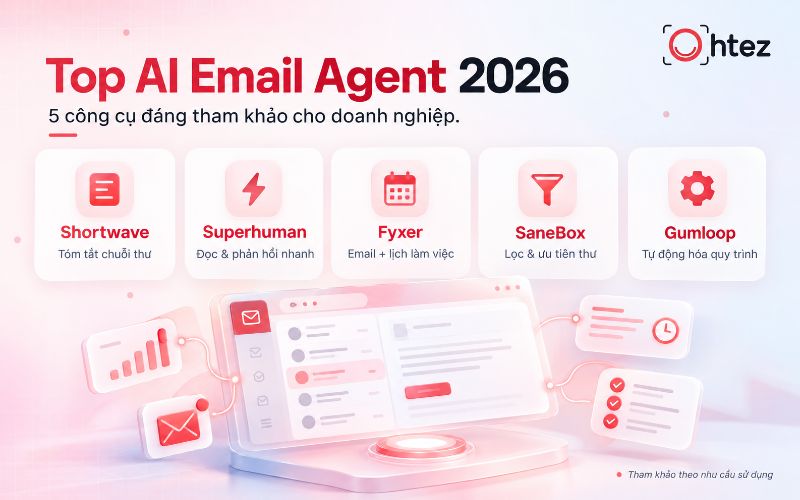

In the age of automation, AI Agents are transforming how businesses operate by handling complex tasks based on predefined goals. Mastering how to create an AI Agent on ChatGPT makes it easier to build an intelligent digital assistant with a specialized role, knowledge base, and workflow without complex programming. If you want to use artificial intelligence to optimize your team’s productivity, Ohtez will guide you step by step, from setup and testing to effective Agent operation, in the sections below.
What is an AI Agent on ChatGPT?
How to create an AI Agent on ChatGPT starts with understanding how an Agent differs from a chatbot in its ability to handle tasks through a consistent workflow
An AI Agent on ChatGPT is an AI assistant configured to perform one or more specific tasks based on the goals, instructions, data, and tools provided. Unlike a chatbot that only responds to individual questions, an Agent can process requests through a workflow and maintain a consistent way of working. This is also an important foundation when learning how to create an AI Agent on ChatGPT.
An AI Agent typically has the following characteristics:
- It has a clearly defined role, goals, and scope of responsibilities.
- It can use reference data to provide more relevant responses.
- It can perform multi-step tasks instead of only giving one-off answers.
In terms of how it works, the Agent receives a request, analyzes the context, checks the instructions and knowledge, selects an appropriate approach, and then produces a result. If given the necessary tools, the Agent can also support search, data analysis, or connections to external workflows. Understanding this mechanism makes how to create an AI Agent on ChatGPT more effective and easier to control.
>> See also: What are AI Agent Skills? Concepts, how they work, and detailed examples
Why create an AI Agent with ChatGPT?
How to create an AI Agent on ChatGPT has a major advantage: you can quickly test an AI assistant without building complex infrastructure
A major advantage of how to create an AI Agent on ChatGPT is the ability to quickly test an AI assistant without building complex infrastructure from the start. Users can configure goals, instructions, reference documents, and selected capabilities directly in the ChatGPT environment. This is well suited to teams that want to validate a use case before investing in a larger system. Some notable advantages include:
- Quick setup, suitable for teams that need to test an AI workflow before deploying it at scale.
- Internal documents can be added so the Agent responds more closely to the knowledge of each department.
- Behavior and tools can be configured without developing an entire interface from scratch.
- Instructions are easy to test, edit, and update as business requirements change.
For complex workflows, advanced governance, or multiple integrations, businesses should still evaluate dedicated platforms.
How to create an AI Agent on ChatGPT step by step
For an effective implementation, you should not rush to enable too many tools at the beginning. The most important step is to clearly define the target users, the problem to solve, and the virtual assistant’s permission scope. Following how to create an AI Agent on ChatGPT through a standardized process helps you build a stable system and maintain better quality control. The detailed steps are outlined below.
Step 1: Define the Agent’s role
The first step when building an Agent is to clearly define its role, primary users, and the scope of tasks it needs to handle
The first step in how to create an AI Agent on ChatGPT is to determine exactly what job the Agent will handle. An Agent with an overly broad scope is more likely to give inconsistent answers or prioritize tasks incorrectly. Instead of asking it to “support all marketing tasks,” a business should use a more specific description such as “an assistant that analyzes briefs and proposes SEO outlines.”
When defining the role, clarify the following:
- Whether the Agent’s primary users are internal employees, customers, or project managers.
- Which tasks the Agent is allowed to perform and which cases must be handed over to a human.
- Whether the Agent will receive questions, documents, data, or structured forms as input.
- Whether the expected output is a report, analysis table, content, or a recommended action.
Step 2: Create the Agent in ChatGPT
After defining the goal, the next step in how to create an AI Agent on ChatGPT is to open the GPT area in an authorized workspace and select the option to create a new GPT. OpenAI allows users to build a GPT either by describing their needs through conversation or by configuring it directly in the editor.
During setup, choose a name and description that clearly communicate the GPT’s purpose. For example, instead of “AI Assistant,” use “SEO Brief Assistant” so users immediately understand its function. Next, add conversation starters – sample prompts that show employees how to interact with the Agent. A clear foundation from the beginning makes it easier to create an AI Agent that is manageable, especially when the GPT is shared with multiple members of the same workspace.
Step 3: Write instructions for the Agent
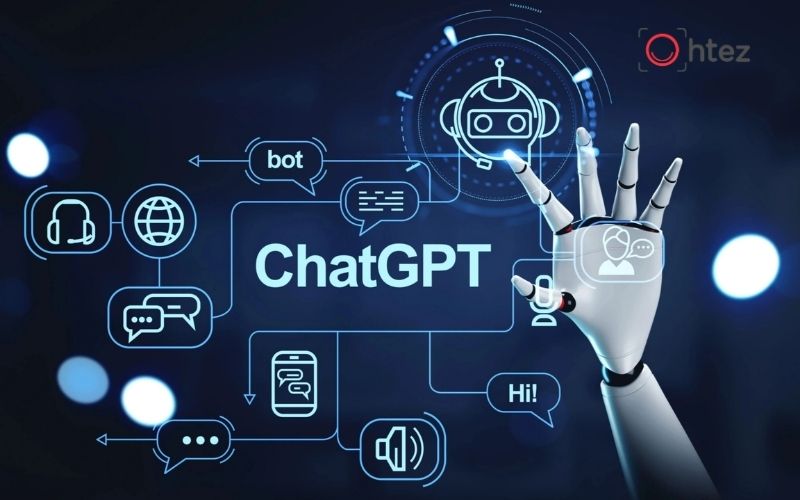
How to create an AI Agent on ChatGPT requires careful attention to instructions because they largely determine how the Agent understands and responds to tasks
Instructions are the most important part of determining how the Agent understands a task and responds. In how to create an AI Agent on ChatGPT, the instructions should clearly describe the role, goals, processing workflow, output format, and limitations. Avoid using only vague statements such as “respond professionally and accurately.”
An effective instructions structure can include:
- Role: define the expertise the Agent should demonstrate throughout the conversation.
- Tasks: list the work the Agent is allowed to perform and should prioritize.
- Process: describe the steps the Agent should follow when it receives a specific type of request.
- Output: define the presentation format, length, use of tables, or evaluation criteria.
- Limitations: specify when the Agent should ask follow-up questions or avoid drawing its own conclusions.
Step 4: Add reference knowledge
An Agent can only produce results that closely match a business’s needs when it is given suitable knowledge sources. Therefore, how to create an AI Agent on ChatGPT should include adding reference materials such as SOPs, brand guidelines, catalogs, training documents, FAQs, or operational procedures.
It is important to distinguish knowledge from instructions. Instructions define “how the Agent should work,” while knowledge provides the information the Agent should “use as the basis for its answers.” OpenAI also recommends using knowledge for reference content rather than placing all operating rules in files. Businesses should prioritize clearly structured, up-to-date documents and remove content that is no longer valid. Clean data helps create an AI Agent with a lower risk of incorrect retrieval or responses based on outdated information.
Step 5: Configure the necessary tools

Choose the necessary tool configuration
Not every Agent needs every tool. In how to create an AI Agent on ChatGPT, businesses should enable only the capabilities that directly support the task. A research Agent may need web search, while a report-analysis Agent may need data-processing capabilities.
Depending on workspace permissions and configuration, a GPT can use capabilities or connect to external services. Actions allow a GPT to interact with defined APIs, while apps support connections to services the user has linked. A GPT currently uses either apps or actions according to its configuration, not both at the same time. The principle when you create an AI Agent is to provide only the tools it actually needs and avoid granting broader access than the real scope of work requires.
Step 6: Set response rules
A good Agent should not only give correct answers but also present them in a way that is easy for users to work with. Therefore, how to create an AI Agent on ChatGPT should include rules for tone of voice, level of detail, output format, and how to respond when available data is insufficient.
For example, a content-analysis Agent can be instructed to:
- Always summarize the key conclusion before presenting the detailed analysis.
- Use a table when comparing three or more factors so the reader can follow the information more easily.
- Do not infer data when the reference materials do not provide the required information.
- Request additional data when the input is insufficient to support a reliable conclusion.
These rules help the AI assistant produce consistent outputs and reduce manual editing after each use.
Step 7: Test with real-world scenarios

How to create an AI Agent on ChatGPT should always include testing with realistic scenarios before the Agent is put into use
Do not deploy an Agent immediately after configuration is complete. A required step in how to create an AI Agent on ChatGPT is testing it with scenarios that closely reflect real work. OpenAI provides a Preview area where builders can test prompts, check accuracy, and adjust the configuration before sharing the GPT.
Test at least three groups of scenarios: normal requests, cases with missing data, and requests that fall outside the Agent’s scope. After each test, evaluate how well it understands the request, uses knowledge, follows instructions, and presents the result. In particular, test questions that are likely to cause confusion instead of checking only ideal cases. Real-world testing helps create an AI Agent that is more stable before broader deployment.
Step 8: Optimize and finalize the Agent
After testing, users should record recurring errors and adjust the instructions or data instead of correcting each answer individually. This is the step that turns how to create an AI Agent on ChatGPT from a prototype into a tool that can be used regularly.
If the Agent responds at excessive length, add structural limits. If it frequently misunderstands the task, rewrite the workflow or add examples. If its answers lack accuracy, review the knowledge before enabling more tools. OpenAI also recommends improving instructions and adding examples before expanding capabilities. Once the Agent is finalized, businesses should monitor user feedback and update it regularly. An effective AI assistant should evolve with real workflows rather than be configured once and left unchanged.
>> See also: How to create an AI Agent on Claude from A-Z: Easy for beginners
How to customize a ChatGPT Agent effectively
After the basic setup is complete, deeper customization helps the virtual assistant fit more smoothly into real workflows. This process focuses on optimizing four core elements: prompt templates, role-based permissions, multi-step processes, and action limits. Applying how to create an AI Agent on ChatGPT together with precise customization can turn the Agent into a powerful tool for handling high-frequency tasks across your team.
Design prompts for each task
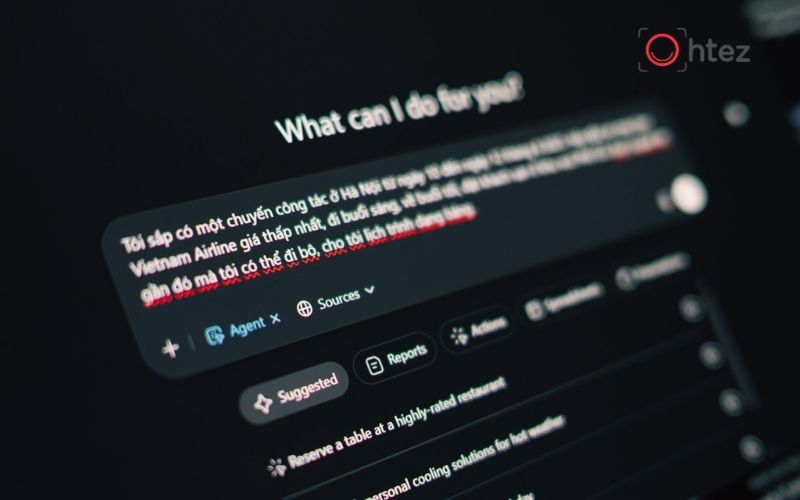
Task-specific prompt templates help the Agent understand goals clearly and produce consistent results across team members
A good prompt helps the Agent understand the goal of each use. In how to create an AI Agent on ChatGPT, businesses should build standardized prompt templates for recurring tasks instead of letting each employee write prompts differently. An effective prompt usually has four parts: context, task, input data, and output requirements. For example: “You are analyzing SEO article performance. Based on the GSC data below, identify the three URLs that should be optimized first and explain the reasons in a table.”
Prompt templates can also be added to conversation starters so users can begin more quickly. This approach reduces input inconsistencies and helps the AI assistant produce consistent results across team members, especially for workflows repeated every day.
Personalize the Agent by user role
Not every user needs the same level of information. Therefore, effective how to create an AI Agent on ChatGPT should take the user’s role into account. Execution-level employees may need detailed checklists, while managers often need conclusions, risks, and recommended actions.
Instructions can be designed so the Agent changes its response style based on the context provided. For example, if the user identifies their role as “SEO Content Writer,” the Agent can prioritize specific guidance; if the role is “Marketing Manager,” the Agent can focus on KPIs and decisions. However, the Agent should not be asked to guess a user’s job title when no data is available. Define a clear way for it to ask follow-up questions or provide options. Proper personalization helps create an AI Agent that is more useful while remaining consistent.
Build a multi-step workflow
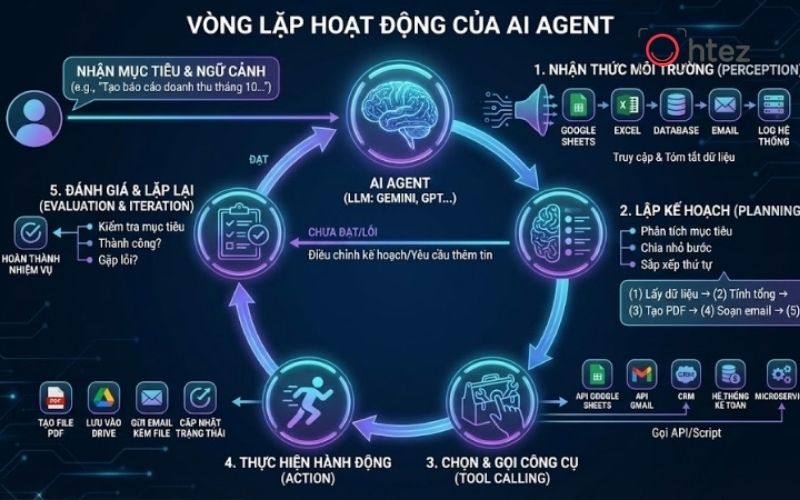
Task-specific prompt templates help the Agent understand goals clearly and produce consistent results across team members
An AI assistant is most valuable when it can process work in sequence instead of responding immediately after the first step. Therefore, how to create an AI Agent on ChatGPT should define a clear workflow for multi-step tasks.
For example, a content-planning Agent could follow this process:
- Read the brief and identify the product, target audience, and communication objective before proposing content.
- Check whether the available data is sufficient and request additional information when important details are missing.
- Group topics by the provided content pillars, funnel stages, and insights.
- Propose content ideas, then review them for duplication before finalizing the output.
A clear workflow helps the Agent avoid missing steps and makes it easier to create an AI Agent that fits real operating processes.
Set limits and execution conditions
The ability to perform many tasks does not mean an Agent should be allowed to handle every situation. An important part of how to create an AI Agent on ChatGPT is setting limits on data, tools, and actions. Businesses should clearly define which cases the Agent can handle independently and which require user confirmation. For API connections, internal data, or operations that can modify a system, the principle of least privilege helps reduce risk.
In addition, the Agent should be required to state when it does not have enough data instead of inventing information to fill gaps. A reliable AI assistant does not always need to provide an answer; it should know when to stop and request human review.
>> See also: What is a UX AI Agent? How AI Agents are changing UX design
Benefits of creating an AI Agent on ChatGPT
Following how to create an AI Agent on ChatGPT correctly helps businesses turn AI from a question-and-answer tool into an assistant that supports structured workflows. The greatest value is not in completely replacing people, but in reducing the time spent on repetitive tasks and standardizing how information is used.
Some notable benefits include:
- Reducing the time spent on research, document synthesis, and tasks with relatively stable workflows.
- Standardizing outputs through instructions so employees do not execute the same process in different ways.
- Making internal knowledge easier to use so employees can access the information they need during their work.
- Making it easier to test and adjust the solution before the business invests in large-scale automation systems.
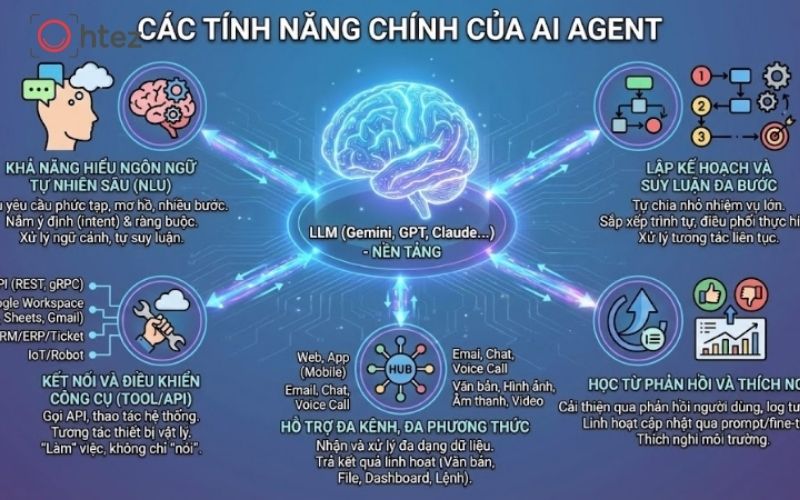
Following how to create an AI Agent on ChatGPT correctly helps businesses reduce time spent on repetitive tasks and standardize how information is used
In the age of automation, AI Agents are transforming how businesses operate by handling complex tasks based on predefined goals. Mastering how to create an AI Agent on ChatGPT makes it easier to build an intelligent digital assistant with a specialized role, knowledge base, and workflow without complex programming. If you want to use artificial intelligence to optimize your team’s productivity, Ohtez will guide you step by step, from setup and testing to effective Agent operation, in the sections below.