
AI Agent for businesses is opening up a new approach to automation, where AI not only answers questions but can also analyze data, select actions, and directly carry out tasks. From sales and customer service to data processing and knowledge management, businesses can integrate AI into specific workflows to reduce manual work and improve efficiency. So how do AI Agents work, how should they be implemented, and which solution is right for each business?
What is an AI Agent for businesses?
AI Agent for businesses is an AI system capable of receiving goals, analyzing data, selecting actions, and carrying out one or more tasks according to a defined process. Unlike chatbots, which mainly answer questions, an AI Agent can connect to CRM, ERP, email, internal documents, or APIs to proactively handle work. This approach to AI adoption in business is suitable for processes with clear data, repetitive tasks, and controllable outcomes.
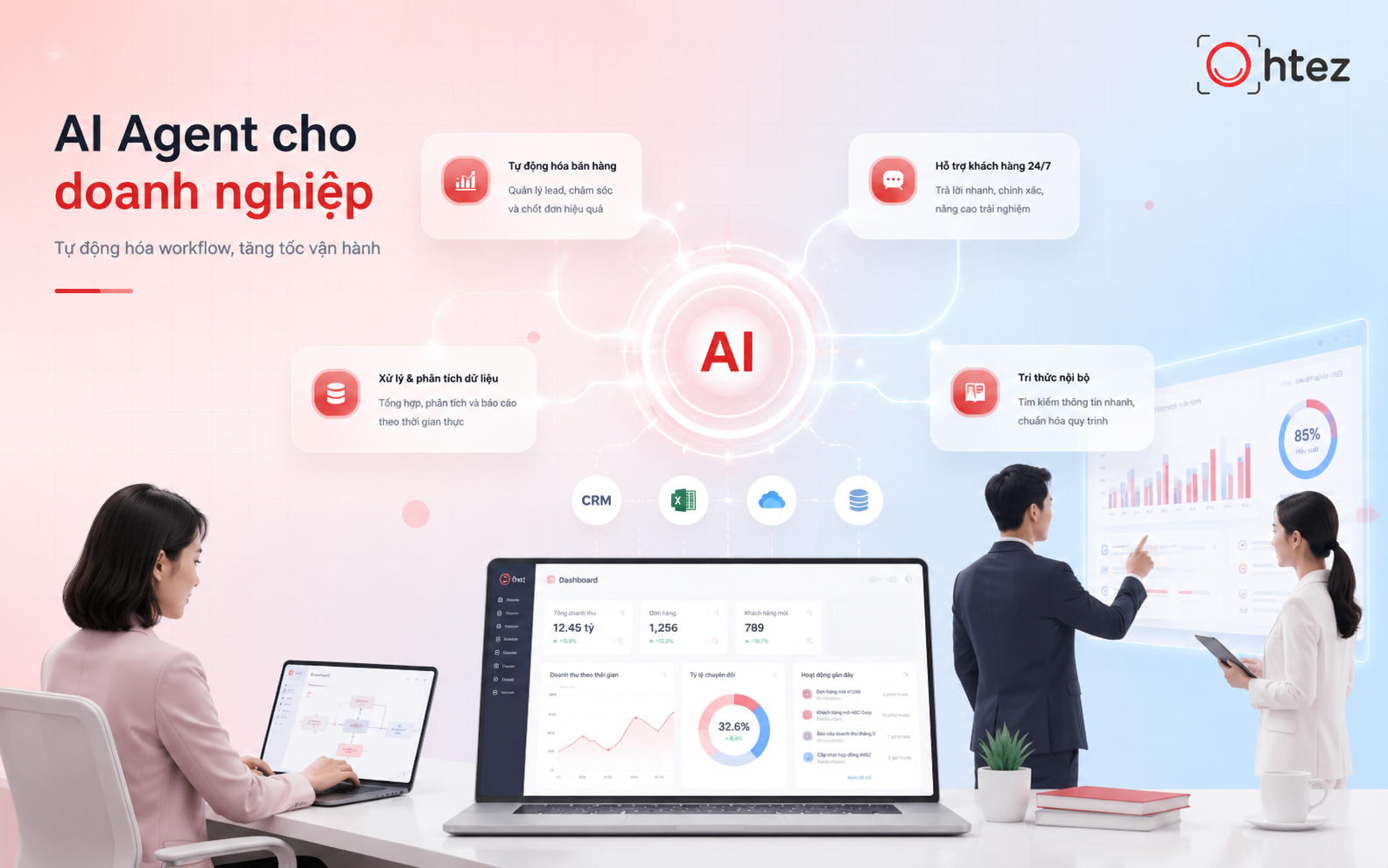
AI Agent for businesses is an AI system that can receive goals, analyze data, and proactively perform tasks according to a defined process
For example, a sales Agent can receive a new lead, check customer information, segment needs, update the CRM, and recommend the next follow-up step. When businesses build an AI Agent properly, they can automate not only individual actions but also create an end-to-end processing chain. The value of AI Agent for businesses therefore lies in helping people complete work faster, more consistently, and at a scale that can grow with operational needs.
See also: What is an AI Agent? How it works and detailed applications in 2026
Applications of AI Agents for businesses
Instead of adopting AI simply because it is trending, businesses should prioritize tasks that occur frequently, consume significant time, or require data to be consolidated from multiple sources. AI Agent for businesses is most suitable when the goal, input data, and processing workflow can be defined relatively clearly.
Some common approaches to AI adoption in business include:
- Automate sales and lead nurturing: An AI Agent can capture leads from websites, social media, or forms, analyze their needs, and assess their potential. The Agent can also schedule follow-ups, update the CRM, and route high-potential customers to the responsible sales representative.
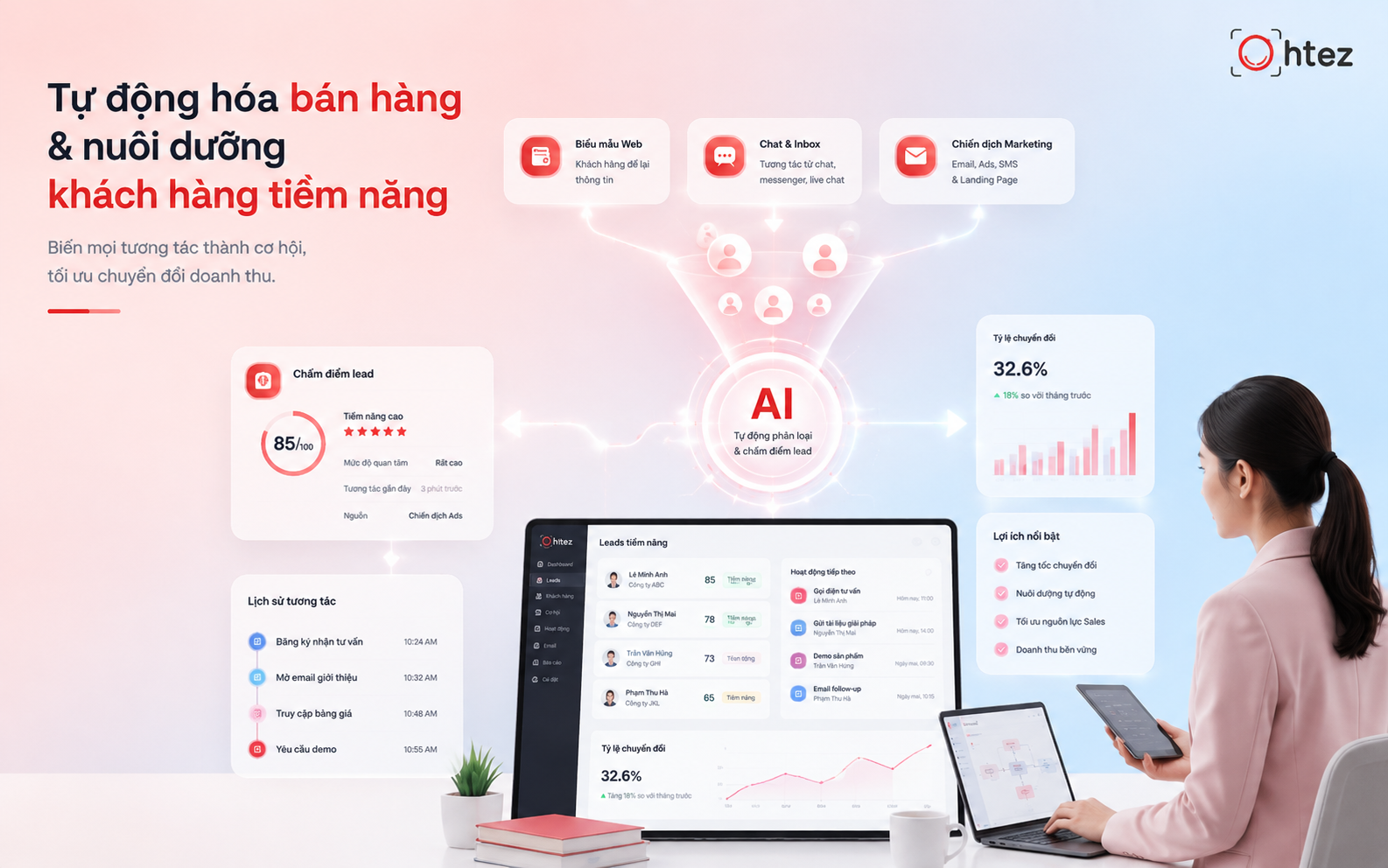
Automating sales and lead nurturing helps the Agent capture leads, assess needs, and update the CRM
- Provide 24/7 omnichannel customer service: The Agent can receive questions from websites, email, or support channels and respond using the business’s knowledge base. For more complex issues, it can summarize the conversation history and transfer the case to an employee for handling.
- Automate data entry, reconciliation, and reporting: AI Agent for businesses can collect data from emails, forms, invoices, or spreadsheets, then standardize it and update the relevant systems. The Agent can also reconcile information from multiple sources, detect anomalies, and compile reports using predefined templates.
- Support recruitment, training, and HR management: An AI Agent can screen resumes against hiring criteria, summarize candidate information, and support onboarding. It can also answer internal questions about policies, procedures, or training materials.
- Act as an internal knowledge assistant: The Agent can connect to the company’s document repository, search for information, and answer questions using authorized sources. This helps employees quickly look up procedures, policies, or operational documents without manually searching across multiple systems.
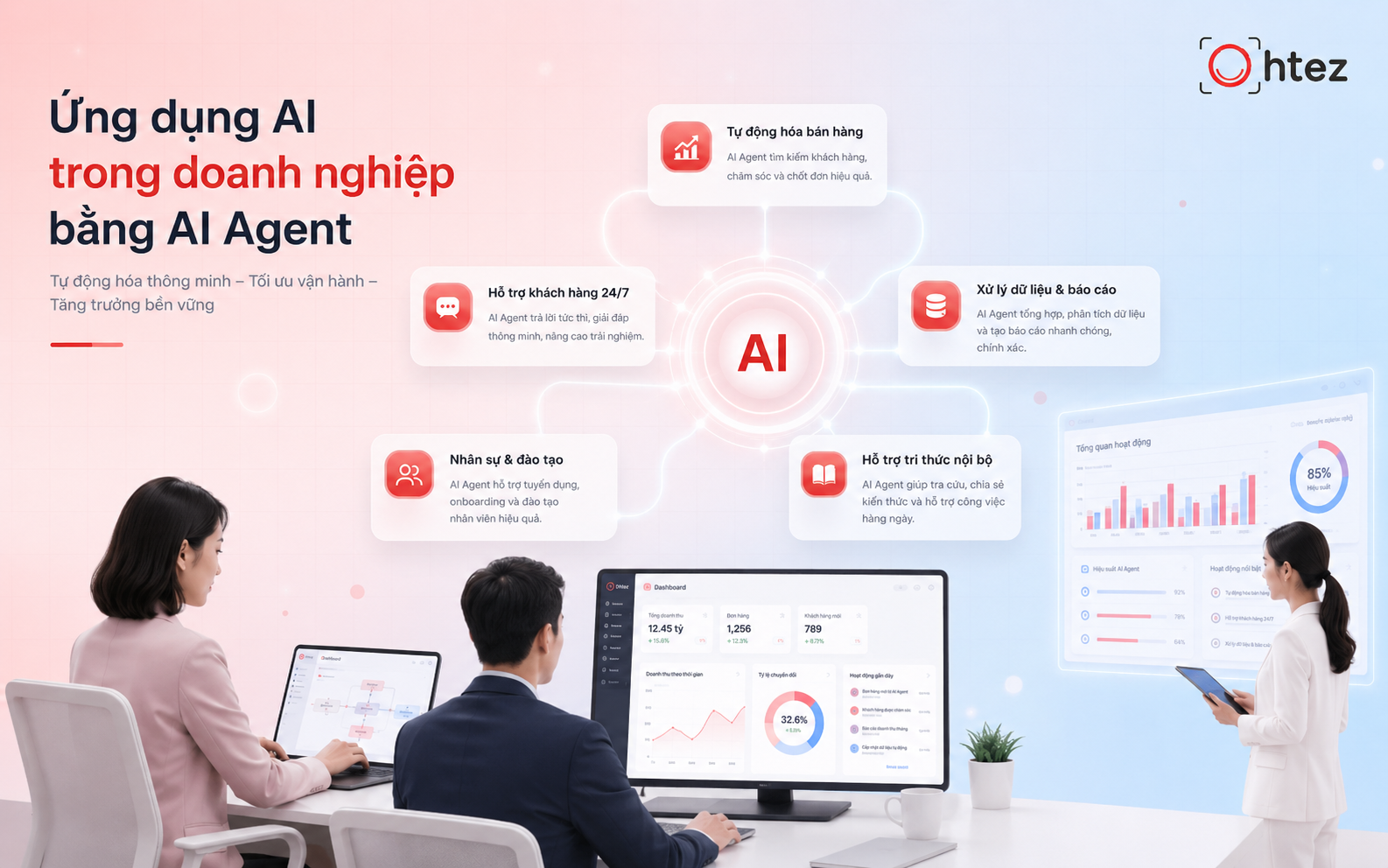
AI Agent for businesses can serve as an internal knowledge assistant, helping employees find procedures and documents more quickly
Note: For high-risk tasks such as payments, approvals, or hiring decisions, businesses should still maintain a human review step to ensure accuracy and safety.
See also: Top 10+ most powerful AI Agents for optimizing performance in 2026
Benefits AI Agents bring to businesses
The value of AI Agent for businesses goes beyond automating a few individual actions. It can also help businesses organize and run work more efficiently. When properly integrated into a workflow, an Agent can reduce processing time, optimize resources, and help employees make decisions faster.
Some notable benefits include:
- Reduce time spent on repetitive tasks: An AI Agent can automatically summarize emails, update CRM records, check forms, or generate reports according to a defined workflow. Employees can therefore spend less time on manual tasks and focus on work that requires expertise.
- Increase productivity without proportional headcount growth: As workloads increase, an Agent can take over some repetitive tasks from employees. This enables businesses to scale operations more flexibly without necessarily increasing headcount at the same rate.
- Personalize the customer experience: When connected to relevant data, an AI Agent can use purchase history, customer needs, and past interactions to provide content or support tailored to each customer. This is particularly useful in sales and customer service.
- Support faster and more consistent decision-making: An AI Agent can consolidate data from multiple sources, detect anomalies, and present information in a consistent structure. Managers can identify priority issues more quickly, while the final decision remains with a human.
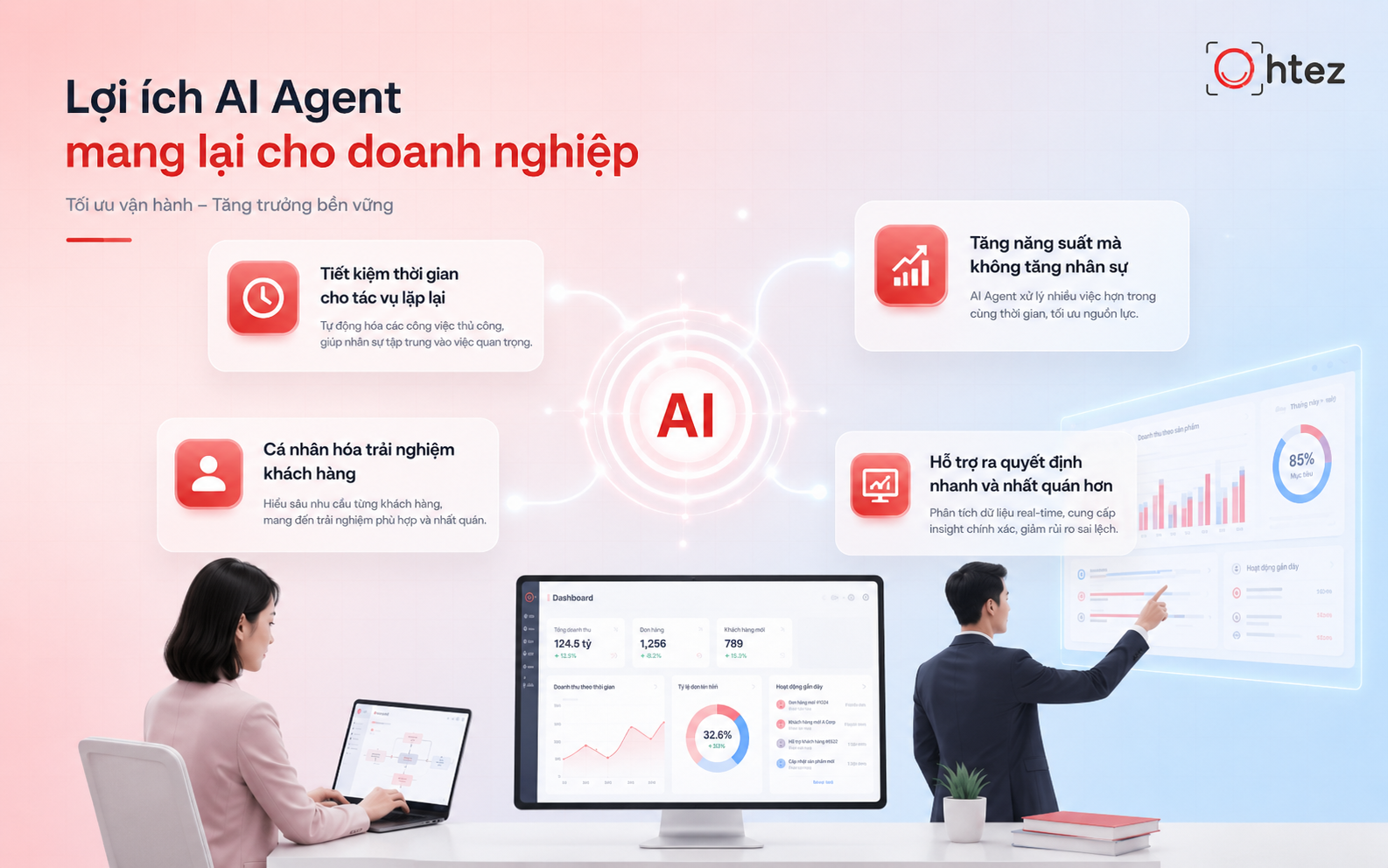
AI Agent for businesses delivers clear benefits such as shorter processing times, higher productivity, and more consistent decision support
Process for building an AI Agent for businesses
An AI Agent for businesses project should start with an operational problem rather than a technology choice. Businesses need to clearly define the process to automate, the data to use, the Agent’s permissions, and how effectiveness will be measured. The process below helps businesses build an AI Agent step by step, reduce risk, and scale more easily once the system is stable.
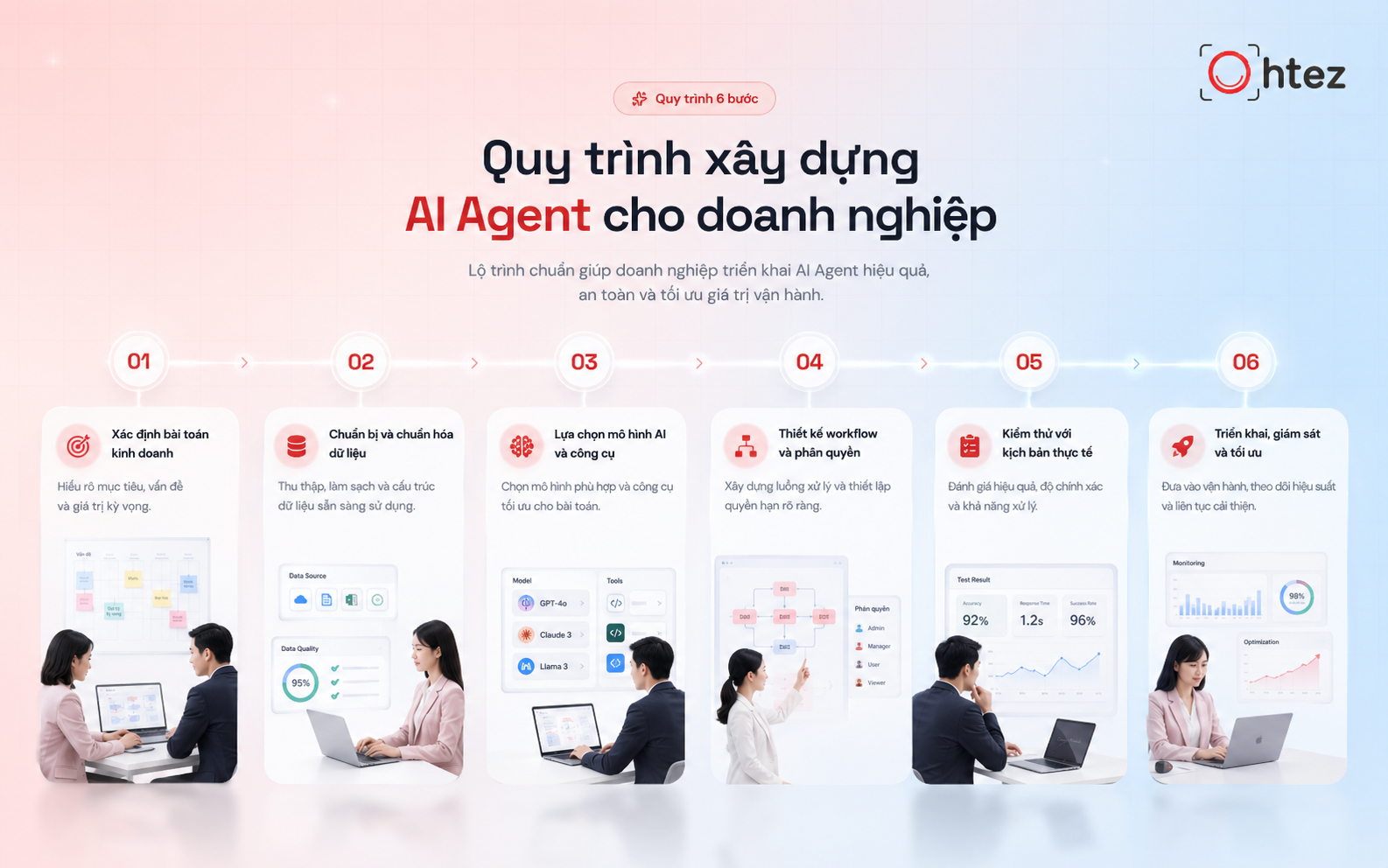
The process for building an AI Agent for businesses should start with an operational problem rather than choosing technology first
Step 1: Define the problem and automation goals
Before building an AI Agent, businesses need to clearly define the work they want to automate and the expected outcomes. A good starting point is high-frequency tasks that consume significant time and have relatively clear inputs, such as lead processing, customer service, or report consolidation. Goals should be measured using specific metrics such as processing time, automation rate, or cost per task.
Step 2: Standardize data for the AI Agent
Data quality directly affects the effectiveness of AI Agent for businesses. Businesses need to identify official data sources, remove duplicate or outdated information, and assign appropriate access permissions. They should also define which source takes priority when information conflicts. For sensitive data, access controls must be established before the Agent is connected and put into operation.
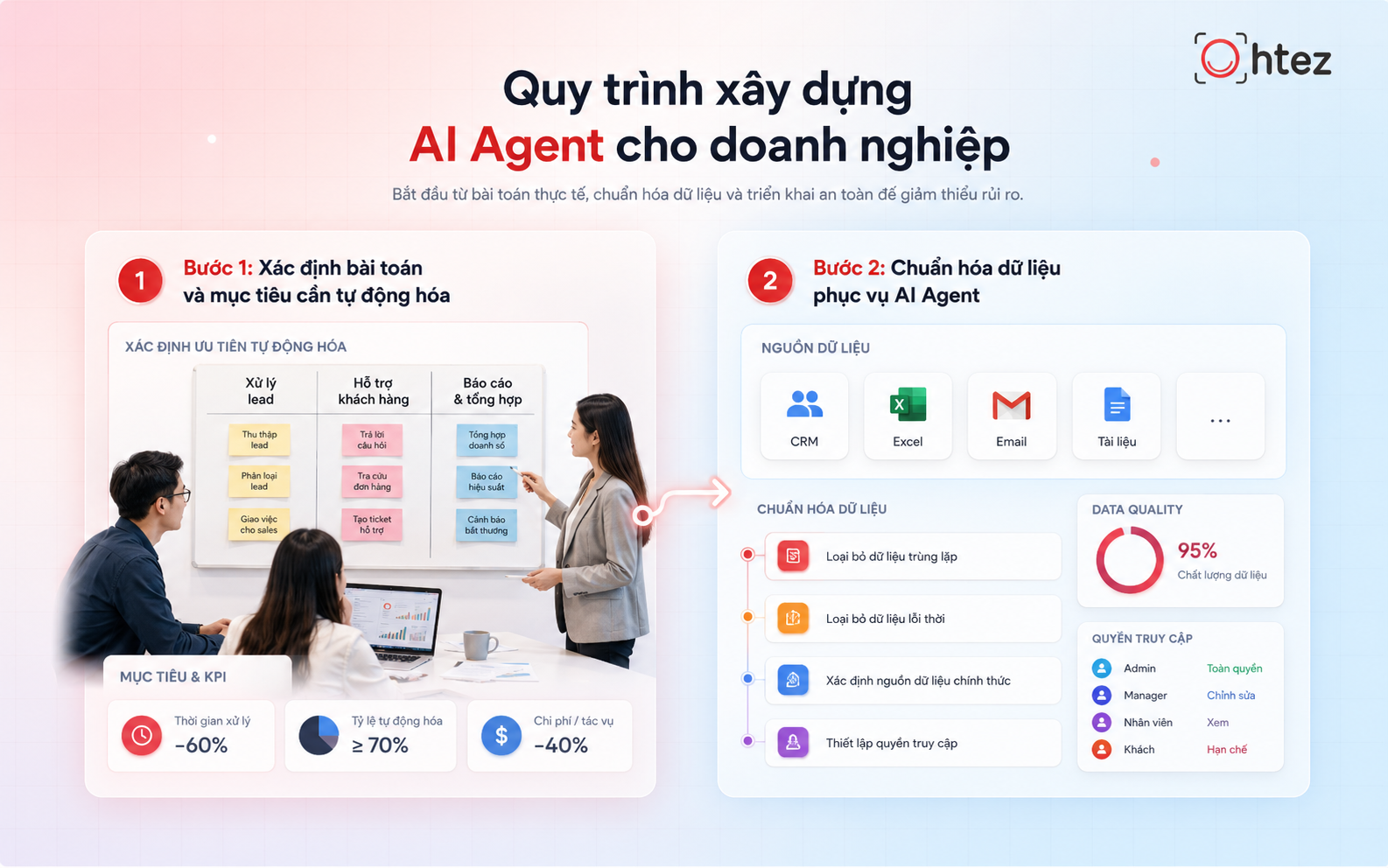
Standardizing data, removing duplicate information, and setting access permissions are important steps before putting the Agent into operation
Step 3: Choose the AI model and integration tools
Not every AI Agent for businesses requires a large AI model or a complex system. The choice should be based on requirements for accuracy, speed, cost, data type, and compatibility with existing systems. Businesses also need to determine which tools the Agent will use, such as CRM, email, APIs, or data repositories, while granting only the permissions that are truly necessary.
Step 4: Design the workflow and action permissions
The workflow defines what AI Agent for businesses is allowed to do, the sequence of steps it should follow, and when a task must be transferred to a human. Businesses should clearly distinguish between permission to read data and permission to edit data, send information, or create transactions. The Agent should receive the minimum permissions necessary and keep an action history for easier auditing. Important or difficult-to-reverse actions should use a human-in-the-loop mechanism.
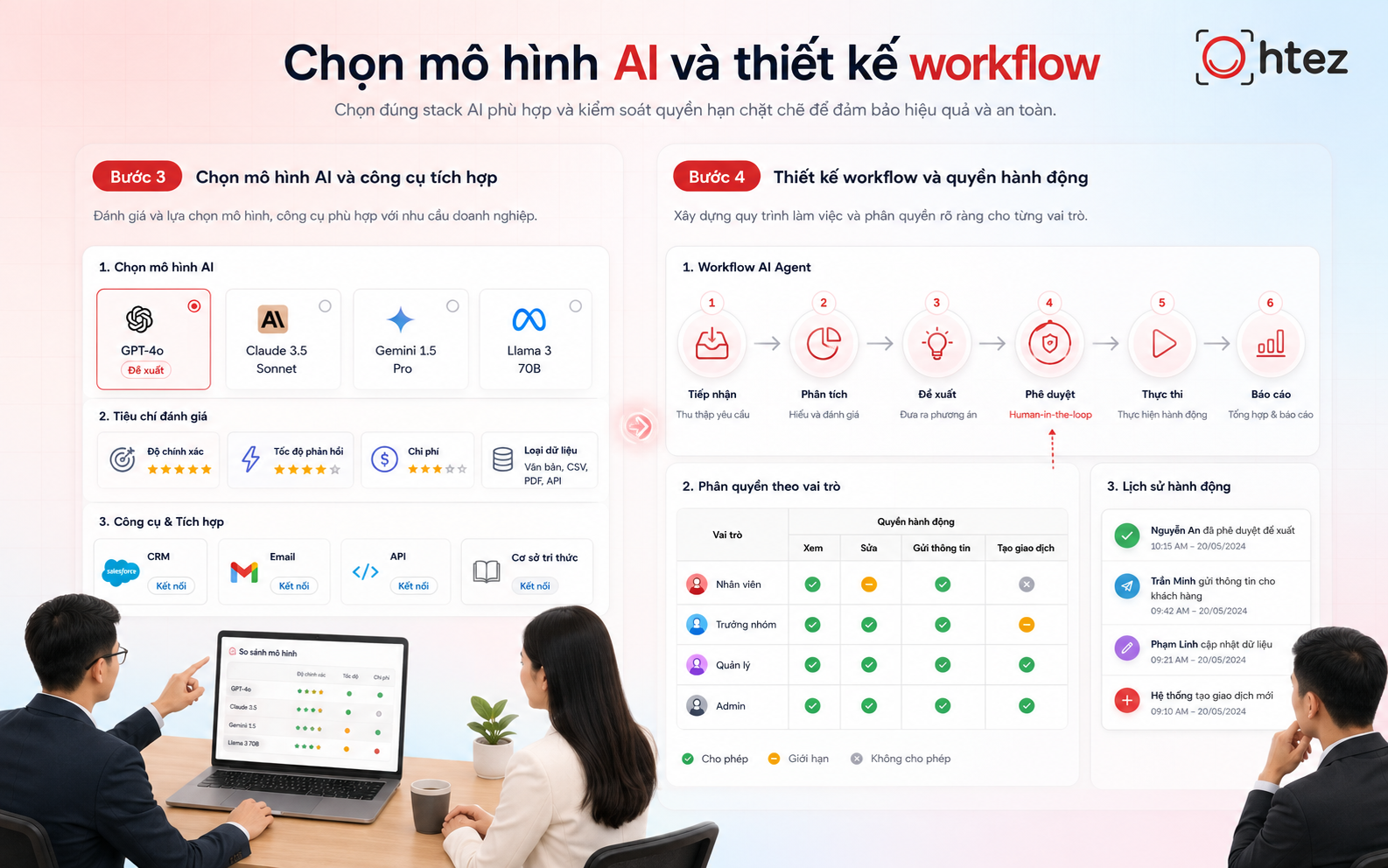
AI Agent for businesses requires a clearly designed workflow that distinguishes data-reading permissions from specific action permissions
Step 5: Test the AI Agent with real-world scenarios
Before official deployment, AI Agent for businesses should be tested with data and scenarios that closely reflect real-world use. In addition to normal cases, businesses should test missing data, conflicting information, out-of-scope requests, and actions that exceed the Agent’s permissions. The Agent must know when to stop or transfer the task to an employee if it does not have sufficient conditions to proceed. Test results should be recorded using clear evaluation criteria.
Step 6: Deploy, monitor, and continuously optimize
After AI Agent for businesses is put into operation, businesses should monitor completion rates, errors, costs, and cases that frequently require transfer to employees. This data helps identify workflows or knowledge sources that need improvement. The Agent should also be reviewed periodically when processes, data, or integrated systems change. This is a sustainable and scalable approach to AI adoption in business.
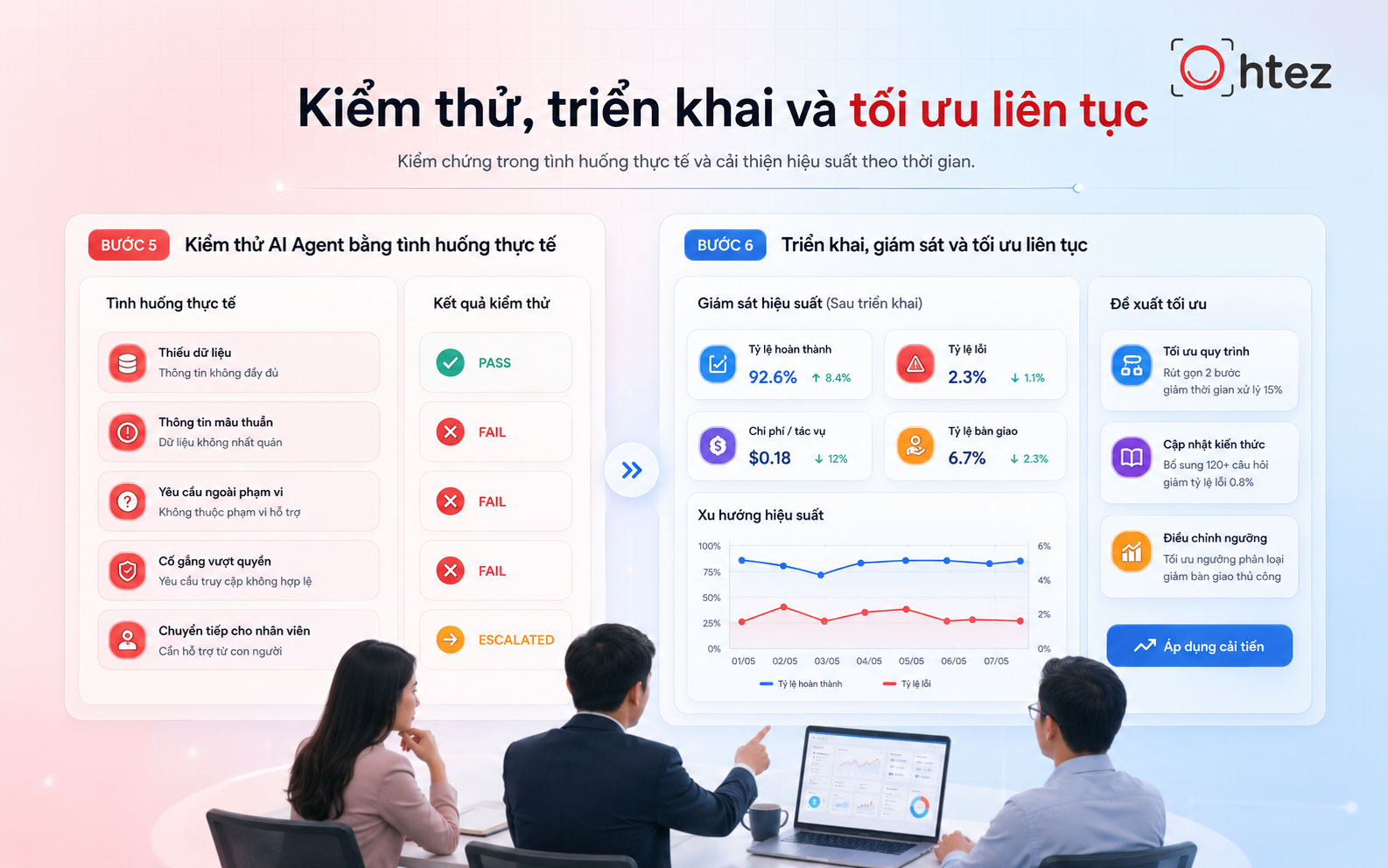
A phased rollout, continuous monitoring, and ongoing optimization help the Agent operate more reliably over time
Criteria for choosing an AI Agent platform or service for businesses
Businesses should not choose a platform based only on its ability to generate answers. An AI Agent for businesses should be evaluated based on integration capabilities, customization, security, cost, and support. Before making a decision, businesses should test the solution with a real use case to accurately assess its effectiveness and operational suitability.
1. Ability to integrate with existing systems
AI Agent for businesses needs to connect with the systems employees already use, such as CRM, ERP, email, document repositories, or internal APIs. Stable integration allows data to flow automatically instead of being copied manually. Businesses should also check how the Agent handles API failures or temporary system outages.
2. Level of customization for business processes
Every business has different workflows, approval rules, and data-handling practices. Therefore, AI Agent for businesses should allow customization of workflows, business logic, and conditions for human handoff. A flexible platform also makes it easier to adjust individual steps when processes change without rebuilding the entire system.
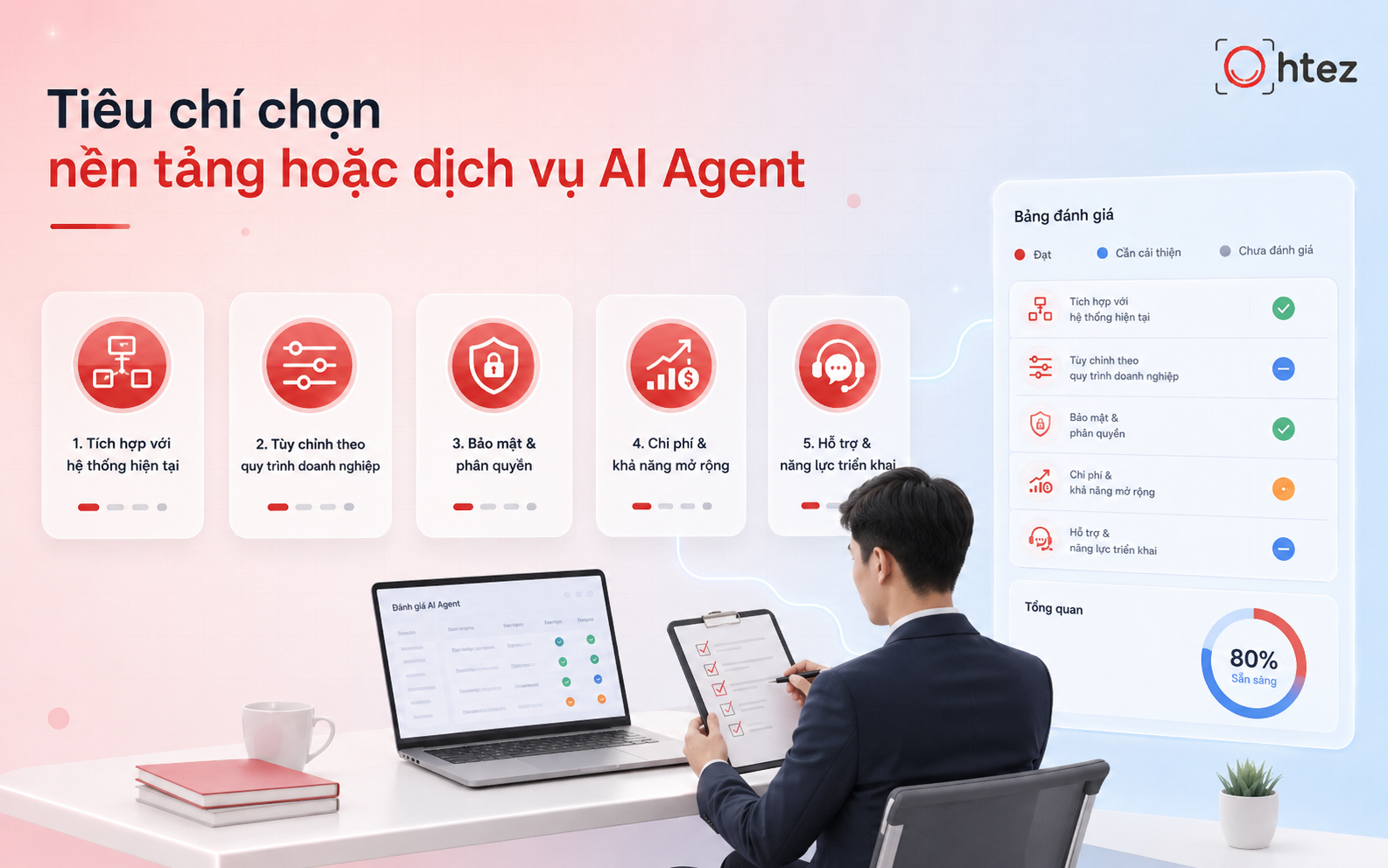
Customizable workflows and business logic help the Agent fit the unique operating model of each business
3. Security, access control, and data governance
Security is an important criterion when AI Agent for businesses accesses customer data or internal documents. Businesses need to review the platform’s authentication, authorization, logging, and data management mechanisms. The Agent should receive only the minimum permissions necessary and should not be given access to the entire system when it only needs to perform a specific task.
4. Implementation cost and scalability
The cost of an AI Agent for businesses includes not only model usage fees but also integration, infrastructure, maintenance, and monitoring. Businesses should calculate the total cost based on task volume and the value of the savings created. They should also assess scalability as the number of users grows and determine how additional costs will be controlled.
5. Vendor support capabilities
An effective AI Agent service needs end-to-end support, from needs assessment and workflow design to integration and post-deployment maintenance. Businesses should prioritize providers that understand both technology and business operations rather than those that only offer chatbots or prompts. The ability to update the Agent as data and processes change is also important for maintaining long-term effectiveness.
See also: How to build an AI Agent for robust technical automation [Complete 2026 guide]
Common mistakes when implementing an AI Agent for businesses
Many AI Agent for businesses projects fail to meet expectations because businesses automate before their data, processes, and control mechanisms are ready. Common mistakes to avoid include:
- Automating before data is standardized: Inconsistent, outdated, or unofficial data can cause the Agent to produce incorrect results. Businesses should standardize data and assign access permissions before building an AI Agent.
- Giving the AI Agent overly broad permissions: The more systems and actions an Agent can access, the greater the risk. Permissions should be assigned by task, with the Agent allowed to automate only low-risk activities and important actions requiring approval.
- Lack of human review: Not every business process is suitable for full automation. For decisions involving finance, legal matters, HR, or important customers, AI Agent for businesses should include a human-in-the-loop mechanism.
- Failing to define KPIs for measuring effectiveness: Do not evaluate an Agent only by the number of interactions or its ability to answer questions. Businesses should track processing time, completion rate, error count, and cost per task to determine whether AI adoption in business is actually creating value.
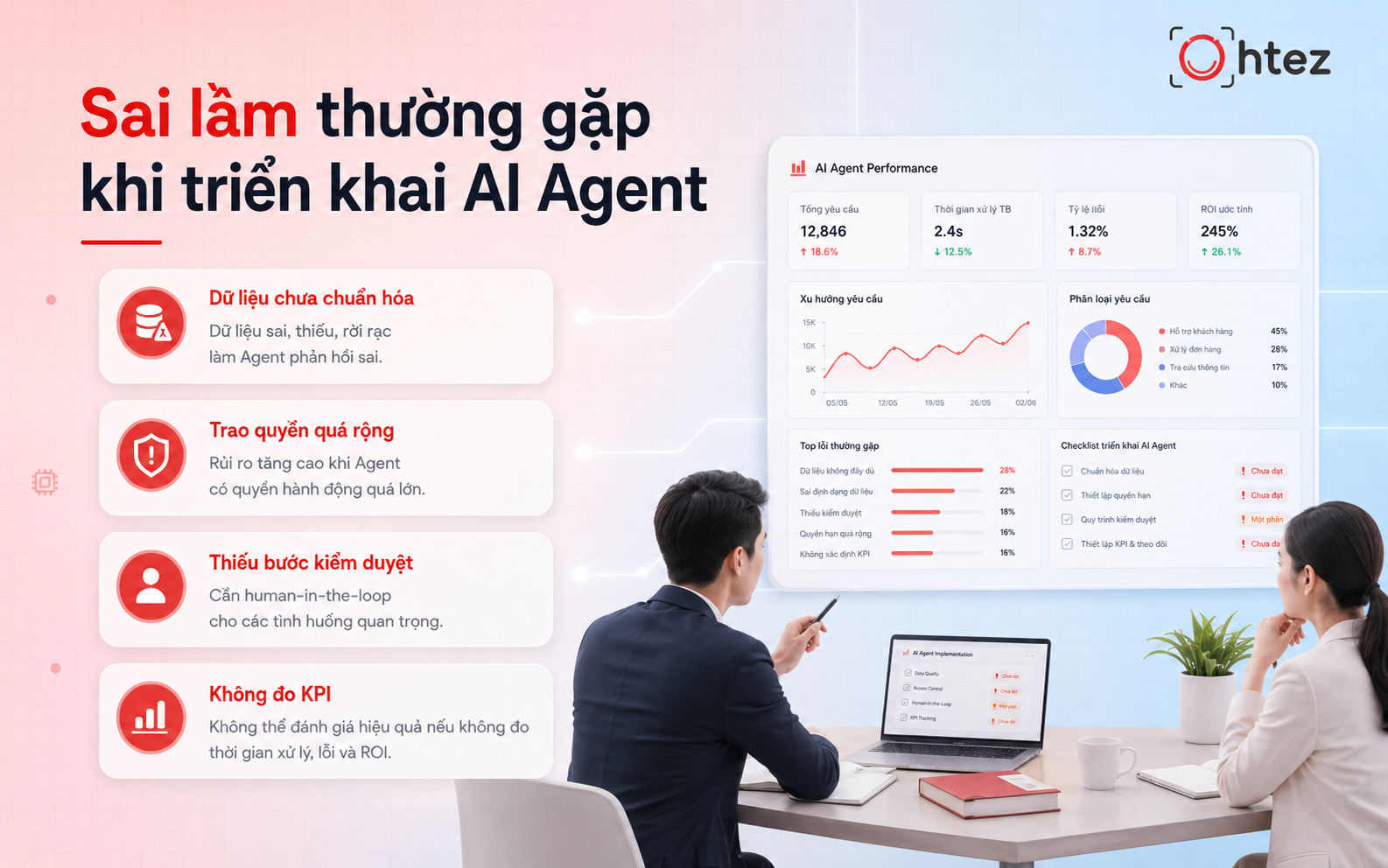
Automating before data is standardized and granting overly broad permissions are common mistakes when implementing an AI Agent
AI Agent implementation roadmap by business size
The roadmap for AI Agent for businesses should be built around company size, process complexity, and current governance capabilities. Businesses should start with one clearly defined use case, measure its effectiveness, and then gradually expand the scope of automation.
Small businesses can start with simple tasks such as lead processing, answering FAQs, or generating reports. Medium-sized businesses should focus on connecting workflows across departments, while large enterprises need to pay closer attention to architecture, access control, and governance across multiple AI Agents. Most importantly, the scope should only be expanded after the initial use case has proven its effectiveness with data.
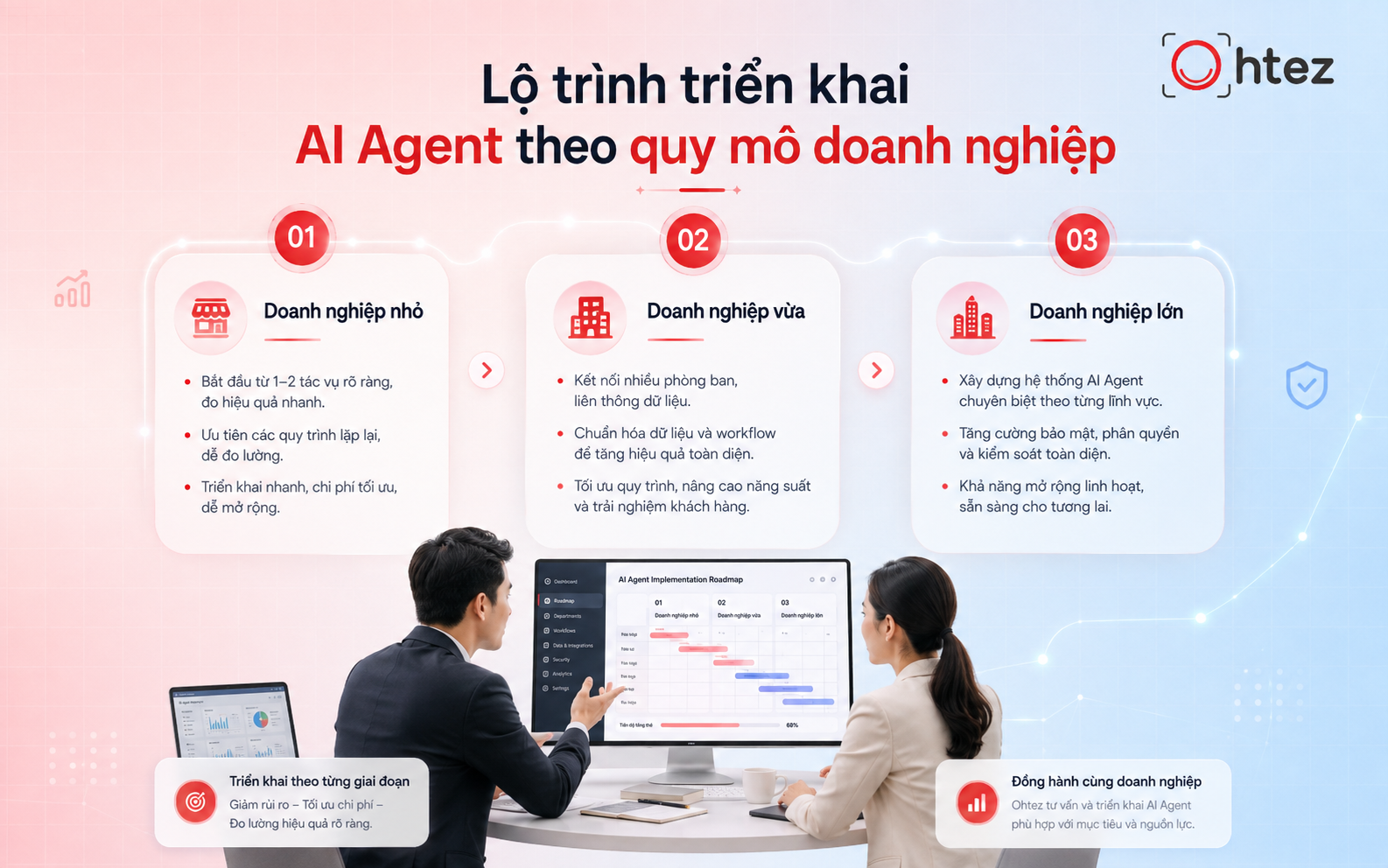
Small, medium-sized, and large businesses require different AI Agent implementation approaches depending on their size and process complexity
Ohtez – Custom AI Agent design for business workflows
Ohtez provides an AI Agent service designed around the actual processes, data, and operational goals of each business. Instead of using one packaged solution for every organization, Ohtez focuses on building Agents that can reason, connect systems, and proactively perform tasks within a workflow.
Key strengths of Ohtez’s AI Agent for businesses design service include:
- Customized for each workflow: Ohtez reviews workflows and bottlenecks to build an Agent that fits the way the business actually operates.
- Integration with existing systems: Connect CRM, ERP, Google Sheets, Zalo, and other systems that support APIs.
- More than Q&A: The Agent can analyze data, select actions, and perform tasks according to the permissions it has been granted.
- Built-in safety controls: Apply access controls and human-in-the-loop approval for actions that require employee authorization.
- Scalable: Start with one specific use case, then expand into multiple workflows or an Agent system as needs grow.
- Post-deployment optimization: Monitor performance and continue refining the Agent based on real operational data.
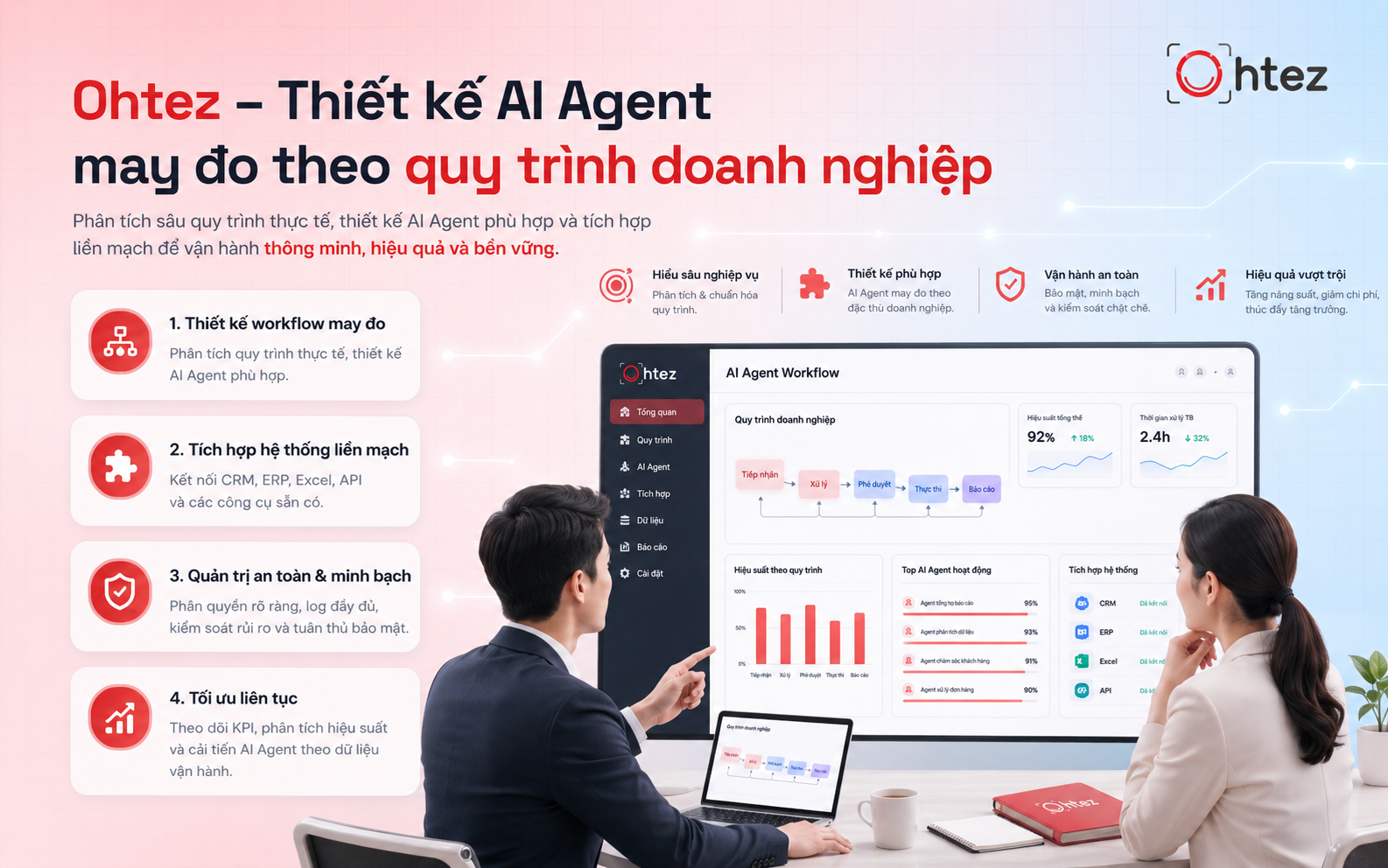
Ohtez designs AI Agent for businesses around each organization’s actual processes, data, and operational goals
AI Agent for businesses only creates real value when it is designed around actual processes, data, and operational goals. Businesses should start with one clearly defined use case, test it, measure results, and expand step by step rather than automating everything from the beginning. In short, an AI Agent not only helps businesses automate work but also enables a more flexible, intelligent, and scalable operating model.
If your business is looking for a custom AI Agent built around its own workflow, Ohtez can assess your processes, design the Agent, integrate it with existing systems, and continue optimizing it based on real operational data. Contact Ohtez to build an AI Agent that fits your business.