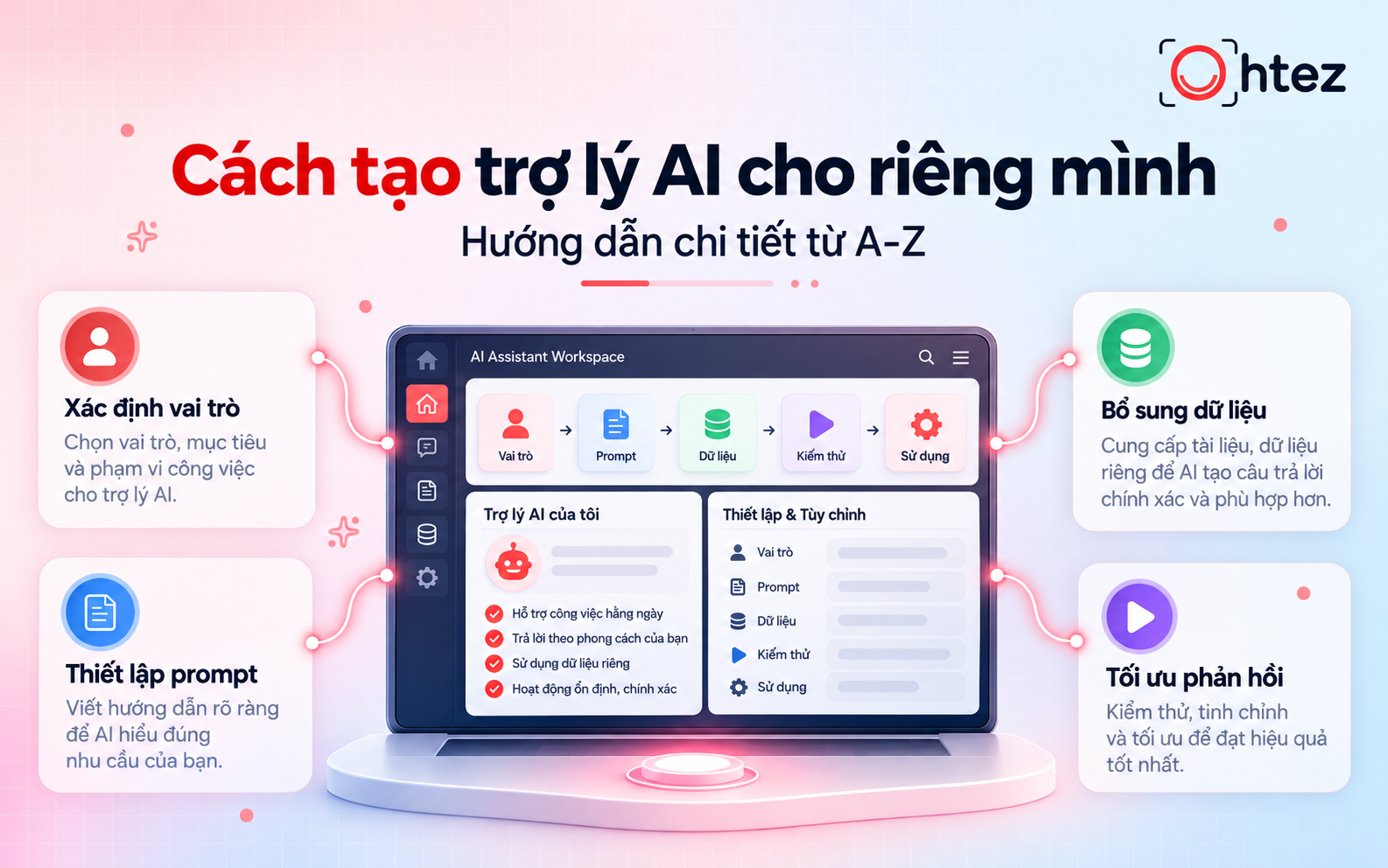
Businesses often spend considerable time on repetitive tasks such as data entry, approvals, information handoffs, and progress tracking. How can they reduce manual work and errors while keeping operations efficient? What is Workflow Automation, and how can it help businesses streamline their processes? In this article, Ohtez explains how Workflow Automation works, its benefits and practical applications, and the six steps involved in implementation.
What is Workflow Automation?
Workflow Automation is the use of software and technology to execute and coordinate tasks automatically within a process according to predefined conditions and rules. Instead of manually transferring information or completing each step, the system can trigger tasks, update data, and notify the people responsible.
To better understand what is Workflow Automation in practice, consider how a company handles inquiries submitted through its website. Once a customer completes a consultation request form, the system can automatically save their details in the CRM, assign a sales representative, and send a confirmation email. These activities follow a single connected workflow without employees having to switch between platforms to perform each action.
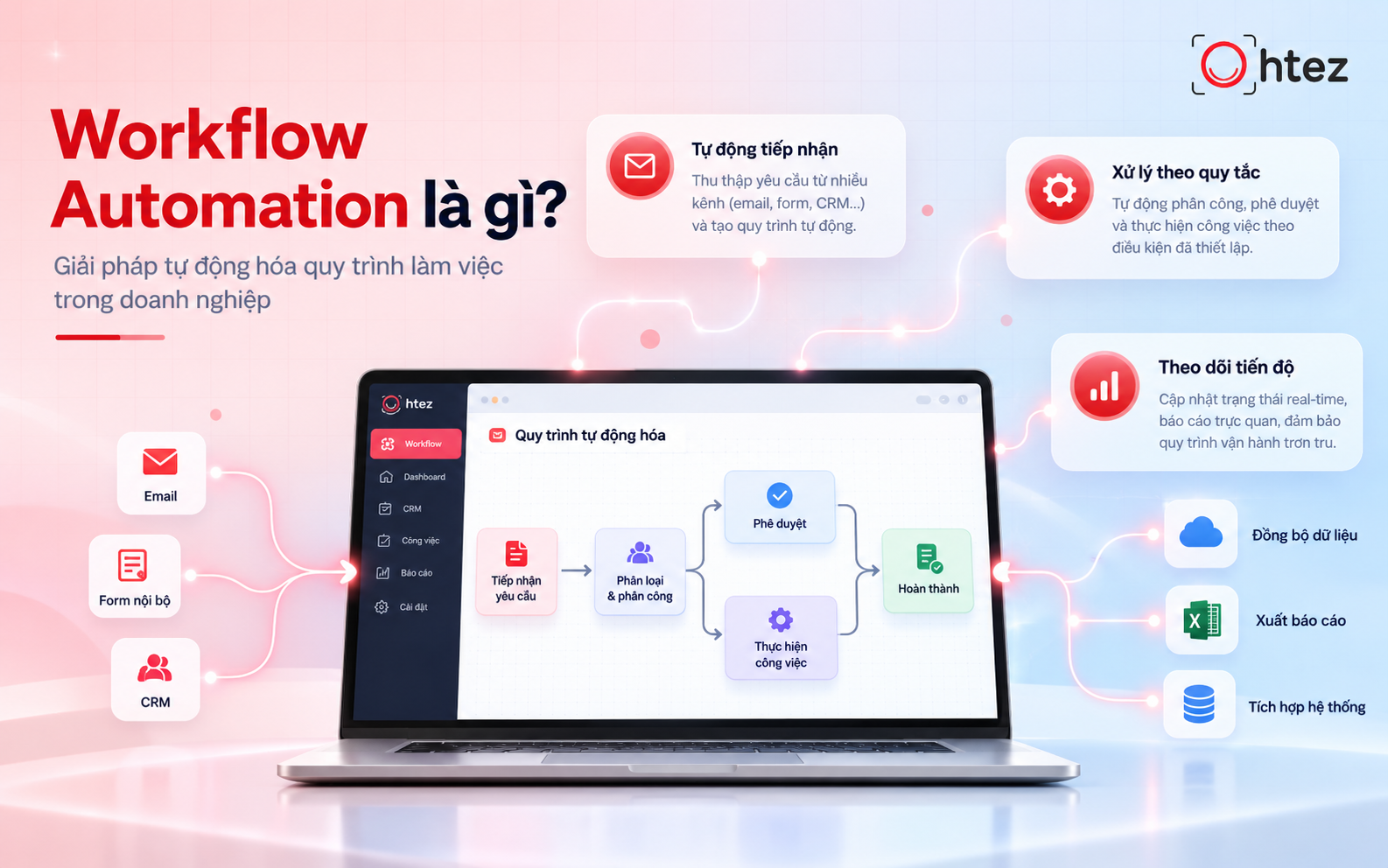
What is Workflow Automation? An overview of the process automation model
How do workflows and Workflow Automation differ?
Both workflows and Workflow Automation concern how work is organized, but they differ in how tasks are carried out. A workflow defines the sequence of steps, the people responsible, and the conditions for completion. Workflow Automation, meanwhile, uses technology to carry out some or all of those predefined steps automatically. The table below highlights the differences.
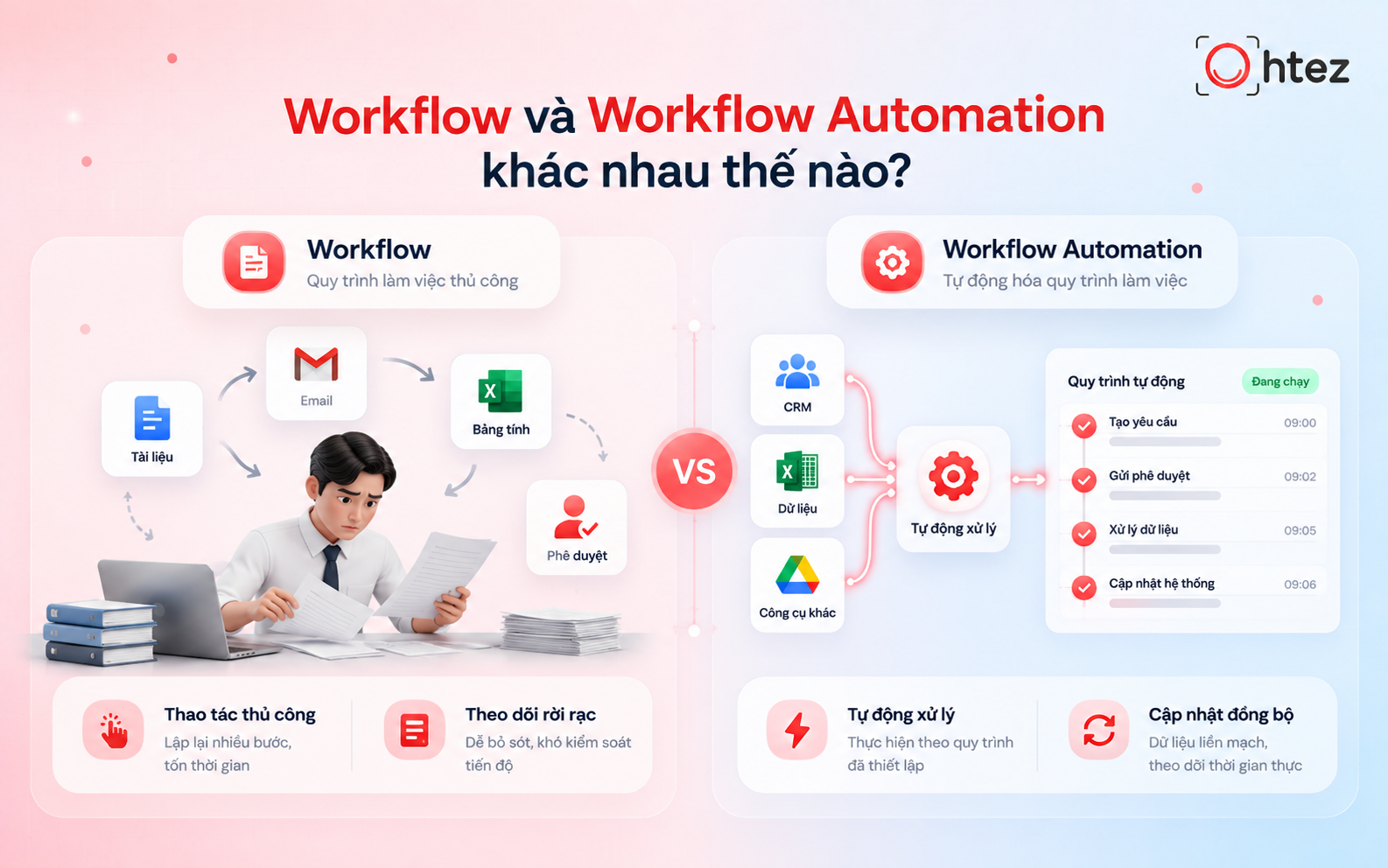
Comparing manual workflows and Workflow Automation
>> See also: AI Agent vs. Workflow: A detailed comparison and how to choose
How Workflow Automation works in a business
Workflow Automation works by receiving data, checking conditions, and executing tasks according to predefined rules. To understand what is Workflow Automation from an operational perspective, businesses can follow four main stages, from the initial trigger to task completion.
Step 1: Receive data and trigger the workflow (Trigger)
A trigger is an event that starts an automated workflow. It may result from a user action, newly updated data, or a scheduled time. When the relevant trigger is detected, the system automatically starts the corresponding workflow.
For example, when a customer submits a consultation request through a website form, the information is received and the customer service workflow begins without an employee entering the data manually. This initial step helps illustrate what is Workflow Automation in a real business process.
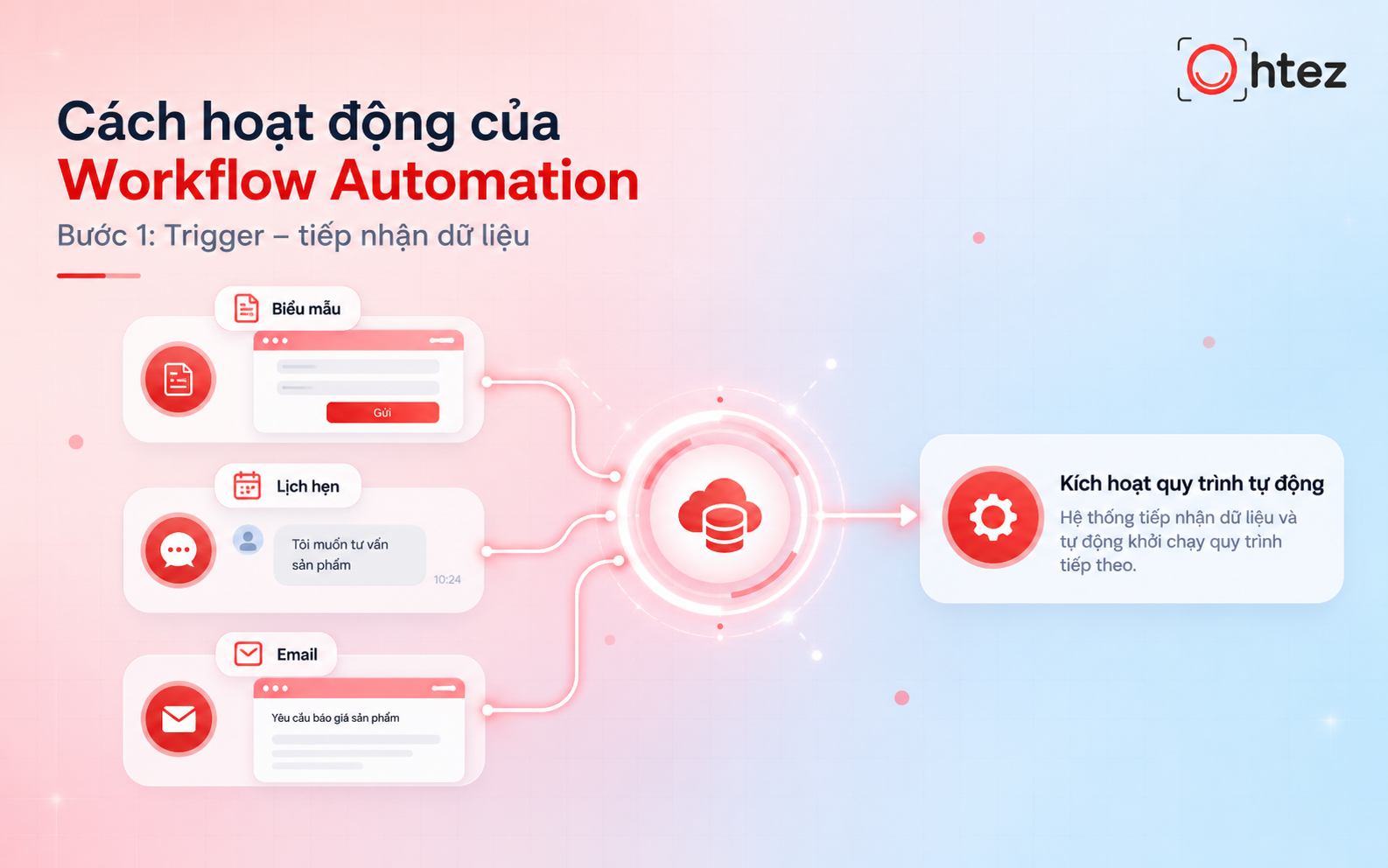
Step 1 of Workflow Automation: Receiving input data
Step 2: Check conditions and determine the next action (Condition)
Once triggered, the system checks the incoming data against predefined conditions. These rules often follow if-then logic to determine the appropriate action for each situation. For example, if a customer requests website design services, the system routes the inquiry to the website consulting team. Requests for other services are directed to the relevant teams instead.
Step 3: Automatically execute predefined tasks (Action)
When the conditions are met, Workflow Automation performs the configured actions. Depending on the process, it may send emails, create tasks, update records, or transfer information between applications through APIs. For instance, after categorizing a consultation request, the system can save the customer’s details in the CRM, assign a sales representative, and send a confirmation email. These actions can run in sequence without manual intervention at each stage.
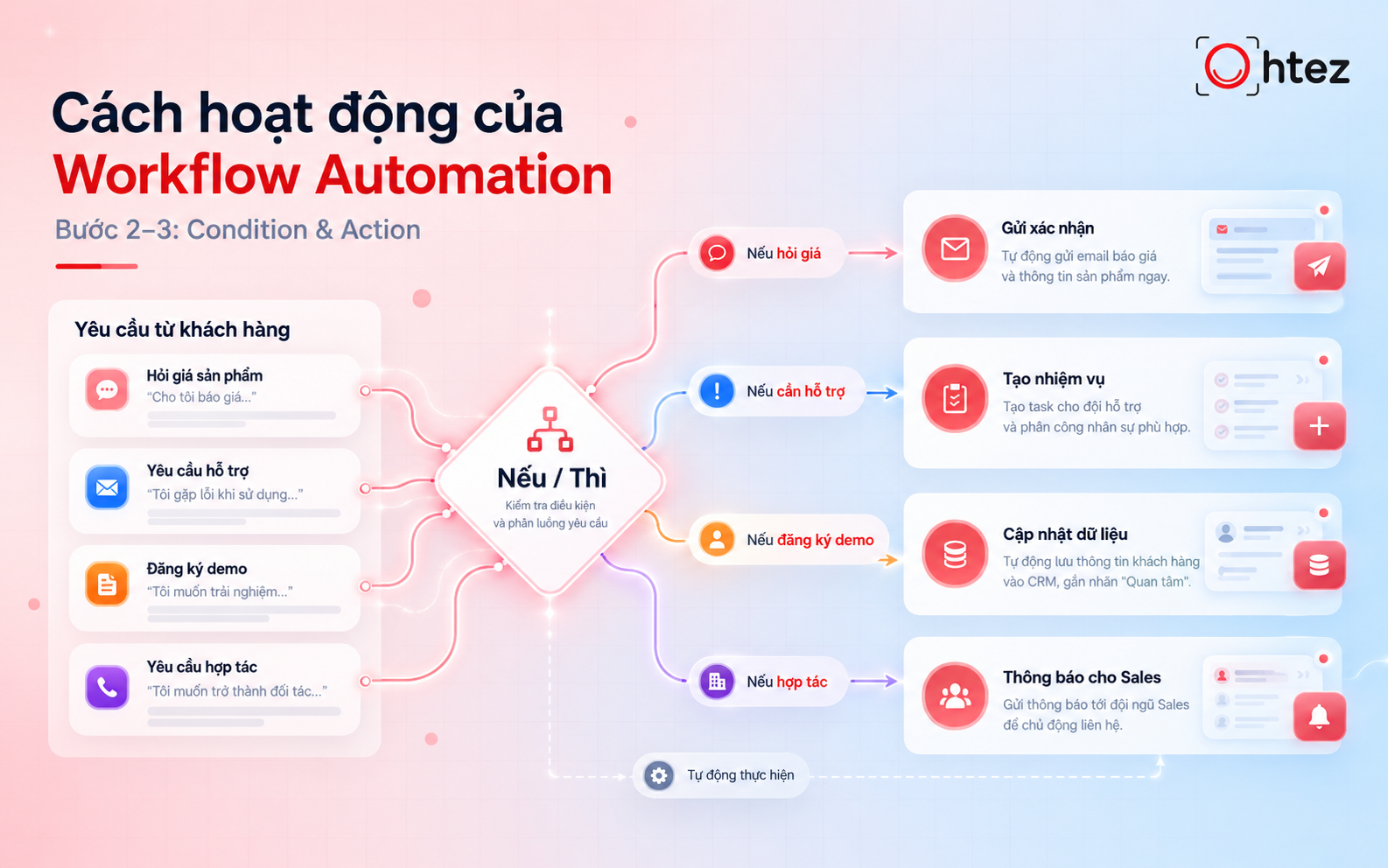
How conditions are evaluated and actions executed in automation
Step 4: Update results and monitor task status
After executing the tasks, the system records the results and updates their status for the responsible team to monitor. Depending on its configuration, the workflow may retain an activity history, send completion notifications, or flag errors. For example, if a consultation request has been assigned but no response is recorded within the specified period, the system can automatically remind the assigned employee. This helps businesses monitor progress, identify backlogs, and refine the process when needed. Such monitoring also clarifies what is Workflow Automation beyond the automatic execution of tasks.
What benefits does Workflow Automation offer businesses?
After understanding what is Workflow Automation, businesses should assess the value it can deliver in day-to-day operations. Workflow Automation does more than reduce manual tasks: it also helps standardize how work is organized and managed.
- Reduce processing time and operating costs: The system handles recurring tasks automatically, reducing delays and the resources spent on administrative work.
- Minimize errors and standardize internal processes: Consistent rules govern each step, reducing the risk of incorrect entries and missing information.
- Improve coordination and task visibility: Centralized updates to data and task statuses help teams understand progress and responsibilities.
- Increase productivity and improve employee experience: Employees spend less time on repetitive work and can focus more on specialized responsibilities.
However, the degree of improvement depends on the quality of the original process, integration capabilities, and how the business manages the system. Businesses should therefore define performance metrics before implementation to evaluate real-world results.
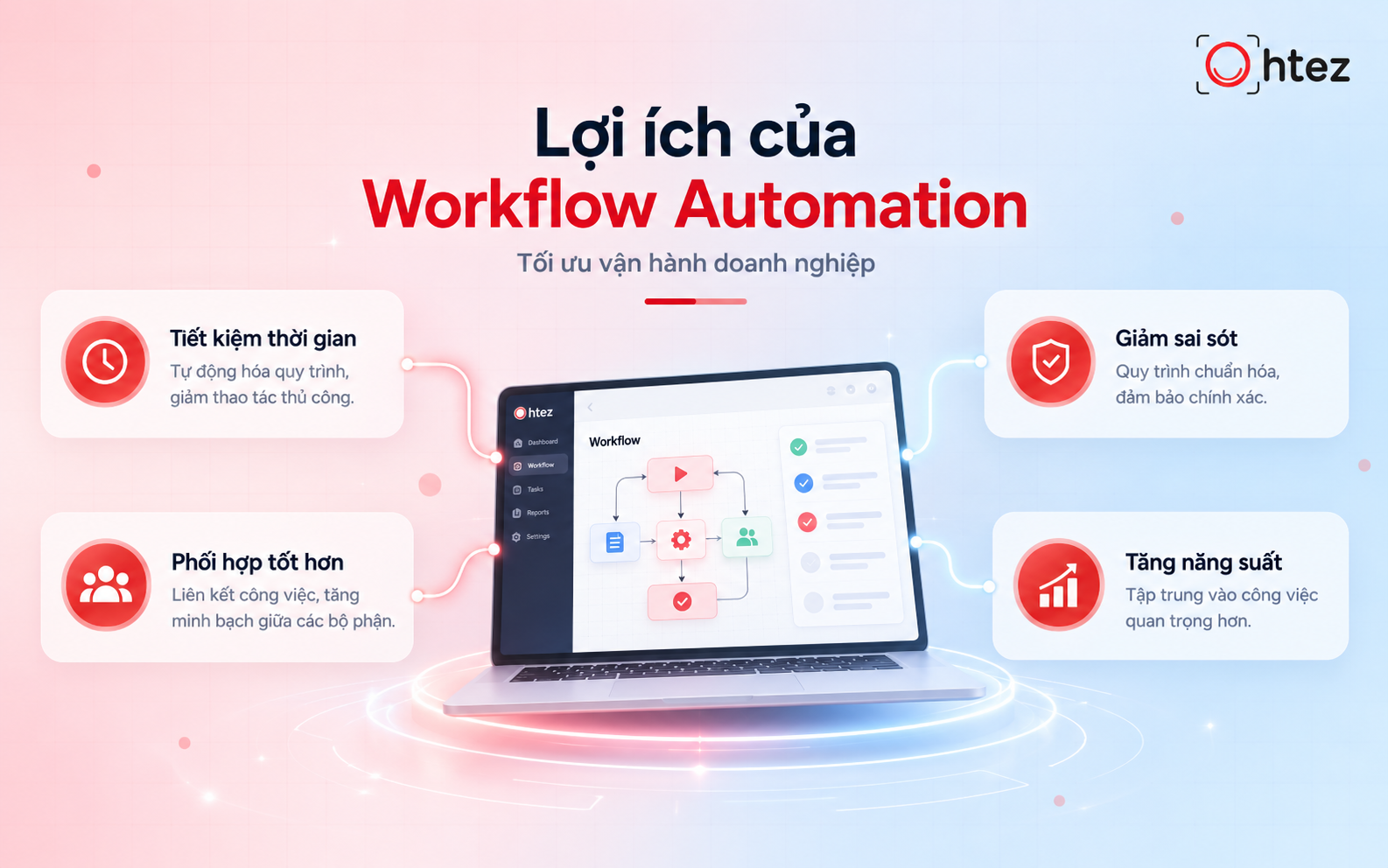
Key benefits of Workflow Automation for businesses
>> Related article: Difference between RPA and Workflow Automation: Explained
How to implement Workflow Automation in six steps
Knowing what is Workflow Automation is only the beginning. Businesses also need a practical implementation approach to achieve meaningful results. Here is a six-step guide to building an automated workflow system.
Step 1: Identify which tasks to automate first
Start by reviewing tasks currently performed manually to identify suitable automation opportunities. Prioritize processes that are repetitive, time-consuming, and governed by clear rules. Customer data entry, confirmation emails, and approval routing, for example, can be good starting points. Begin with a straightforward process that is easy to manage and evaluate.
Step 2: Map and standardize the existing process
Use process mapping to document each step, from receiving a request through completion. The process map should clearly define:
- Input data: The information required to start and carry out the task.
- Process steps: The sequence of activities, conditions for moving to the next step, and responsible people.
- Expected outputs: The status or data that should be produced when the process is complete.
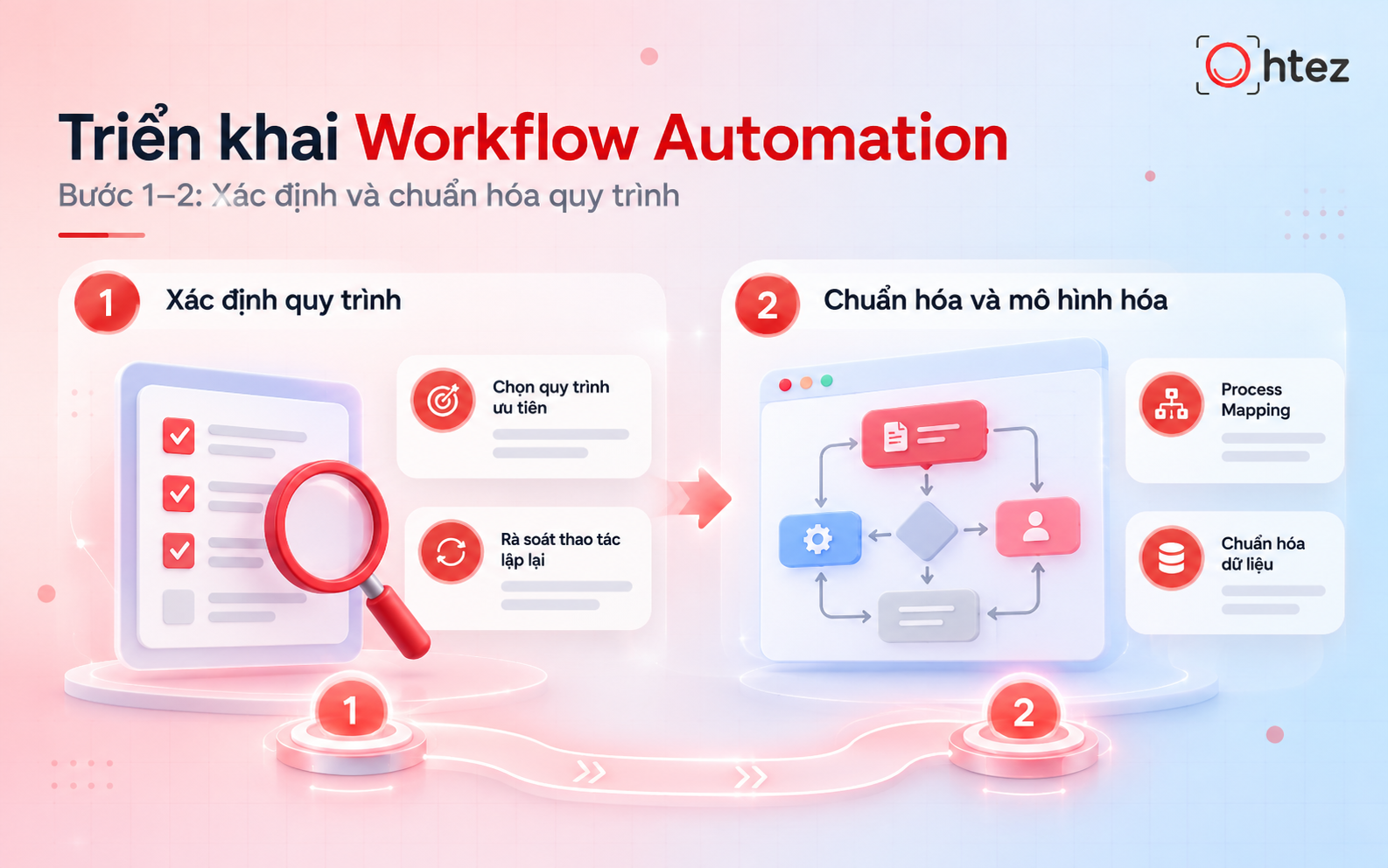
What is Workflow Automation implementation? The first two steps
Step 3: Choose the right platform and tools
Based on the standardized process, select a Workflow Automation tool that meets the company’s needs. Key considerations include API integration, ease of use, security, cost, and scalability.
For simple processes, no-code or low-code platforms can help businesses set up workflows quickly. More complex operations or advanced integrations may call for custom solutions. At this stage, the priority is no longer simply learning what is Workflow Automation, but determining which tool fits the company’s existing processes and infrastructure.
Step 4: Configure rules and connect data sources
After choosing a tool, configure the workflow around the Trigger–Condition–Action model. Identify the triggering event, the conditions to check, and the actions the system should take. Then connect the workflow to existing applications, such as CRM, ERP, or accounting systems, through APIs or webhooks. Set access permissions and define how to handle missing data or connection failures.
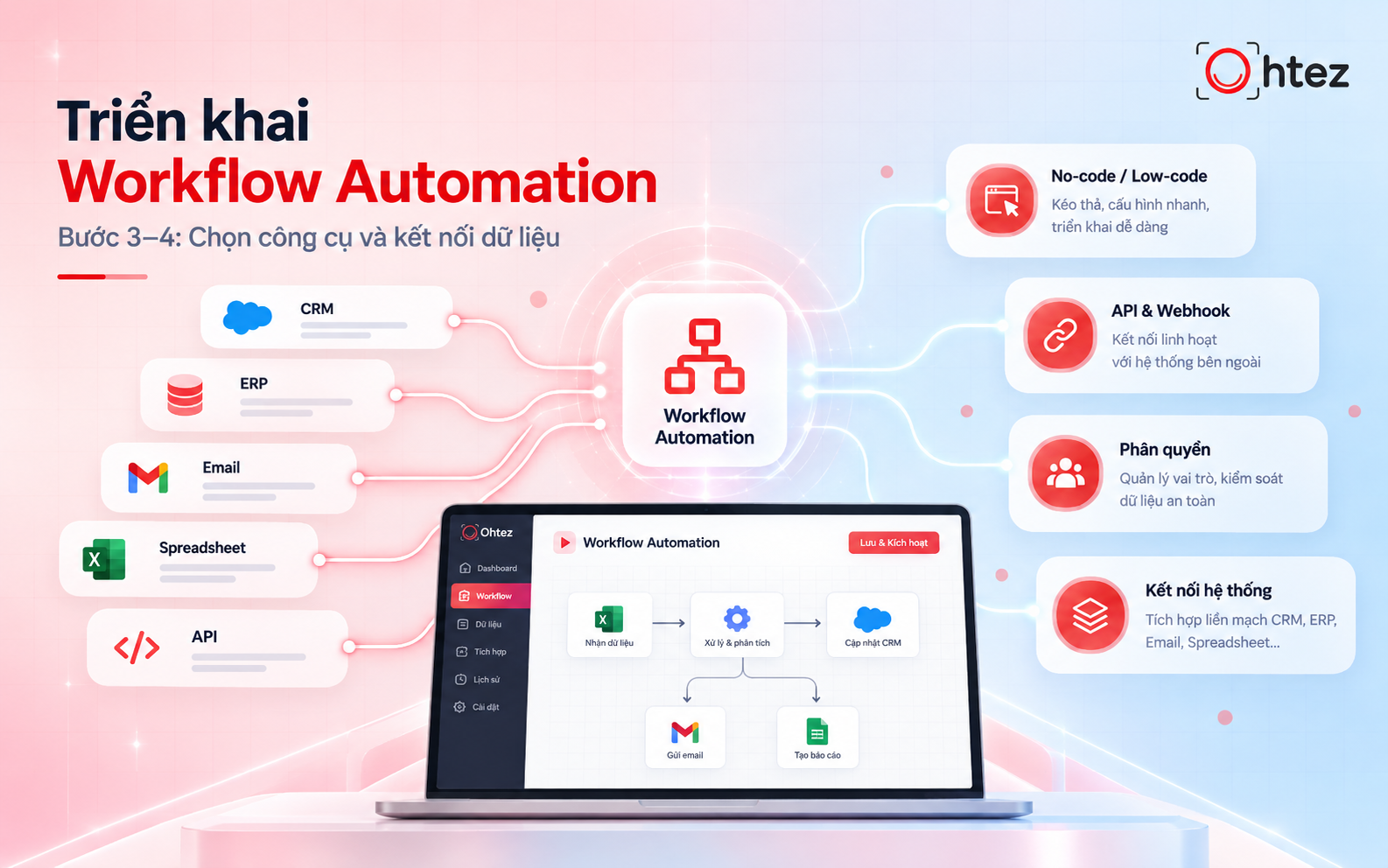
Selecting tools and connecting data for an automation system
Step 5: Test and deploy the workflow
Before launching, run the workflow with real or test data to check its accuracy. Examine cases involving missing information, duplicate records, connection failures, and incorrect outcomes. After resolving issues, pilot the workflow within one team or department. Train employees to use the system, monitor task status, and handle exceptions before rolling it out more broadly.
Step 6: Measure results and continuously improve
Once the workflow is running, monitor key performance indicators (KPIs) to evaluate its effectiveness:
- Processing time: Compare task completion times before and after automation.
- Automation rate: Measure the percentage of tasks completed by the system without manual intervention.
- Error rate: Track errors to assess process accuracy.
- Operating costs: Measure resources saved against implementation and maintenance costs.
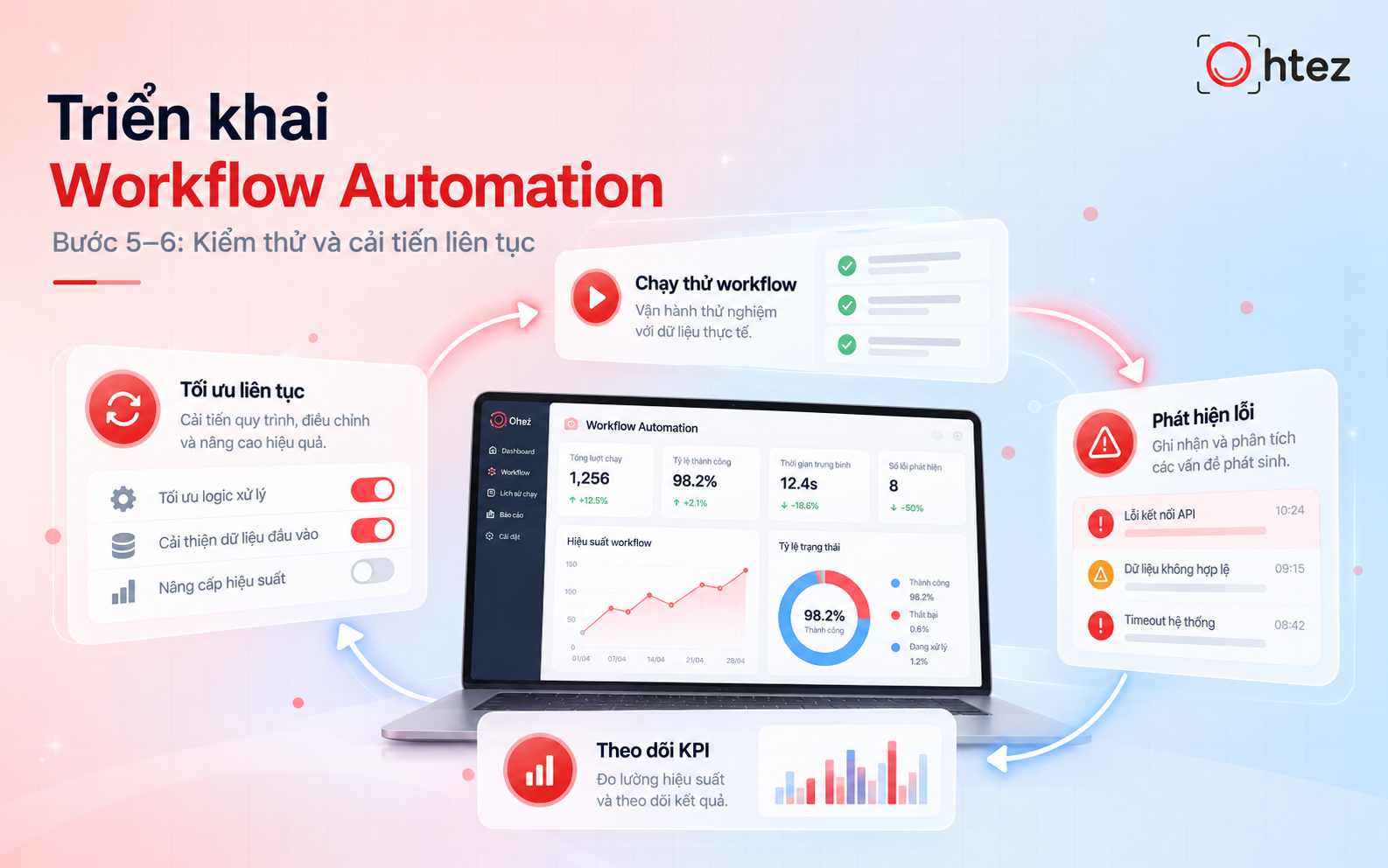
Testing, identifying issues, and optimizing operational performance
Practical applications of Workflow Automation in business
For businesses exploring what is Workflow Automation, the following examples highlight business functions where it can be implemented effectively.
- Sales and customer service: Automatically receive inquiries, save information in a CRM, categorize prospects, and notify assigned staff.
- Marketing: Automatically segment leads, send behavior-based emails, update campaign data, and compile periodic performance reports.
- Accounting and finance: Support invoice processing, document reconciliation, payment request routing, and approval status tracking in accordance with company policies.
- Recruitment and human resources: Automatically receive applications, schedule interviews, process leave requests, and manage employee onboarding.
- Internal task management: Automatically assign tasks, route approval requests, update progress, and issue alerts for overdue work.
>> See also: Four AI Agent trends shaping the future of business
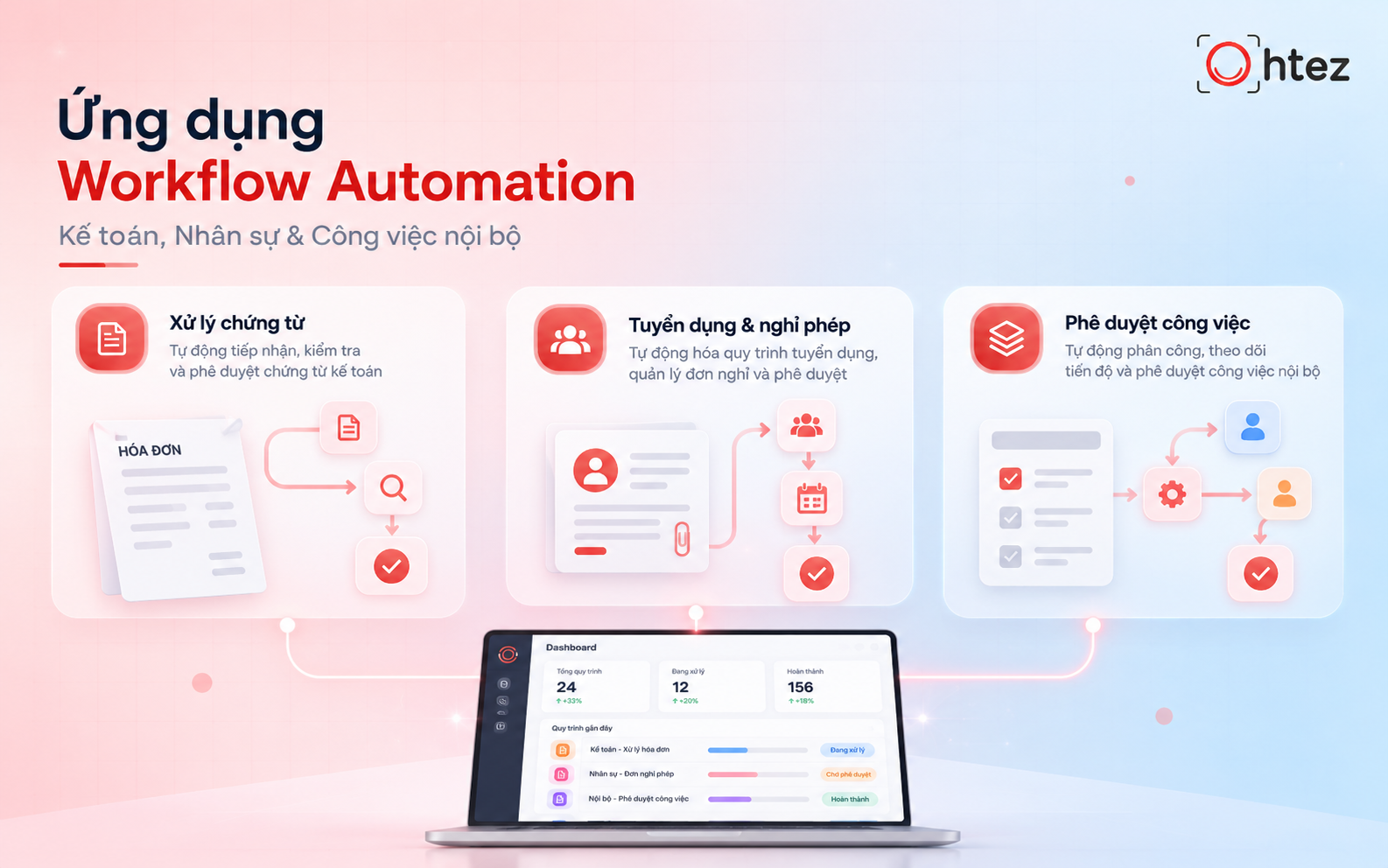
What is Workflow Automation used for? Practical business applications
Overall, understanding what is Workflow Automation is a useful first step toward more efficient business operations. When implemented appropriately, it reduces manual work, connects data, and improves process visibility. To take automation further, businesses can combine workflows with AI Agents to manage multistep tasks and coordinate across systems. If you are looking for a tailored solution, explore Ohtez’s custom AI Agent development services for support with designing, integrating, and optimizing processes around your specific needs.