Creating your own AI assistant is becoming an increasingly practical way to personalize how you use artificial intelligence at work and in your studies. Instead of entering the same instructions repeatedly, you can set up an assistant that understands your tasks, follows your guidelines, and helps you complete work through a defined process. Best of all, you do not need programming skills to get started. In this article, Ohtez walks you through how to build, customize, and use a personal AI assistant on popular chatbot platforms, step by step.
What is a personal AI assistant?
A personal AI assistant is an AI-powered tool configured to help users complete specific tasks based on their individual needs. It can receive requests, process information, generate content, and respond according to the instructions or data provided. When you create your own AI assistant, you can clearly define how the AI should support each type of task.
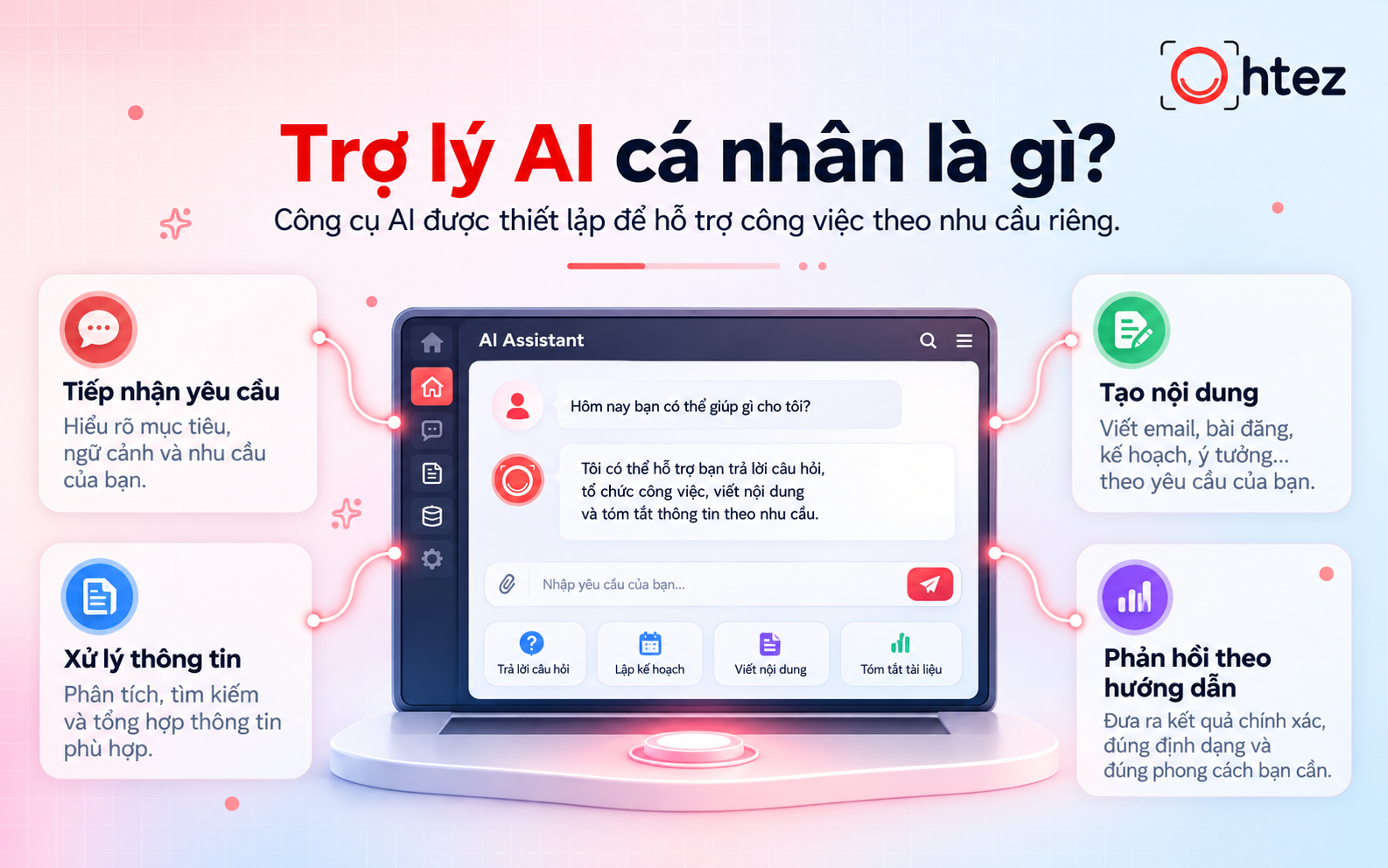
What a personal AI assistant can do for you
>> See also: What is an AI assistant? How it works and practical applications in 2026
Benefits of creating a personal AI assistant
When you create your own AI assistant, you can tailor a support tool to your responsibilities and personal routines. Properly configured, the assistant can offer several valuable benefits:
- Time savings: Draft emails, organize schedules, and handle repetitive tasks on request, reducing manual work.
- Improved productivity: Generate ideas, write marketing content, summarize reports, and prepare documents so you can focus on higher-priority work.
- A personalized experience: Adjust the communication style, response length, and information-processing approach to fit your working preferences.
- Learning support: Explain concepts, summarize documents, and create review questions to help learners approach information systematically.
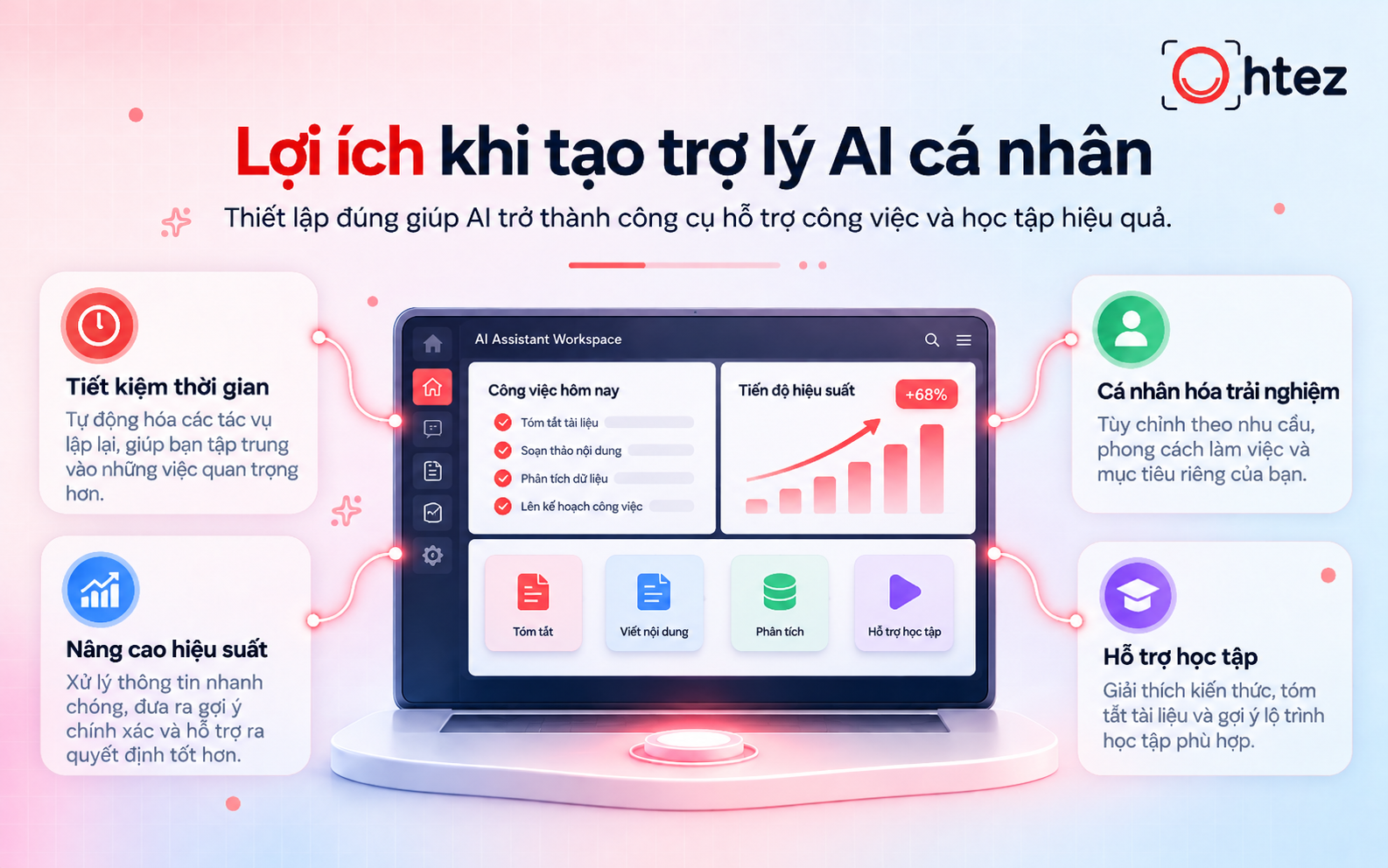
Key benefits when you create your own AI assistant
What do you need to create your own AI assistant?
Before getting started, prepare a few essentials to ensure your assistant serves its intended purpose. Defining your requirements from the outset helps prevent generic responses or results that do not match your work.
- Purpose: Identify the tasks you need help with, such as writing content, managing projects, researching documents, or summarizing information.
- AI platform: Choose a chatbot that lets you set instructions, upload documents, and retain configurations for ongoing use.
- Personalized data: Gather relevant reference materials, workflows, and examples so the AI understands your context.
- Response guidelines: Define the tone, answer structure, processing limits, and rules the assistant must follow.
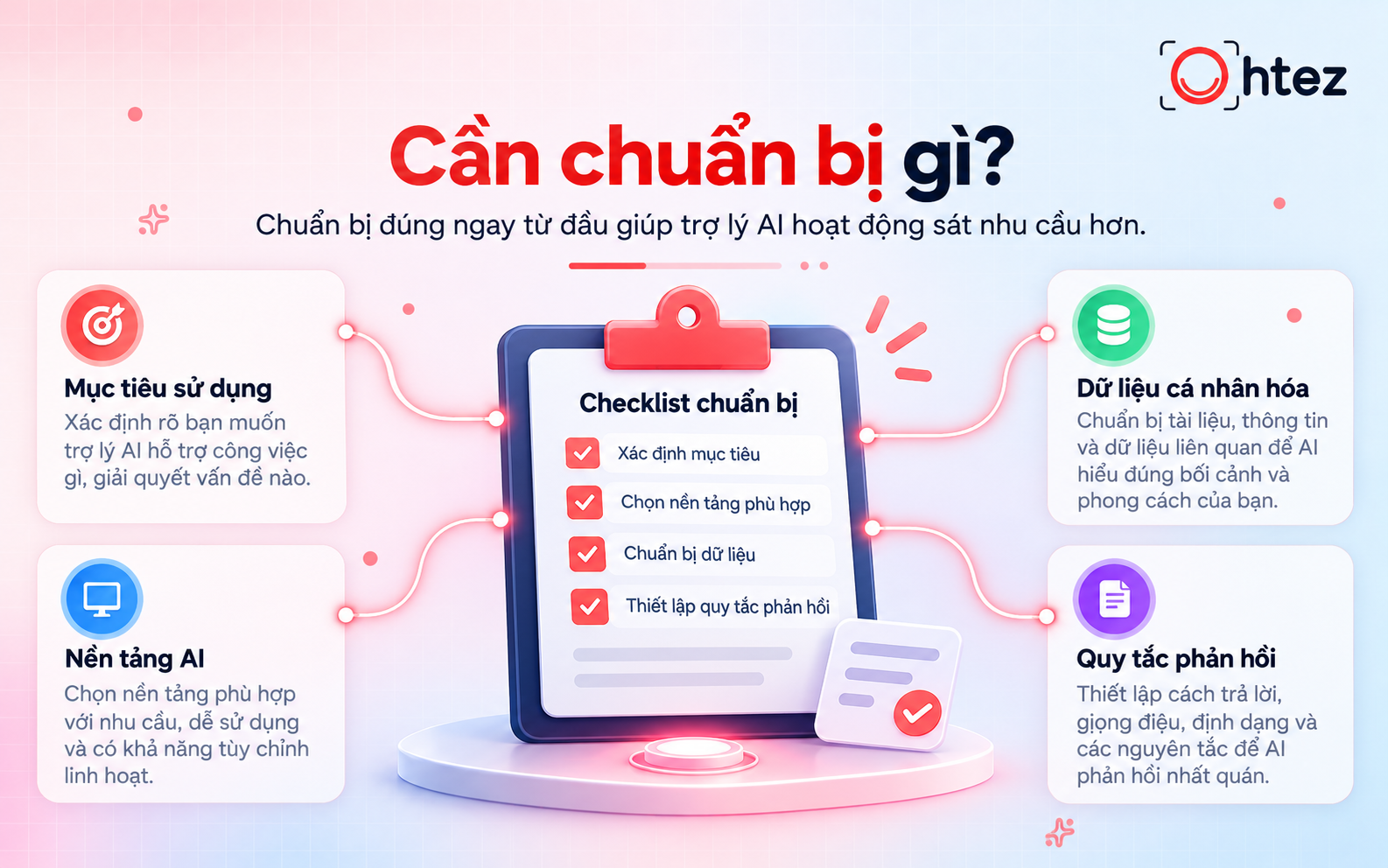
Essentials needed to create your own AI assistant
How to create your own AI assistant: A step-by-step guide from A to Z
To create your own AI assistant, follow the six steps below. This process works across various chatbot platforms that support custom assistants, although feature names and setup interfaces may differ.
Related reading: How to create an AI Agent on ChatGPT: A step-by-step guide
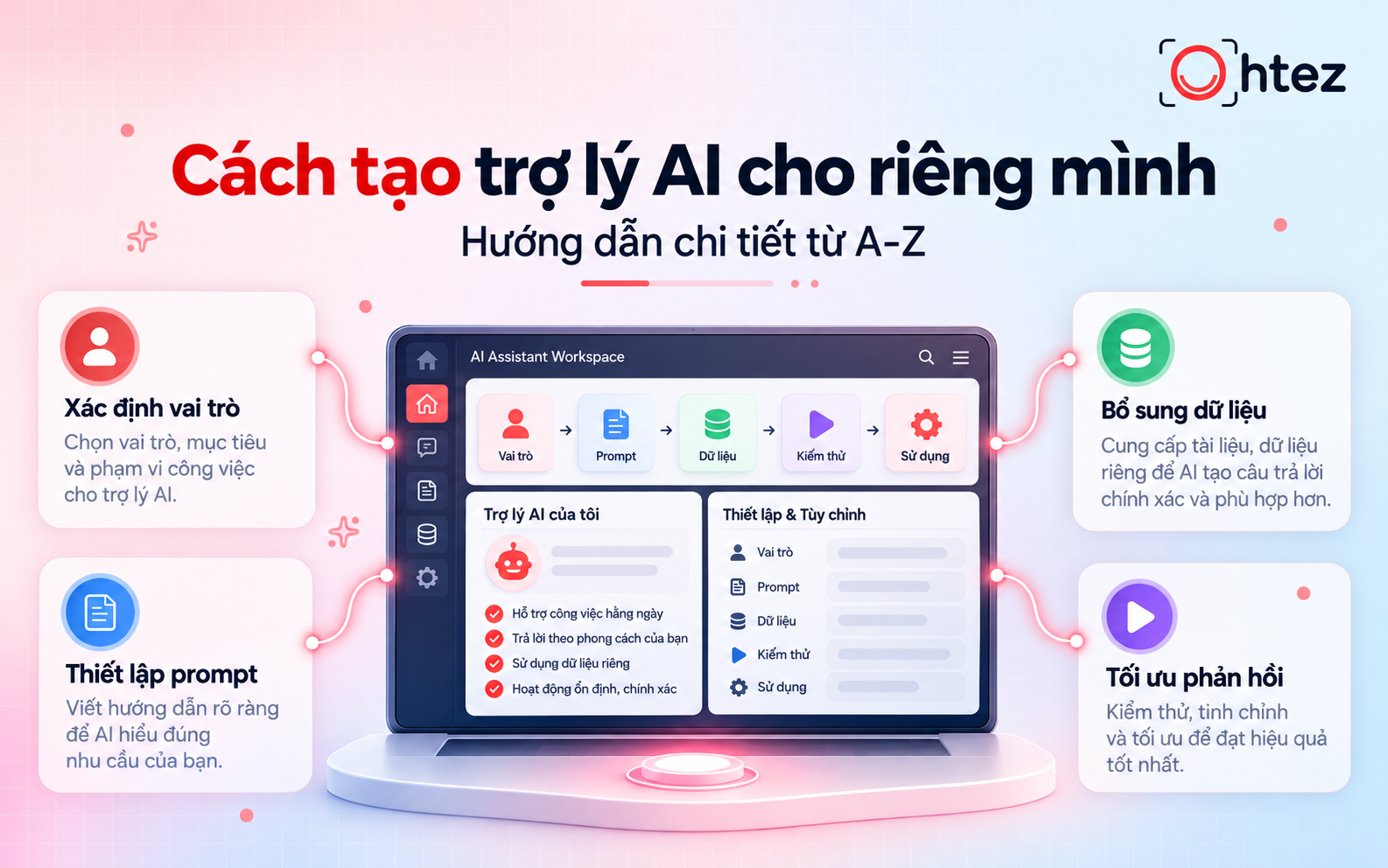
Step 1: Define your AI assistant’s role and responsibilities
Start by deciding what role your assistant will play and which tasks it should handle. An assistant with clearly defined responsibilities is generally easier to evaluate than one expected to cover many unrelated areas. For example, if you want to build a marketing assistant, you could specify:
- Role: A content marketing specialist who helps create and optimize content across communication channels.
- Tasks: Develop ideas, create outlines, write articles, and review content as requested.
- Expected output: Clear content tailored to the target audience and consistent with the brand’s tone of voice.
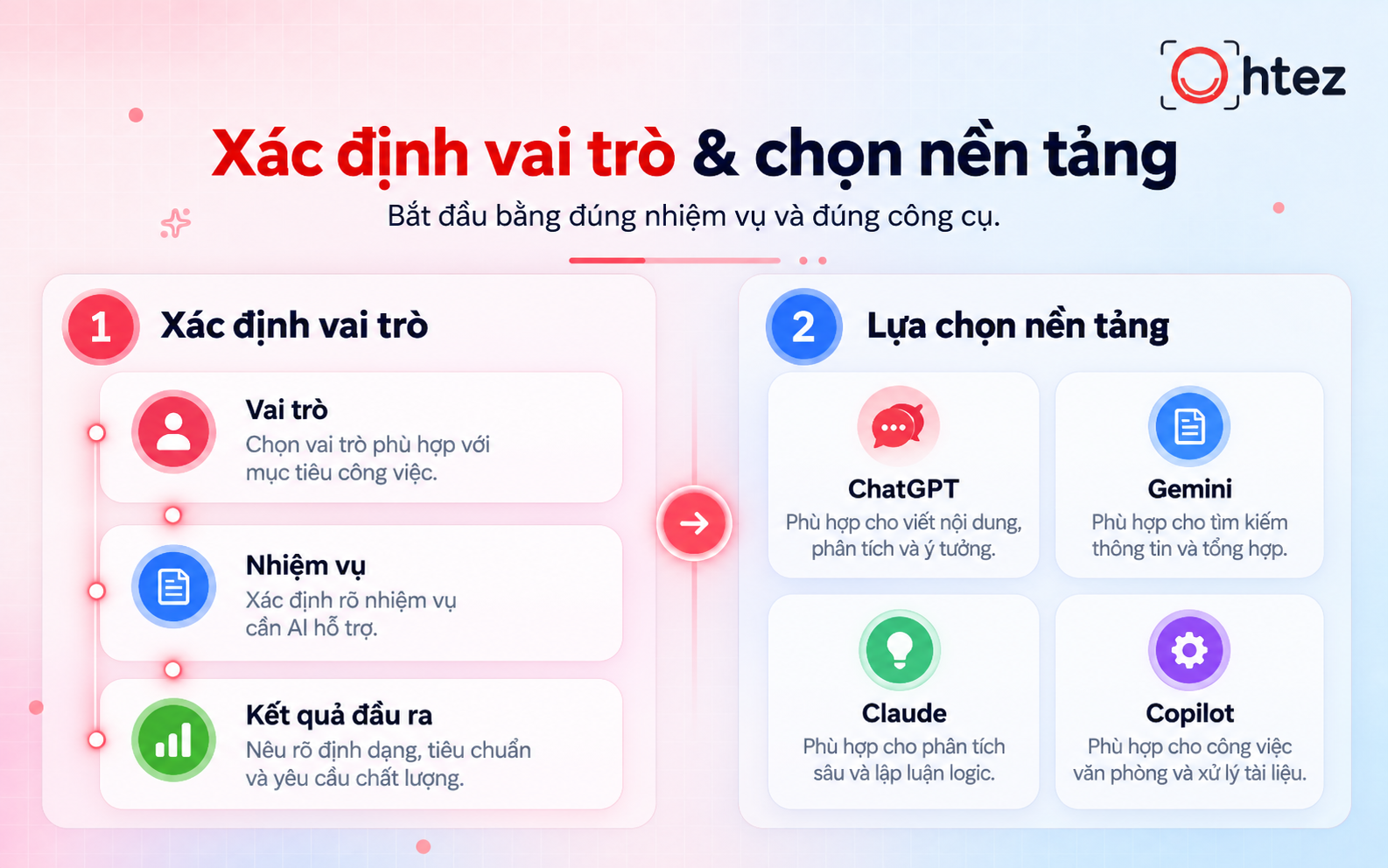
Define roles and select platforms to create your own AI assistant
Step 2: Choose the right AI assistant platform
Once you have identified your needs, select a suitable tool for setting up your assistant. Many AI platforms now allow you to customize behavior, add reference knowledge, or save instructions. Common options include:
Step 3: Set up prompts and operating instructions
After choosing a platform, write a prompt (a set of instructions) explaining how the AI assistant should carry out its tasks. An effective prompt clearly covers the role, responsibilities, processing rules, and expected output format. You can use the following structure:
- Role: Specify the expertise and position the assistant should take on.
- Tasks: Describe what the AI must do when it receives a request.
- Rules: Set the tone, presentation style, length, and topics or behaviors to avoid.
- Output: Define whether the response should be a paragraph, list, table, or report.
Sample prompt: “You are an SEO content assistant who helps produce search-optimized content. When given a keyword, analyze search intent, propose an H2/H3 outline, and write clear, easy-to-understand content. Do not invent statistics without a verifiable source.” Then enter this prompt into the platform’s custom instructions section. This is a core step when you create your own AI assistant using an existing tool.
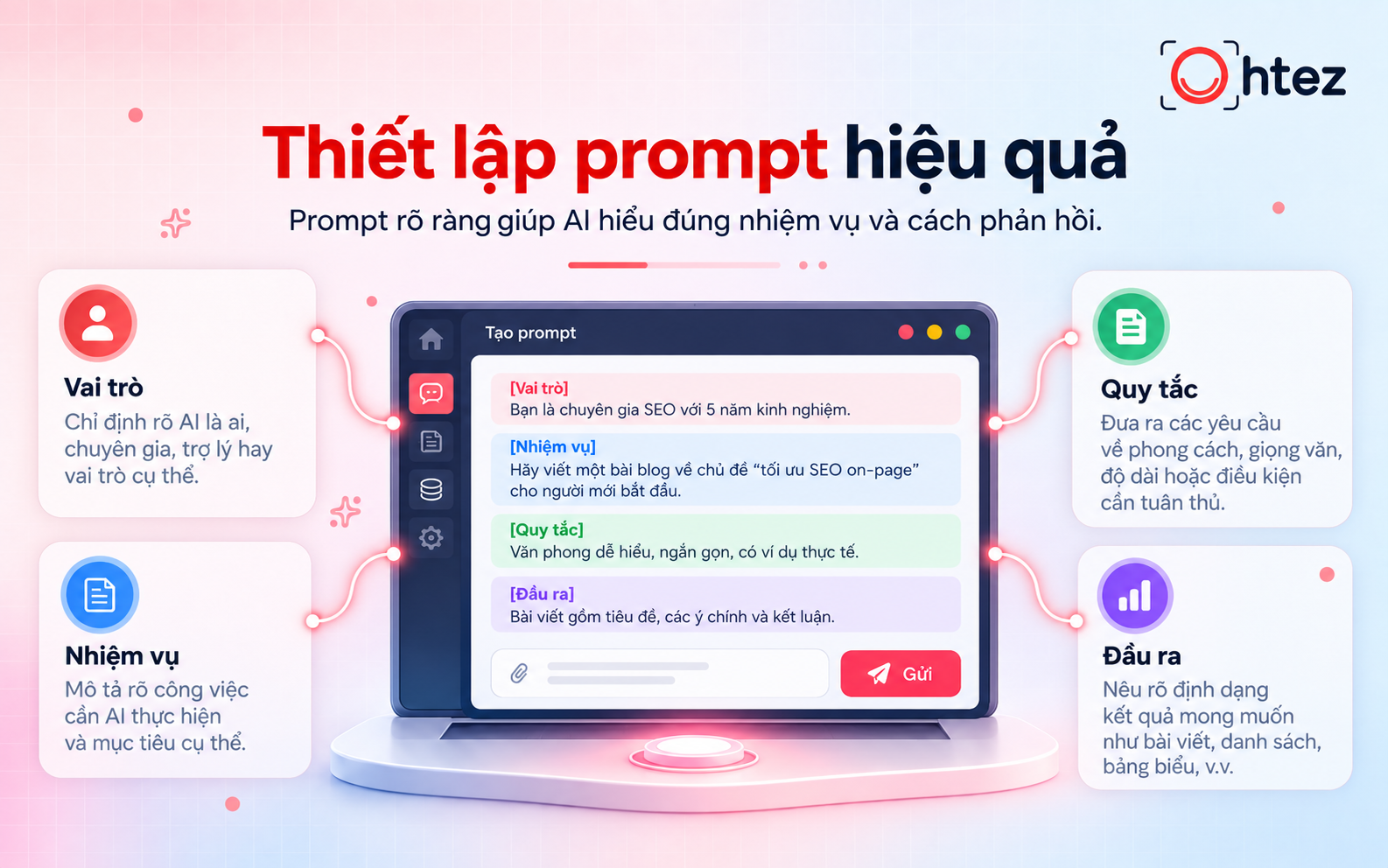
Effective prompt design to create your own AI assistant
Step 4: Add your data and reference knowledge
To make the AI assistant’s responses more relevant, provide documents associated with the tasks you have defined. These may include workflows, specialist references, product information, or examples of approved content. Add knowledge in three steps:
- Prepare documents: Collect PDF, DOCX, TXT, or other file formats supported by the platform.
- Upload data: Add the documents to the assistant’s knowledge section or workspace.
- Set usage rules: Instruct the AI to prioritize information from the supplied documents, acknowledge missing data, and avoid unsupported assumptions.
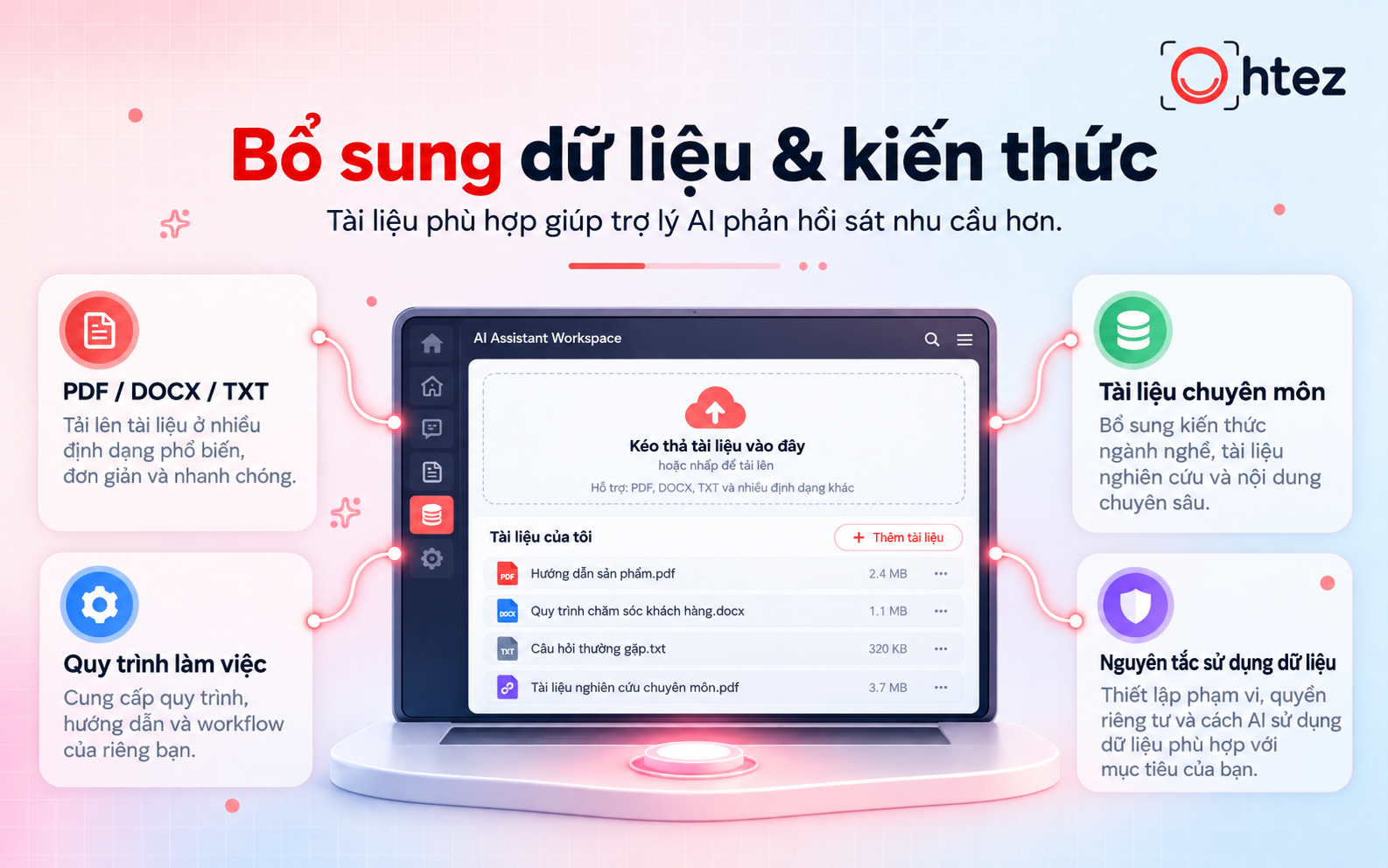
Adding data and custom knowledge to create your own AI assistant
Step 5: Test and refine responses
Once configuration is complete, test the assistant with tasks that resemble your real work. Do not rely on a single simple question. Try different scenarios, including incomplete requests and more complex tasks. Focus on three criteria:
- Accuracy: Check whether the answers match reference materials and meet the original requirements.
- Consistency: Assess whether the assistant maintains its role, tone, and formatting across multiple responses.
- Handling capability: Check whether the AI asks follow-up questions when information is missing or explains its limitations when it cannot provide a reliable answer.
Step 6: Save your configuration and start using the assistant
Once testing produces satisfactory results, save the configuration for long-term use. Depending on the platform, your assistant may be saved as a custom GPT, Gem, Project, or equivalent. Give it a function-based name, such as “SEO Content Assistant” or “Task Management Assistant,” to make it easy to organize. Before officially putting it to work, complete the following steps:
- Save instructions: Review all prompts, reference documents, and established rules.
- Set access permissions: Choose private use or sharing with others, if supported by the platform.
- Start using it: Assign real tasks and monitor the quality of its results over time.
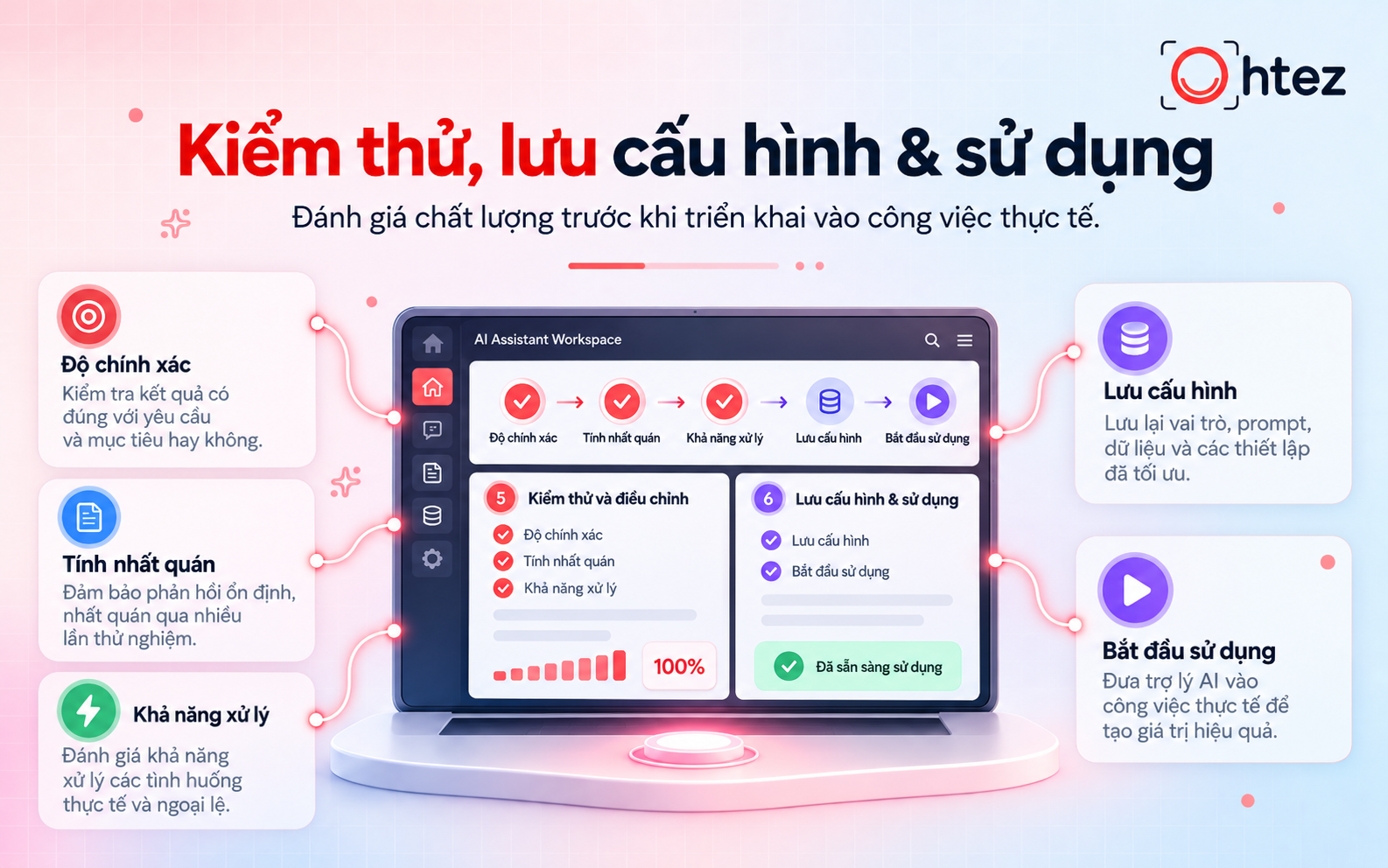
Testing and saving setups when you create your own AI assistant
Personal AI assistant prompt templates for different purposes
To create your own AI assistant more quickly, start with prompt templates tailored to different types of work. You can use these templates on many AI chatbots that support custom instructions, then adapt them to your specific needs.
1. Prompt for a task management assistant
Sample prompt:
“You are my personal task management assistant. Help me plan my work, prioritize tasks, and track progress. When I provide a task list, present it as a table with the task name, priority, deadline, and status. Suggest a sensible order of execution, ask for clarification when information is missing, and never mark a task as completed without confirmation.”
Note: Provide a task list, deadlines, and levels of importance to help the AI build a more accurate plan.
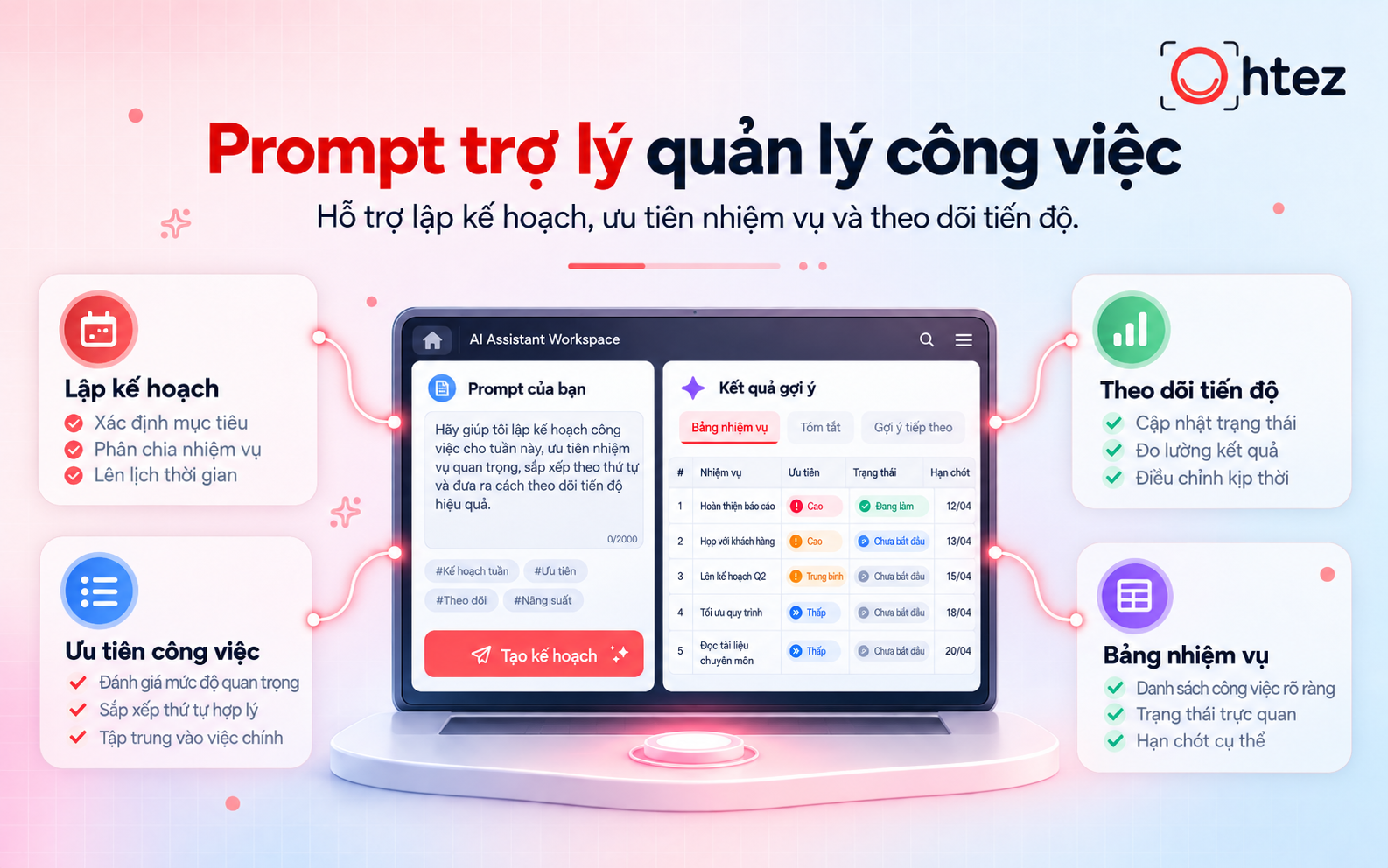
Task management prompt template for your AI assistant
2. Prompt for a content creation assistant
Sample prompt:
“You are a content marketing assistant who specializes in creating content for multiple platforms. Help me research ideas, develop outlines, and write content aligned with communication goals. Before starting, identify the topic, target audience, publishing platform, and key message. Use a natural, clear tone, avoid repetitive ideas, and do not invent unverified statistics. Structure content for easy reading and suggest improvements when appropriate.”
Note: Add brand guidelines, sample articles, and tone-of-voice requirements to improve consistency.
3. Prompt for a personal learning assistant
Sample prompt:
“You are my personal learning assistant, responsible for helping me understand and retain knowledge effectively. When given a topic, explain it from basic to advanced levels in accessible language, using practical examples. Break complex material into steps and clarify important concepts. After each lesson, provide review questions and practice exercises. If any information is uncertain, state the limitations clearly and suggest sources for verification.”
Note: Provide textbooks, learning objectives, and your current knowledge level so the AI can tailor the material appropriately.
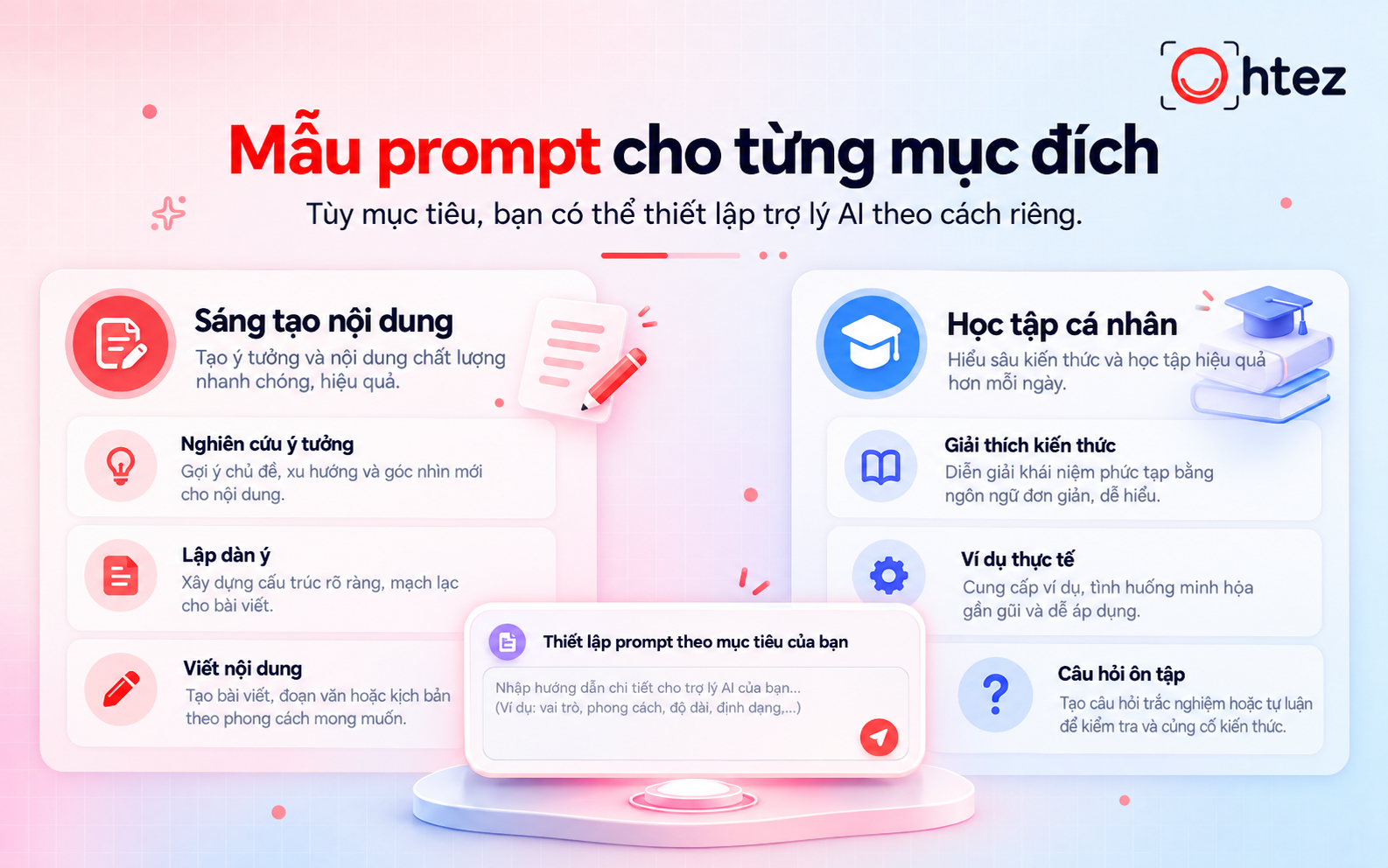
Prompt templates tailored to create your own AI assistant
Overall, it is not difficult to create your own AI assistant if you define clear goals, develop suitable instructions, and regularly review the results. You can turn a general-purpose chatbot into a tool tailored to your work and learning needs. The key is to start with specific tasks, evaluate how well the assistant performs in practice, and keep refining it for long-term use.
If your business needs a more advanced AI solution that can connect data, integrate with existing systems, and automate workflows, explore Ohtez’s custom AI Agent development services for businesses to find an implementation approach tailored to your operational needs.