
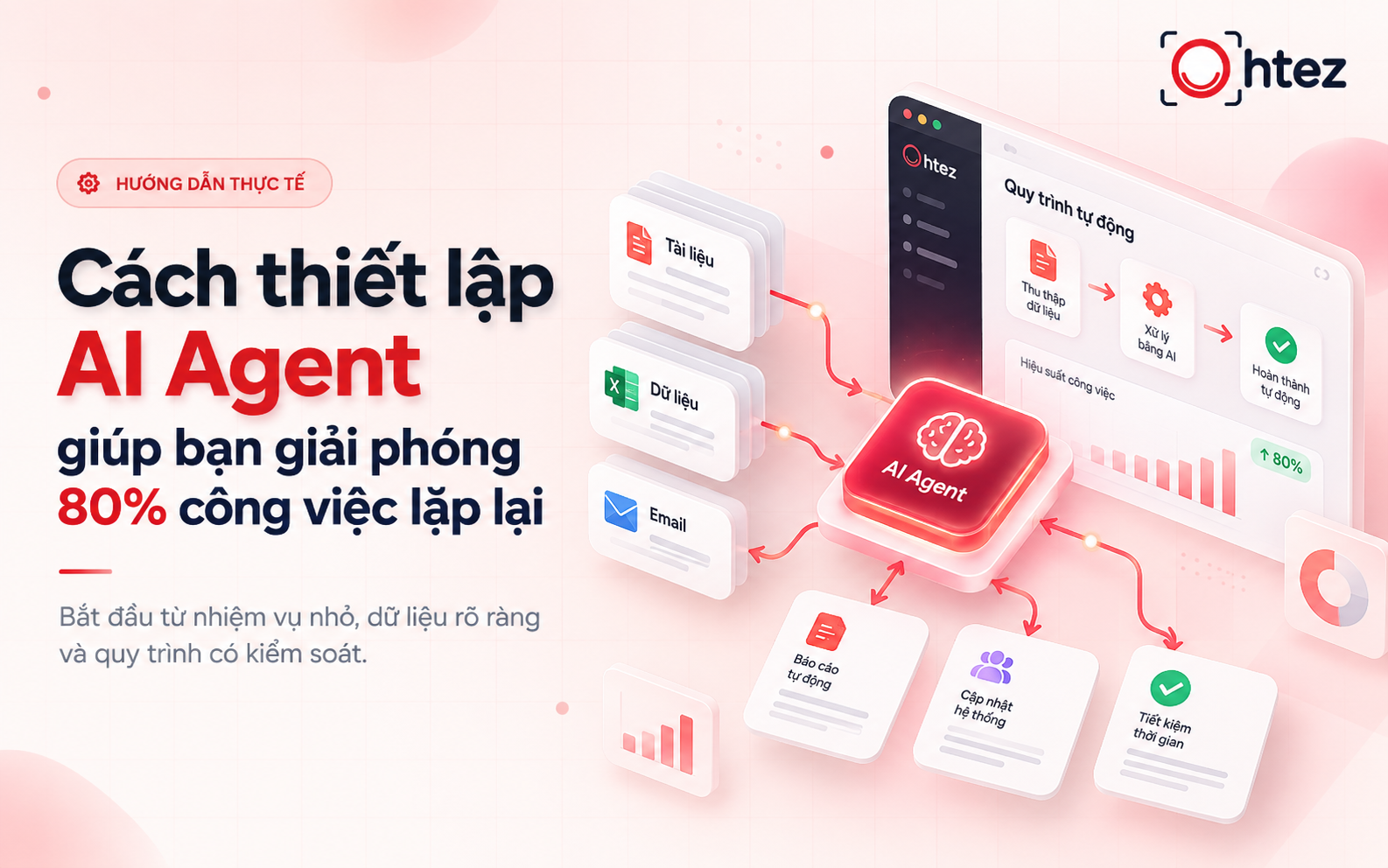
Want to use AI to reduce repetitive work but unsure where to start, which platform to choose, or how to connect your tools? Understanding how to set up an AI Agent helps you gradually delegate tasks such as compiling reports, classifying requests, and drafting responses to AI while keeping control over the results. Read on to learn the essential preparations and a seven-step process for configuring an Agent that fits real-world workflows.
What tasks can an AI Agent automate?
AI Agents can support repetitive tasks with clearly defined inputs and verifiable outputs. When learning how to set up an AI Agent, consider starting with the following practical tasks:
- Report compilation: Collect metrics from connected sources, organize them using a template, and produce summaries for employees to review.
- Lead qualification: Read information from forms, categorize prospects using predefined criteria, and flag requests that require additional details.
- Customer service support: Retrieve relevant documentation, draft responses to frequently asked questions, and route out-of-scope cases to the responsible team member.
- Content production support: Receive briefs, suggest topics, build publishing calendars, and draft content aligned with approved brand guidelines for team review.
- Document and invoice processing: Extract information from invoices or documents, enter it into spreadsheets, and flag fields that require verification.
- Meeting summaries: Analyze notes or transcripts, summarize decisions, and list agreed action items, owners, and deadlines.
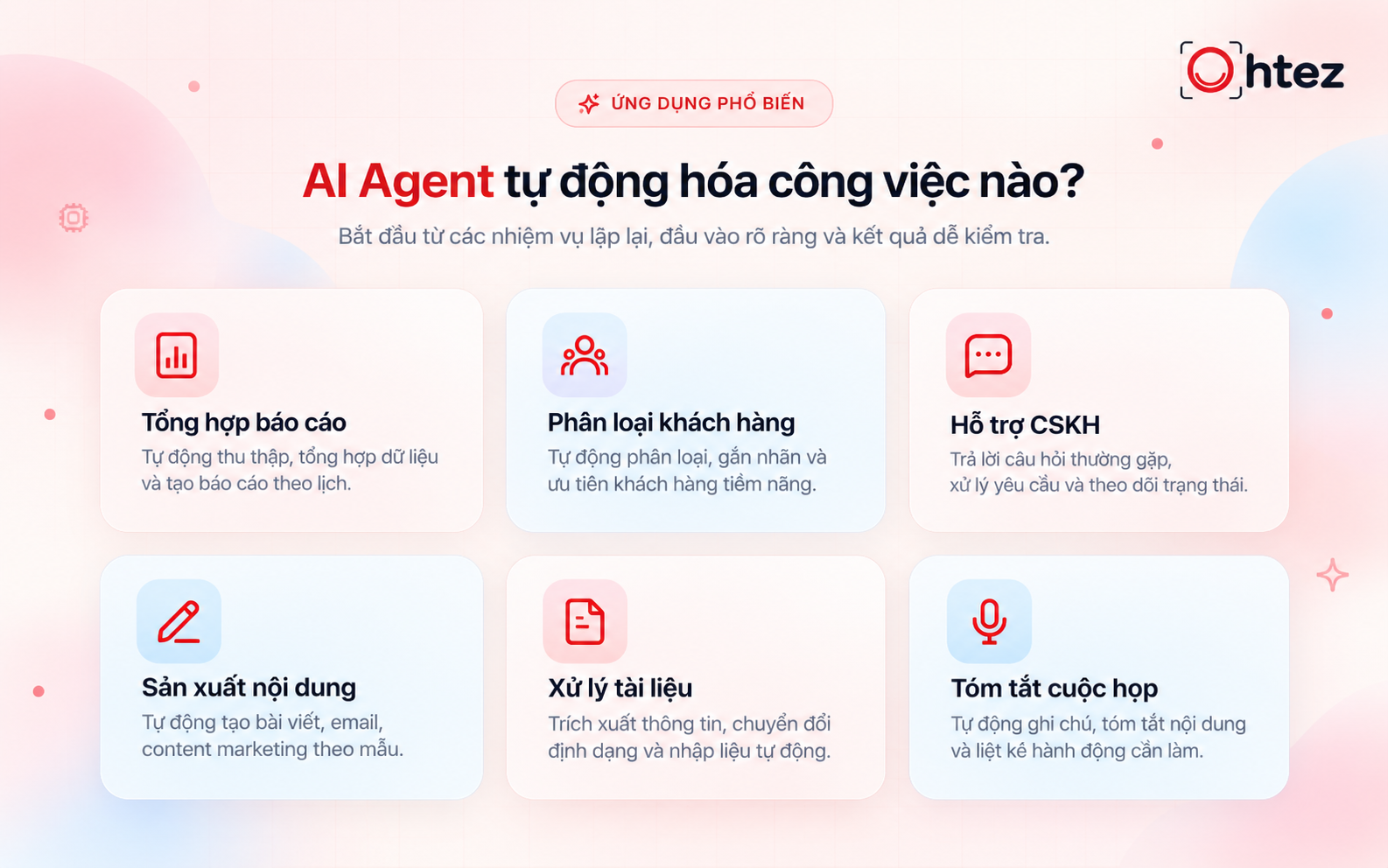
AI Agents support reporting, lead qualification, and document processing
What to prepare before learning how to set up an AI Agent
Understanding the business process helps prevent you from building a system that answers questions well but is difficult to use in practice. Before learning how to set up an AI Agent, document how employees currently complete the task. Identify data sources, reviewers, and common exceptions. This provides the foundation for building an AI Agent whose effectiveness can be measured beyond a handful of trial runs.
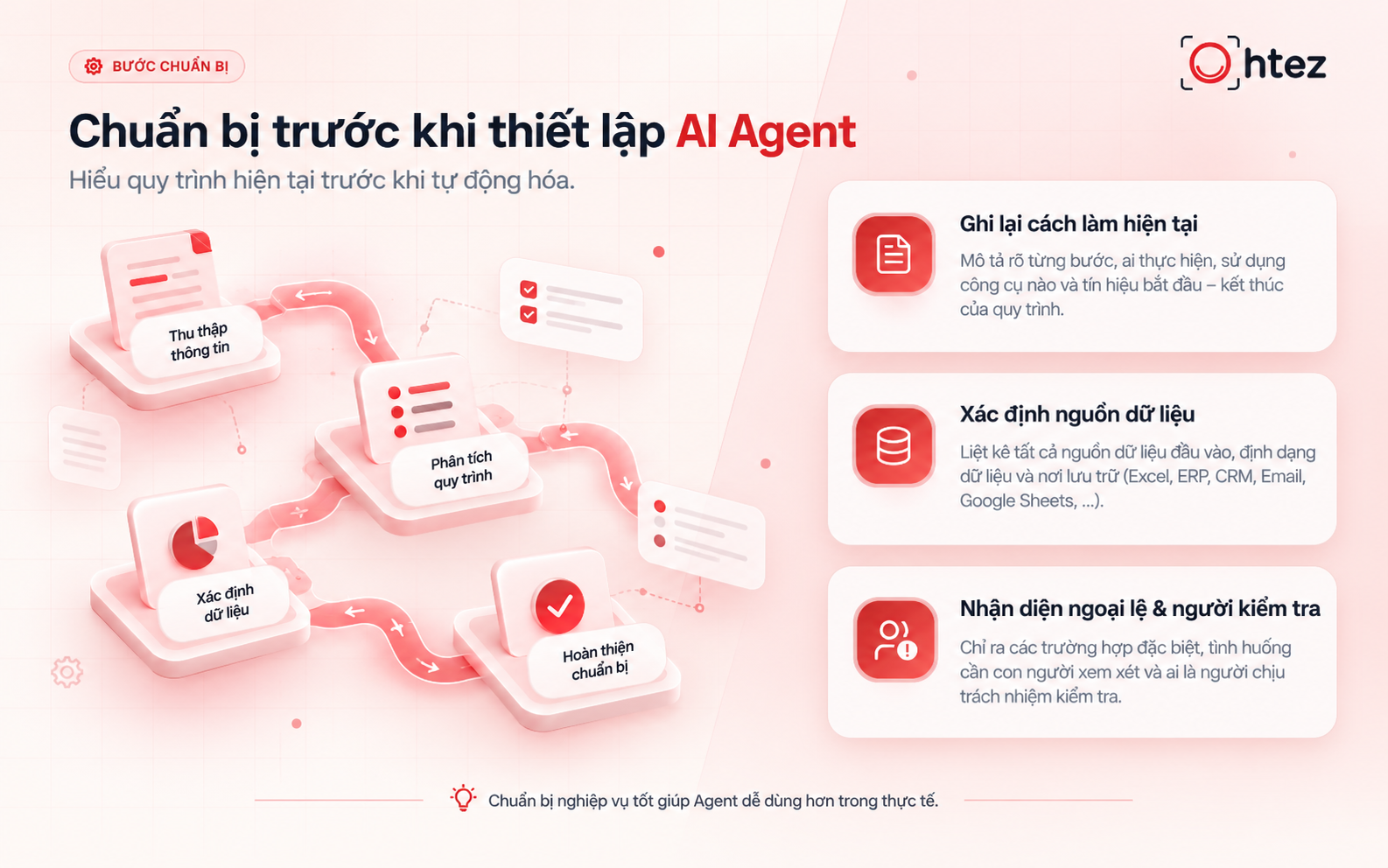
Prepare workflows and data sources before setting up an AI Agent
Define inputs, outputs, and success criteria
Describe each task in terms of concrete results. For example, the input might be a list of customer inquiries, while the output is a categorized table showing the reasoning and any missing information. Success criteria should account for both accuracy and the time employees spend reviewing results. This gives your approach to how to set up an AI Agent clear targets for refinement after testing.
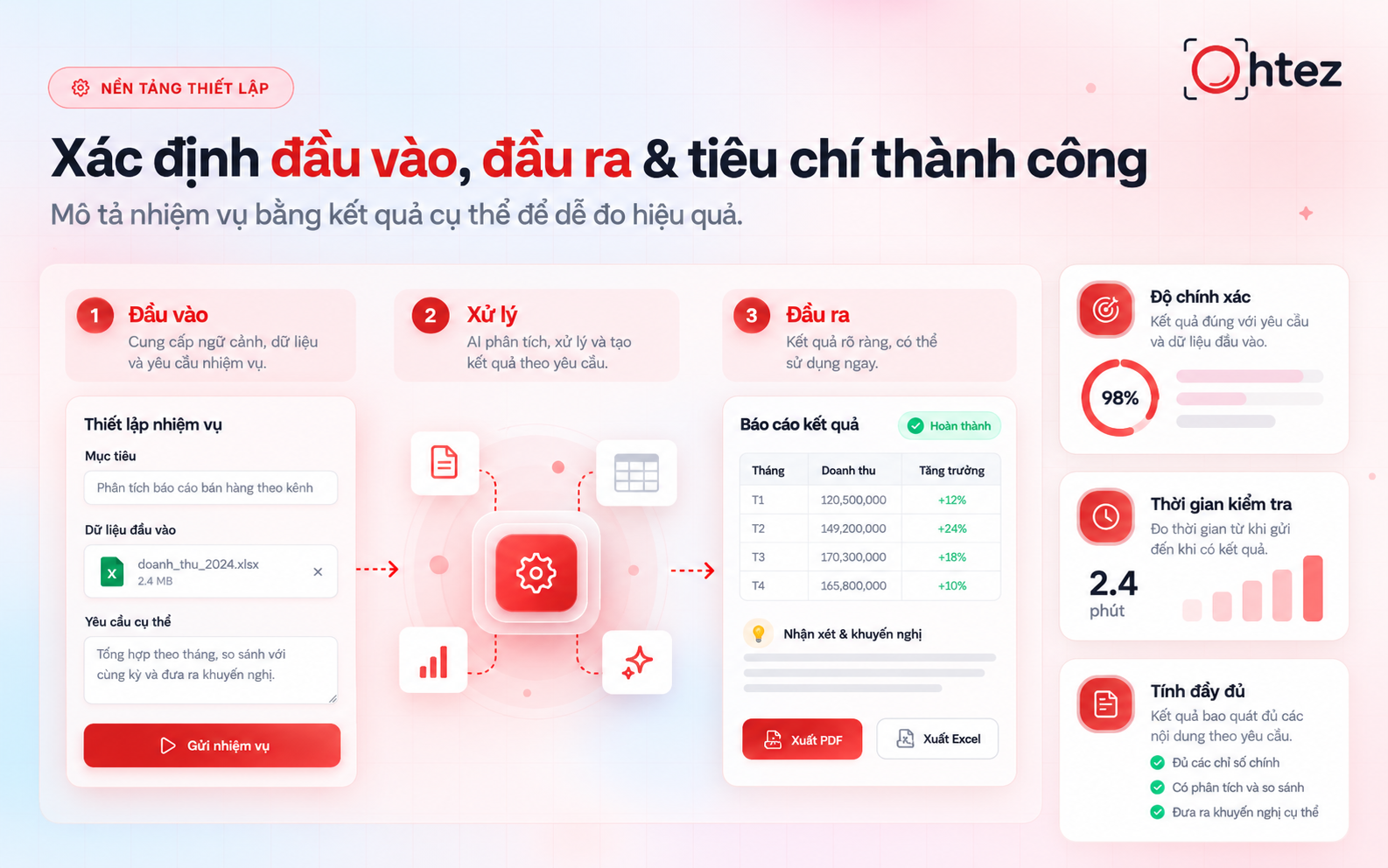
How to set up an AI Agent starts with defined inputs and success criteria
Standardize data and instruction documents
An Agent may give incorrect answers when working with outdated documents or conflicting policies. Remove duplicates, record update dates, and designate authoritative sources. Documentation should also identify who is responsible for verifying information. When considering how to set up an AI Agent, consistent data helps reduce guesswork and makes it easier to trace the causes of errors.

Standardized documentation helps AI Agents use reliable data Standardized documentation helps AI Agents use reliable data
Choose a platform based on workflow needs and budget
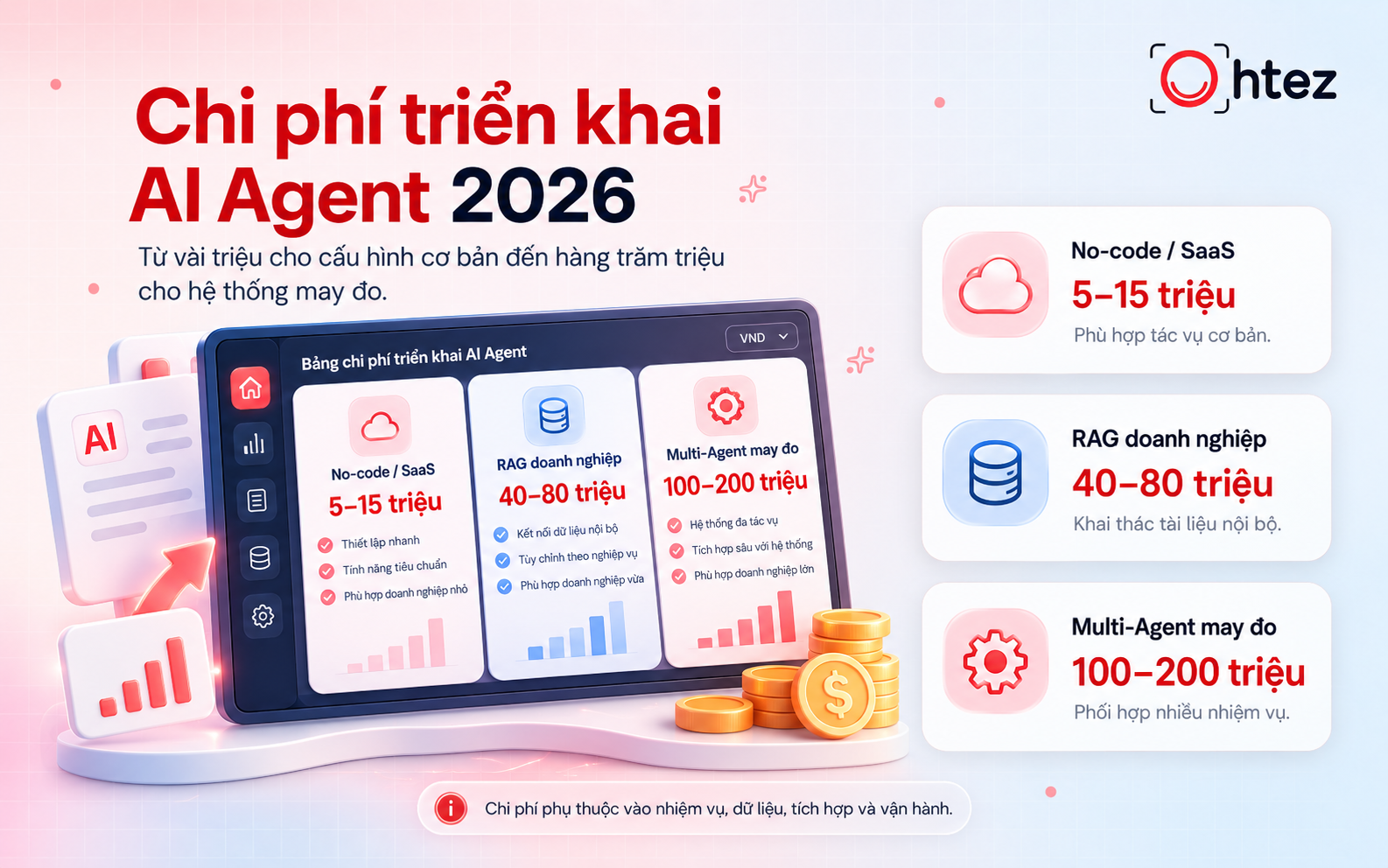
A suitable platform must connect to your data sources and support the workflow you need. When creating a no-code AI Agent, check its access controls, logging, and error-handling capabilities. Costs should include model calls, execution frequency, and maintenance. Your approach to how to set up an AI Agent should begin with real business needs rather than a feature checklist.
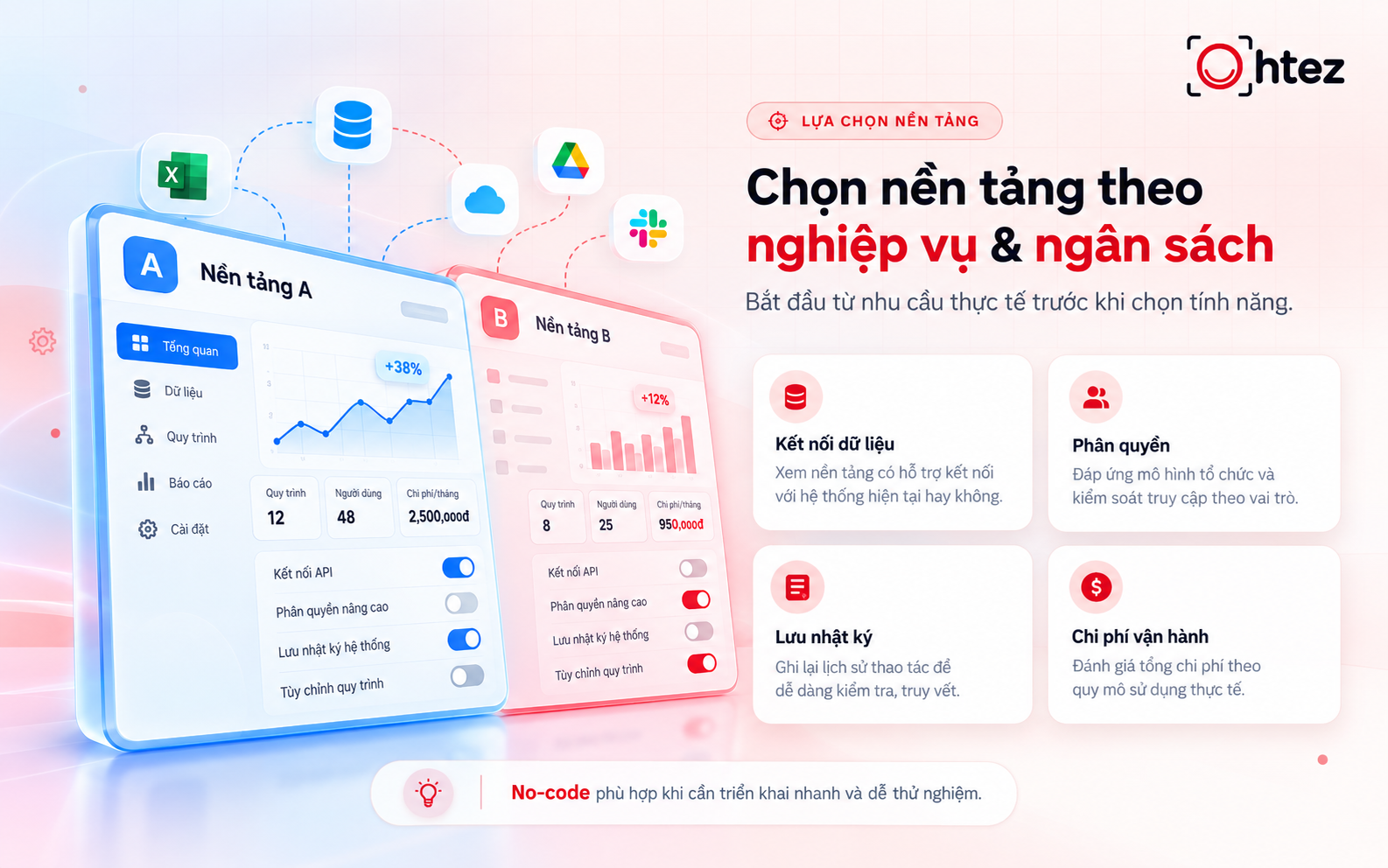
How to set up an AI Agent involves choosing a platform that fits your needs and budget
>> Read more: How to create an AI Agent on Claude from A-Z: Easy guide for beginners
How to set up an AI Agent in 7 simple steps
Once the data is ready, you can turn a business task into a testable workflow. How to set up an AI Agent should begin with a small task, then progress to tool integrations, approval checkpoints, and result validation. Use one example throughout: an Agent that classifies consultation requests submitted through a form. The initial goal is to produce a recommendation table for employee review.
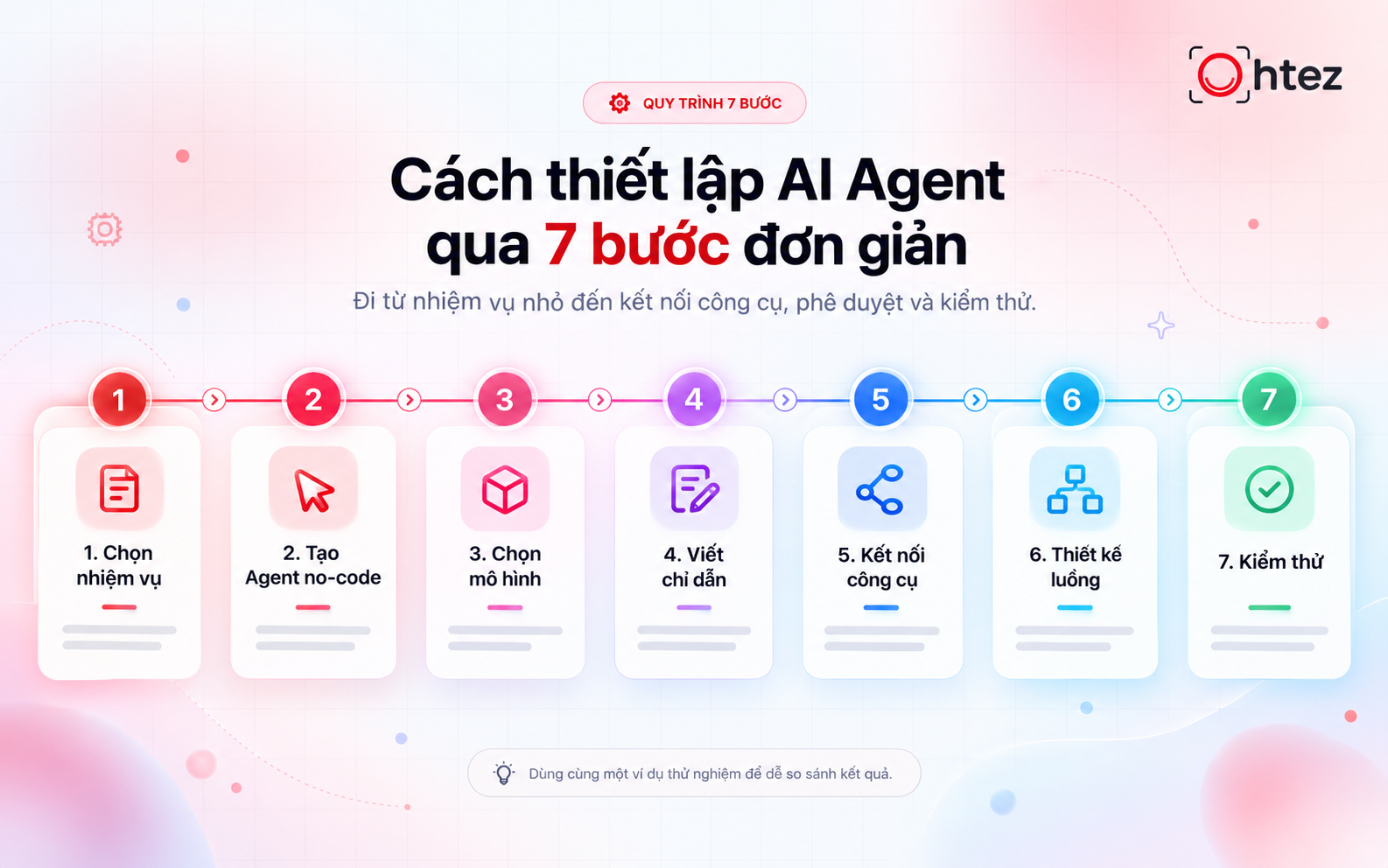
How to set up an AI Agent in seven steps, from task selection to testing
Step 1: Choose a small task for a pilot
Limit the first version to classifying requests and identifying missing information. The Agent does not yet need to contact customers or make final prioritization decisions. Record how long employees currently take to complete this task. This baseline makes it possible to assess how to set up an AI Agent against real results after the pilot.
Step 2: Create a no-code AI Agent on a suitable platform
Build a workflow that receives data from a test form and passes each request to an AI processing step. Configure the output to include the request category, classification rationale, and information that still needs to be collected. Then save the results in a separate spreadsheet. Even when learning how to set up an AI Agent through a drag-and-drop interface, check every data field to prevent mismatched information.
Step 3: Select a model based on task complexity
Test models on the same representative set of requests. Compare their understanding of Vietnamese, adherence to the required format, response time, and cost. Simple tasks may not require the most expensive model. When deciding how to set up an AI Agent, choose a model that meets business requirements at an acceptable operating cost.
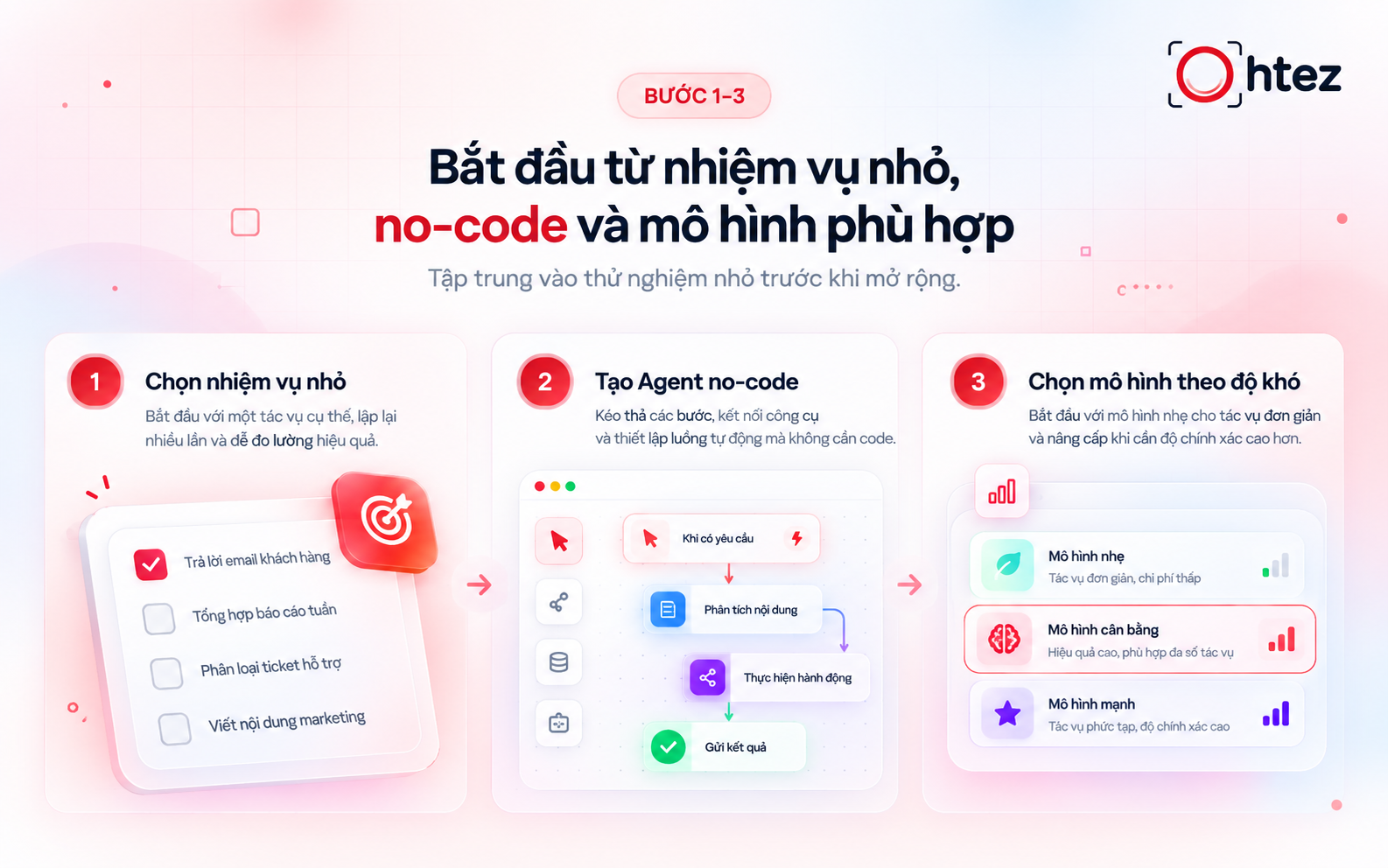
The first three steps of how to set up an AI Agent: task, no-code platform, and model
Step 4: Write instructions and processing rules
Instructions should specify the Agent’s role, task, data sources, and output format. For example, require it to categorize requests using a predefined list, provide a brief explanation, and flag missing information. Do not allow it to invent a budget or customer requirements that were never provided. How to set up an AI Agent must also cover cases where a task cannot be completed, not just the ideal outcome.
Step 5: Connect tools and restrict permissions
Connect only the tools needed for the selected task. In the request-classification example, the Agent can read form submissions and write to a test results sheet. Its connected account does not need permission to delete data or send messages. How to set up an AI Agent should enforce permissions within the connected systems, not merely through prompt instructions.
Step 6: Design the workflow and approval checkpoints
A basic workflow receives data, checks required fields, classifies the request, and saves the recommendation. If critical information is missing, route the request to an employee. Before updating a live customer system, add a review and approval step. How to set up an AI Agent should also limit retries and check for duplicates to avoid processing the same request multiple times.
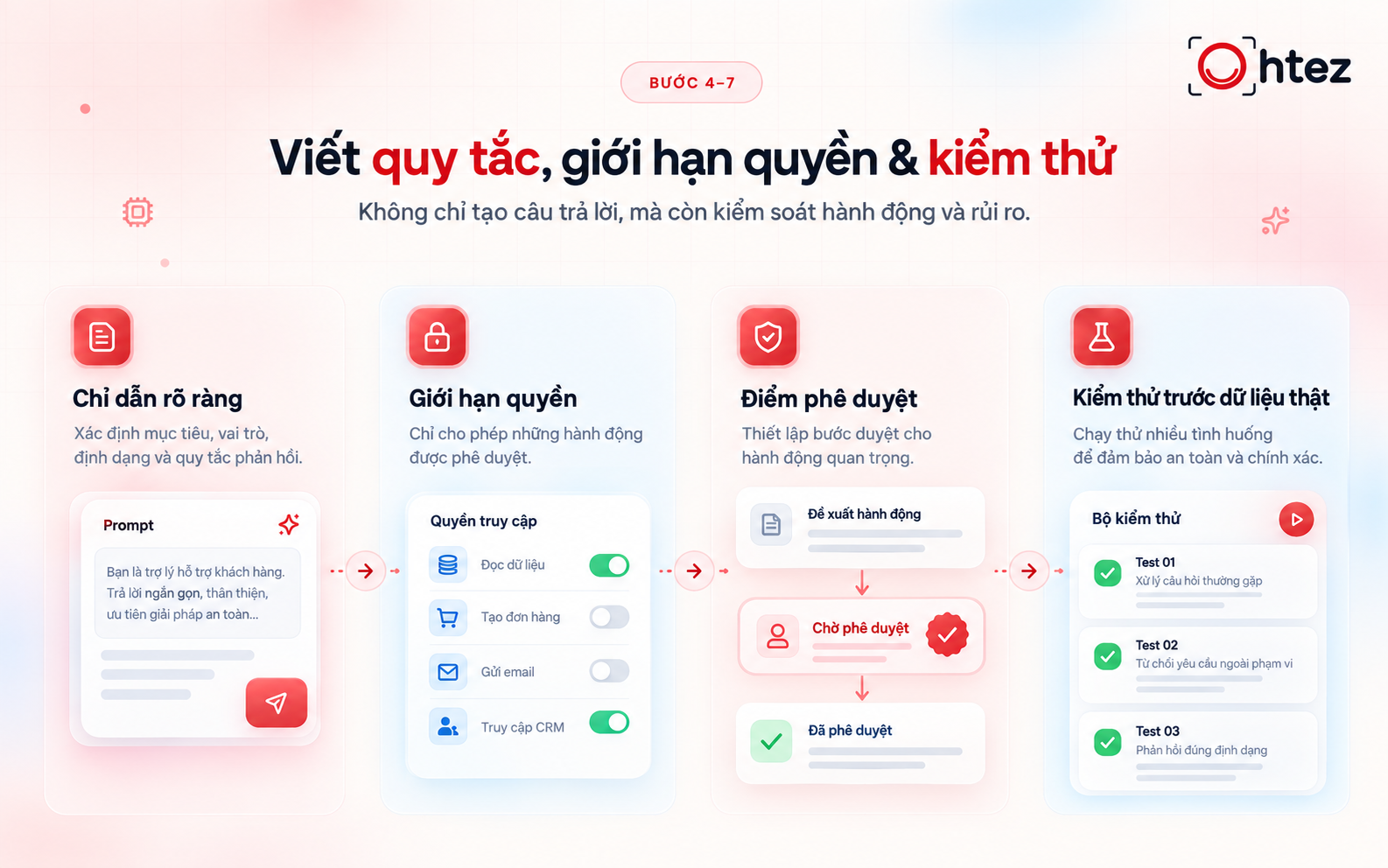
How to set up an AI Agent requires clear rules, permissions, and thorough testing
Step 7: Test before using real data
Prepare test cases covering routine requests, missing data, spelling errors, and out-of-scope scenarios. Also test situations where a tool disconnects or a data source does not respond. Evaluate the end-to-end result, including classification, saved information, and escalation to the responsible person. How to set up an AI Agent requires repeat testing whenever instructions are revised or tools are changed.
>> Read more:How to create an AI Agent for technically sound automation [Complete 2026 guide]
Ohtez helps design Agents around real business workflows
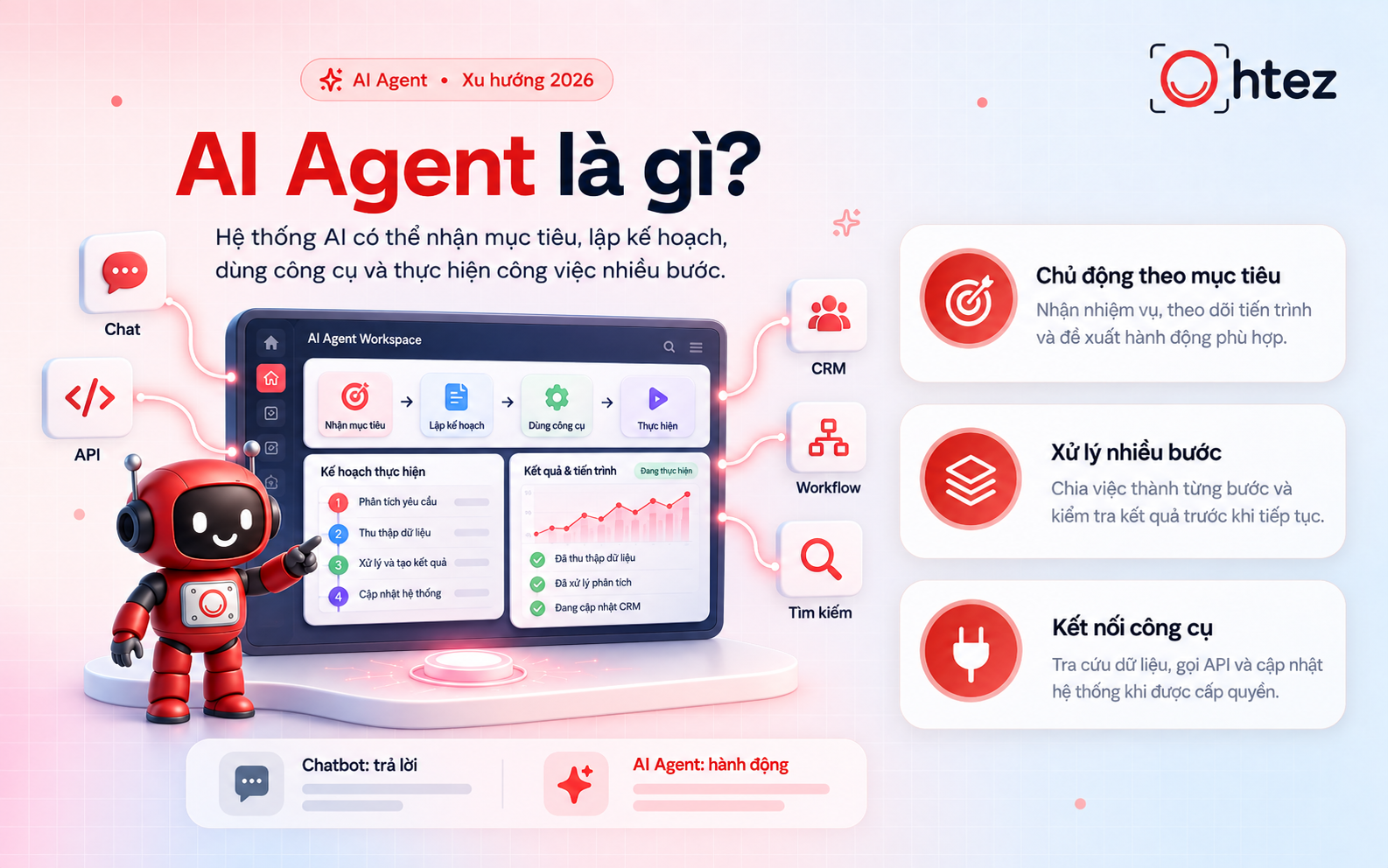
Ohtez provides AI Agent solutions tailored to a company’s operations, data, and existing tools. An Agent can receive requests, process information, and carry out workflow steps across connected systems. For businesses exploring how to set up an AI Agent, Ohtez supports the process from needs assessment to deployment and ongoing optimization.
Key strengths of Ohtez’s AI Agent solutions:
- Business-specific design: Develop Marketing Agents, Logistics Agents, and E-commerce Agents with clearly defined tasks, input data, and processing scope.
- Workflow customization: Identify actual bottlenecks, preserve effective steps, and automate time-consuming activities.
- Integration with existing systems: Connect spreadsheets, CRM systems, sales platforms, or ERP solutions through APIs to reduce manual entry and information handoffs.
- Multi-step automation: Combine data collection, request classification, system updates, notifications, and reporting within a single workflow.
- Control over critical actions: Configure access permissions, approval steps, and escalation conditions when requests fall outside the Agent’s authorized scope.
- Post-deployment support: Provide training, monitor results, and adjust the Agent as business data, processes, or requirements evolve.
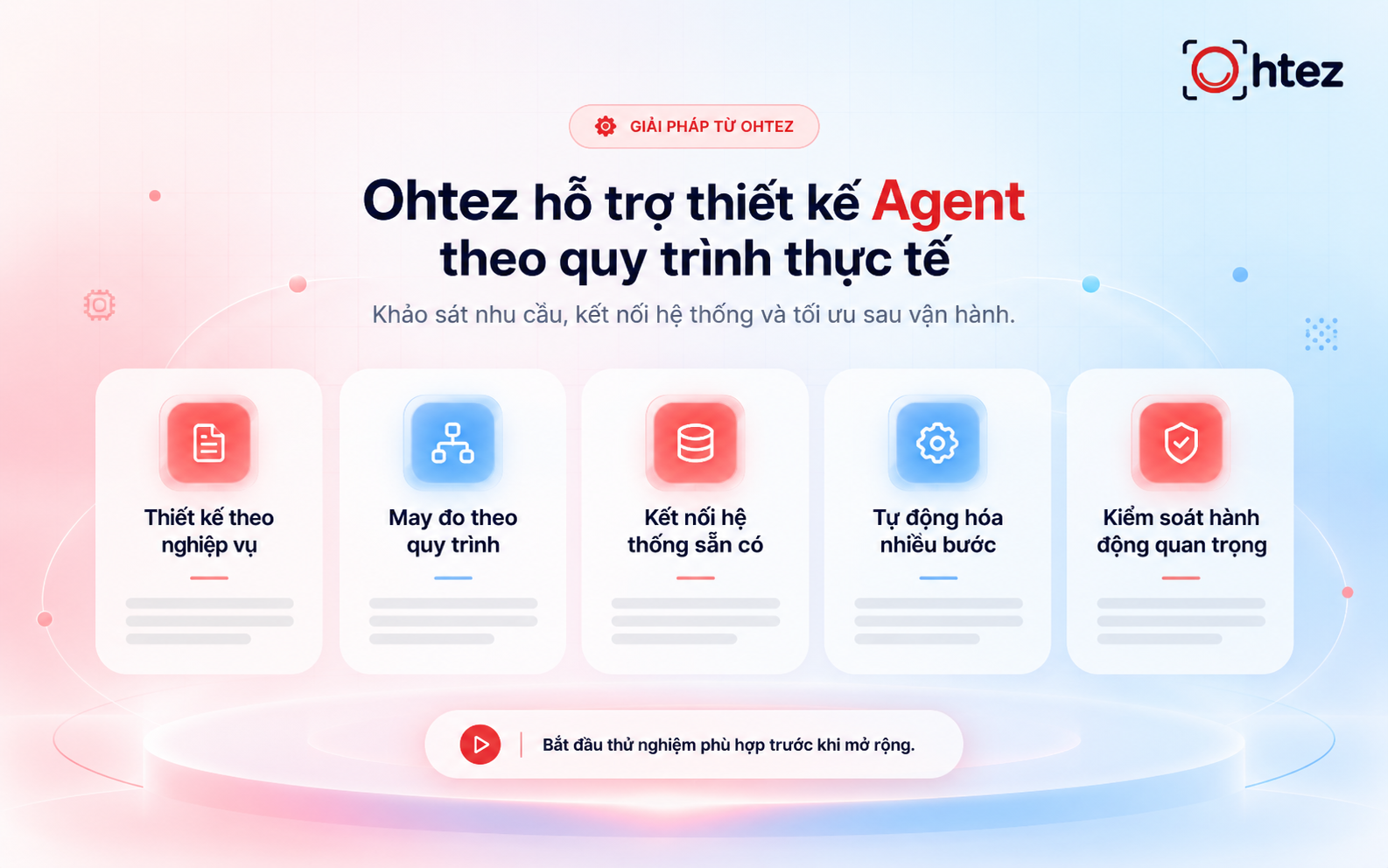
Ohtez supports how to set up an AI Agent around real business workflows
Businesses can start with a free AI Agent to test whether it meets their needs, then consider Standard, Pro, or Enterprise plans as appropriate. Contact Ohtez for guidance on how to set up an AI Agent for workflows that need improvement and for help developing a suitable implementation roadmap.