
Producing YouTube videos consistently involves much more than recording and editing. Creators also need to research topics, write scripts, optimize SEO, publish content, and analyze performance. AI Agent YouTube Automation simplifies this process by connecting every stage into a single, intelligent workflow. In this guide, you’ll learn how AI agents differ from traditional automation, how to automate YouTube content step by step, the best AI tools for each workflow stage, and how to build a scalable faceless YouTube system. Whether you’re just starting out or looking to improve an existing workflow, this guide from Ohtez will help you automate content creation more efficiently.
What Is AI Agent YouTube Automation?
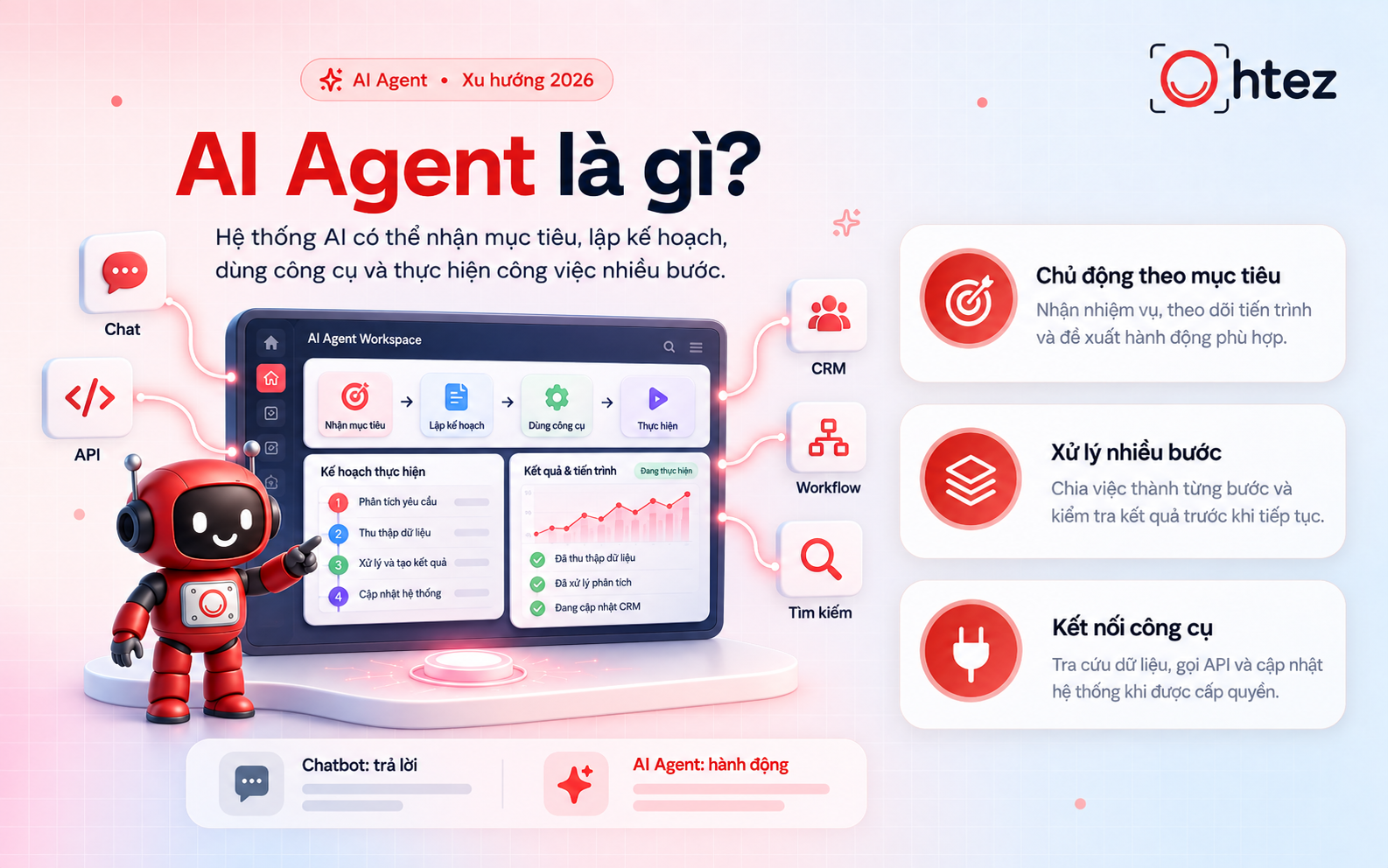
AI Agent YouTube Automation is the process of using intelligent AI agents to automate and manage the entire YouTube content creation workflow. Unlike traditional automation, which follows predefined rules, AI agents can understand goals, make context-aware decisions, and coordinate multiple AI tools to complete complex tasks with minimal human intervention.
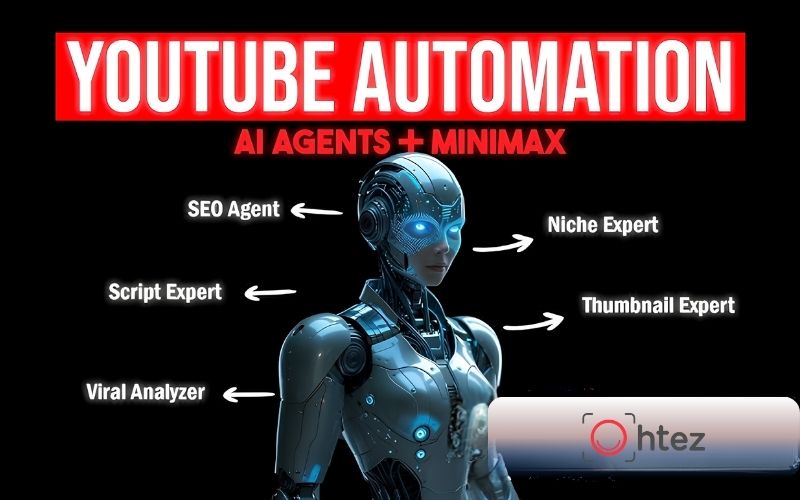
Instead of handling only one activity, an AI agent can oversee the complete production process. It may begin by researching trending topics and identifying relevant SEO keywords, then generate a structured video outline and write a full script. From there, the workflow can continue with AI-generated voiceovers, thumbnail concepts, and video assembly before automatically preparing titles, descriptions, tags, and publishing schedules. Once a video goes live, the AI agent can also monitor key performance metrics and provide recommendations to improve future content.
Rather than acting as another AI writing tool, AI Agent YouTube Automation functions more like a virtual project manager. It connects every stage of YouTube production into a single workflow, allowing creators to spend less time on repetitive tasks and more time developing content strategies, refining ideas, and engaging with their audience.
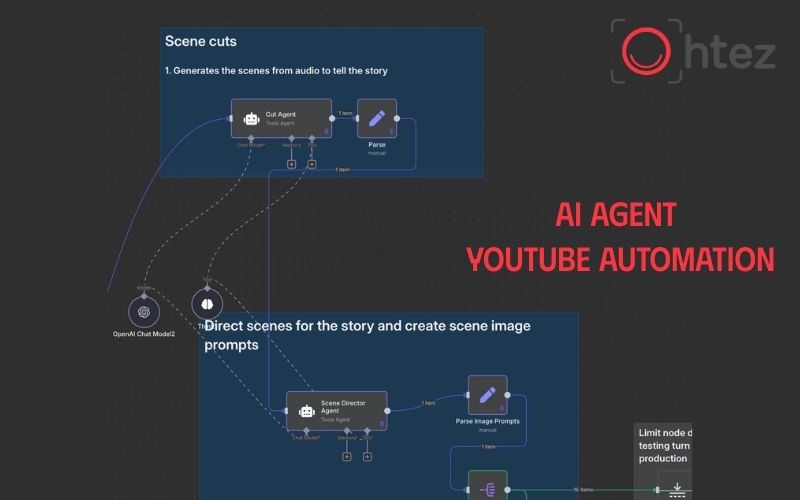
What Is AI Agent YouTube Automation?
>> See also: AI Agent vs AI Model: Comparing the differences and applications
Why use AI agents for YouTube content creation
Traditional YouTube production often involves moving between multiple tools for research, writing, editing, publishing, and analytics. This fragmented workflow slows production and increases the chance of inconsistencies.
With AI Agent YouTube Automation, these individual tasks become part of a connected system. AI agents automatically pass information from one stage to the next. For example, keyword research can immediately feed into script generation, while completed scripts can trigger voice generation and video production.
For content creators, this transformation delivers several benefits:
-
Faster production cycles.
-
Consistent publishing schedules.
-
Better SEO optimization.
-
Lower production costs.
-
Easier content scaling.
This approach is particularly useful for AI YouTube automation, where efficiency matters without sacrificing quality. Instead of spending hours managing repetitive tasks, creators can focus on content planning, branding, and audience relationships – the activities that have the greatest impact on long-term channel growth
>> See also: How to create an AI Agent on Claude from A-Z: Easy guide for beginners
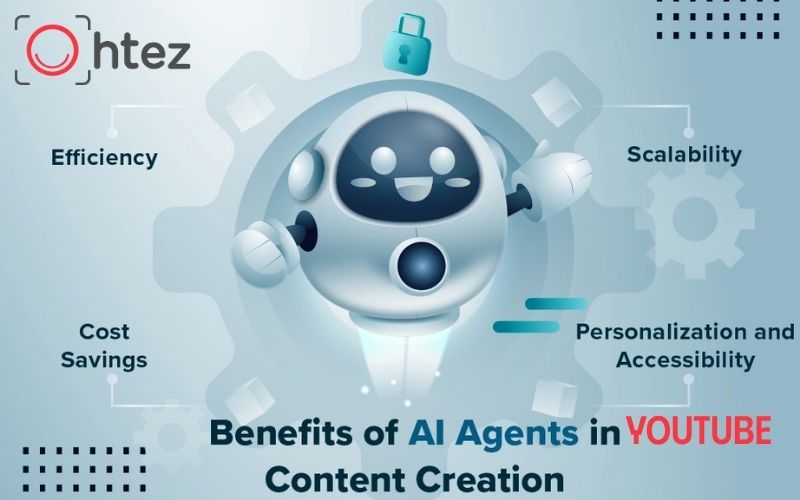
Why use AI Agent Youtube Automation
AI Agent vs Traditional YouTube Automation
Although many creators use the terms interchangeably, AI agents and traditional automation operate very differently.
For example, a traditional workflow might automatically upload a video once editing is complete. If the title or keyword changes, you’ll usually need to update the workflow manually. An AI agent works differently. It can analyze trending keywords, revise the script, regenerate metadata, and recommend a better publishing schedule before the video goes live. Instead of following fixed instructions, it continuously adjusts its actions based on new information.
This flexibility makes AI Agent YouTube Automation a better choice for creators who want to build scalable and adaptive YouTube workflows rather than relying on rigid automation rules.
How to automate YouTube content with AI agents
AI Agent YouTube Automation streamlines the entire YouTube content creation process by connecting research, scripting, video production, SEO, and publishing into one workflow. Instead of managing each task manually, creators can use AI agents to automate repetitive work while focusing on content strategy and creativity. The workflow below outlines the key stages of building an efficient and scalable YouTube automation system.
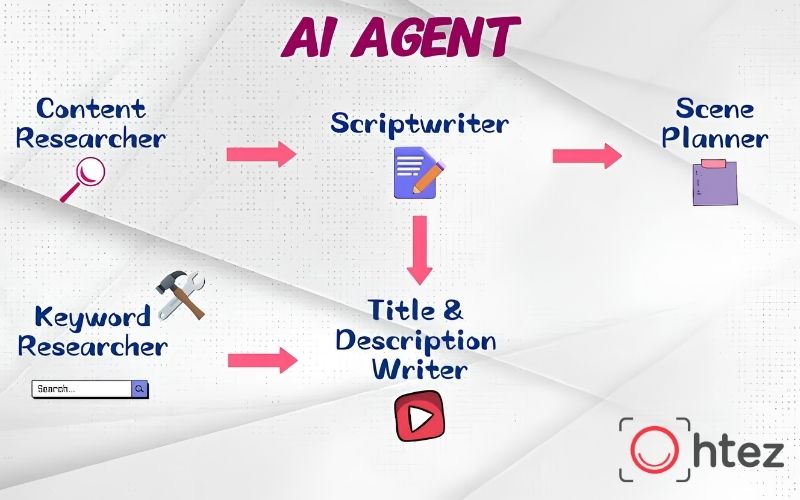
How to automate YouTube content with AI agents
Research topics
Every successful video begins with the right topic. Instead of manually searching through YouTube, Google Trends, Reddit, or industry blogs, AI agents can automatically collect and organize valuable content opportunities.
An AI research agent typically performs tasks such as:
-
Finding trending topics.
-
Discovering long-tail keywords.
-
Identifying audience questions.
-
Analyzing competitor content.
-
Grouping related content ideas.
Rather than selecting topics based on intuition, AI Agent YouTube Automation helps creators make data-driven decisions. AI can also prioritize keywords based on search intent, competition, and audience interest. This research stage provides a strong foundation for the rest of the workflow and significantly improves the effectiveness of AI YouTube automation.
Write scripts
Once a topic has been selected, the next step is generating a structured script. AI agents can transform research into organized video outlines before expanding them into complete scripts. Instead of producing one long draft immediately, an effective workflow usually includes:
-
Creating an outline.
-
Expanding each section.
-
Improving readability.
-
Adding examples.
-
Optimizing audience retention.
Using AI Agent YouTube Automation, creators can reduce scriptwriting time from several hours to just a few minutes. However, every draft should still be reviewed to ensure factual accuracy, natural language, and alignment with the channel’s tone of voice. AI works best as a writing assistant rather than a replacement for human expertise.
Generate voice
Voice generation is one of the most common applications of AI Agent YouTube Automation, especially for creators producing large volumes of content or managing multiple channels. Modern AI voice systems can:
-
Convert scripts into natural narration.
-
Support multiple languages.
-
Adjust speaking styles.
-
Generate consistent voiceovers.
-
Produce subtitles automatically.
For faceless YouTube automation, AI-generated voices eliminate the need for manual recording while maintaining a professional listening experience. Even with advanced voice technology, creators should review pronunciation, pacing, and emphasis before publishing. A natural voiceover significantly improves audience retention and overall viewing experience.
AI Agent YouTube Automation for Generating Voice
Create video
After voice generation, AI agents coordinate visual production by combining narration with graphics, stock footage, animations, subtitles, and transitions. Depending on the workflow, AI Agent YouTube Automation may also assist with:
-
Thumbnail concepts.
-
Scene planning.
-
B-roll recommendations.
-
Automatic caption generation.
-
Basic video editing.
Rather than replacing professional editors, AI accelerates repetitive production tasks so creators can focus on storytelling and creative direction. This stage is particularly valuable for creators producing educational videos, tutorials, and YouTube automation with AI agents, where maintaining a consistent production schedule is essential.
Optimize SEO
Publishing great content is only effective if viewers can find it. That’s why SEO optimization remains an essential stage of AI Agent YouTube Automation. AI agents can automatically generate:
-
SEO-friendly titles.
-
Keyword-rich descriptions.
-
Relevant video tags.
-
Chapter timestamps.
-
Suggested hashtags.
Some AI systems also analyze competitor metadata and recommend optimization opportunities based on search trends. Although AI improves efficiency, creators should avoid keyword stuffing. Titles and descriptions should accurately represent the video while remaining helpful to viewers. Combining AI YouTube automation with strong SEO practices improves discoverability without sacrificing user experience.
Publish & analyze
Publishing is not the end of the workflow. One of the greatest strengths of AI Agent YouTube Automation is its ability to continuously monitor performance and improve future content. After a video goes live, AI agents can:
-
Schedule uploads at optimal times.
-
Track click-through rates.
-
Measure audience retention.
-
Analyze watch time.
-
Compare performance across videos.
-
Recommend workflow improvements.
These insights help creators refine future topics, improve video structure, and identify content formats that perform best. By treating analytics as part of the production cycle instead of a separate task, AI Agent YouTube Automation becomes a continuous optimization system rather than simply a content creation tool.
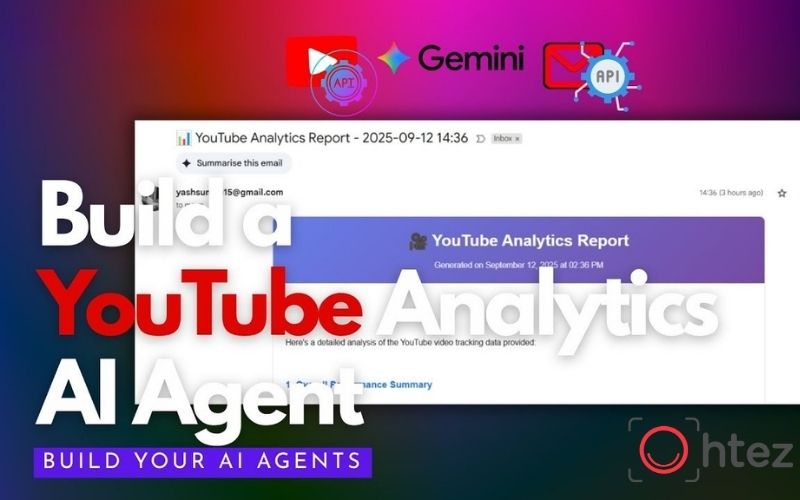
AI Agent YouTube Automation for Publishing & Analyzing
Best AI tools for each workflow stage
Building an effective AI Agent YouTube Automation workflow requires choosing the right AI tools for each production stage. Rather than relying on one platform to do everything, most creators combine specialized tools that work together through AI agents. This approach makes AI Agent YouTube Automation more flexible, scalable, and easier to optimize as your channel grows.
The table below highlights popular AI tools that creators commonly use at each step of the workflow.
While every creator’s workflow is different, you don’t need to use every AI tool listed above. Beginners can start with one research tool, one writing assistant, one video editor, and one SEO platform. As your production process becomes more efficient, additional AI agents can be integrated to automate scheduling, analytics, and workflow management.
>> See more: Top 5 best free AI Agents in 2026, ready to use at no cost
How to Build a Faceless YouTube Automation System
A faceless YouTube automation system combines AI agents with specialized tools to automate the entire content production process. Instead of completing each task manually, creators can assign different stages of the workflow to AI while focusing on content strategy and quality. Here’s a practical way to build a scalable system.
Step 1: Choose a Profitable Niche
Begin by selecting a niche with consistent search demand and monetization potential, such as AI, business, software, or personal finance. Once you’ve chosen a niche, use AI research assistants like Perplexity AI or ChatGPT to identify trending topics, frequently asked questions, and content gaps that your channel can target.
Step 2: Set Up Your Channel Branding
Create a professional channel identity before publishing your first video. AI writing tools such as ChatGPT or Claude can help generate channel names, descriptions, and branding ideas, while design platforms like Canva AI or Adobe Express make it easy to create logos, banners, and thumbnail templates.
Step 3: Generate Scripts and Voiceovers
After defining your niche and branding, it’s time to build the content production pipeline. AI writing assistants such as ChatGPT, Claude, or Gemini can generate video outlines and first drafts in minutes. Once the script is finalized, AI voice generators like ElevenLabs, Murf AI, or PlayHT convert it into natural-sounding narration, allowing creators to produce videos without recording their own voice.
Step 4: Produce and Edit Videos
AI-powered editors can speed up video production by combining voiceovers, visuals, captions, and transitions automatically. Tools like InVideo AI, Runway, Pika, or CapCut help creators assemble professional-looking videos with much less manual editing. These tools automatically synchronize narration with stock footage, captions, and transitions, significantly reducing editing time while maintaining a professional-looking video.
Step 5: Optimize Videos for YouTube SEO
Before publishing, improve your video’s discoverability by optimizing titles, descriptions, tags, and thumbnails. Platforms such as TubeBuddy and vidIQ provide keyword suggestions, competitor insights, and SEO recommendations that can improve your video’s visibility in YouTube search.
Step 6: Automate the Entire Workflow
Once each production stage is working smoothly, connect your tools into a single automated workflow using platforms like n8n, Make, or Zapier. These automation platforms can trigger actions such as generating scripts, sending content to video editors, scheduling uploads, and collecting analytics, allowing your AI Agent YouTube Automation system to operate more efficiently with minimal manual intervention.
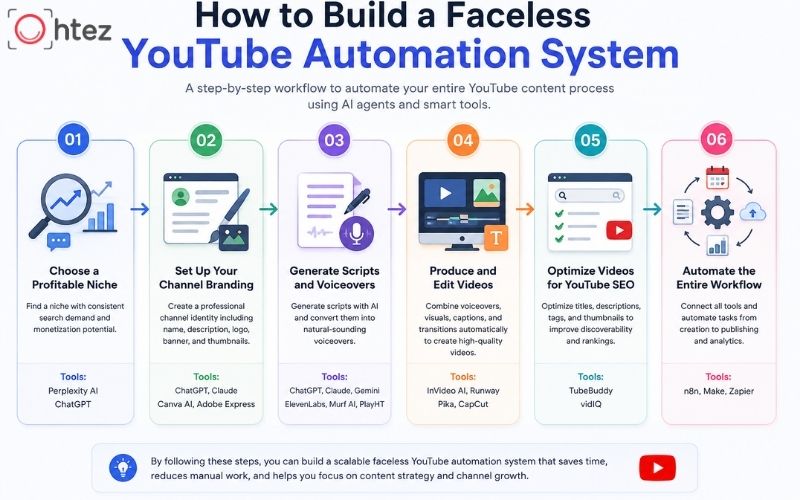
How to Build a Faceless YouTube Automation System
Common mistakes when using AI agents
Although AI Agent YouTube Automation can dramatically improve productivity, many creators fail to achieve consistent results because they automate too much or rely on AI without proper review. Automation should support a content strategy rather than replace it.
One of the most common mistakes is publishing AI-generated content with minimal editing. While AI can create outlines, scripts, and metadata quickly, it cannot always understand audience expectations, current events, or your unique brand identity.
Even experienced creators often encounter the following issues when implementing AI Agent YouTube Automation:
-
Choosing topics without validating search demand.
-
Publishing repetitive or generic scripts.
-
Ignoring YouTube SEO fundamentals.
-
Using AI-generated visuals without checking copyright.
-
Automating every creative decision.
Another issue is expecting AI to guarantee channel growth. In reality, AI Agent YouTube Automation only improves efficiency. Success still depends on producing valuable content that solves audience problems and encourages engagement.
For creators using AI YouTube automation, the best approach is to combine automation with regular performance reviews. Analyze audience retention, click-through rate, and viewer feedback to identify opportunities for improvement. Remember that AI agents are assistants – not replacements for creativity, expertise, or strategic decision-making.
Common mistakes when using AI Agent Youtube Automation
AI Agent YouTube Automation is more than a collection of AI tools – it’s a structured workflow that helps creators automate repetitive tasks while keeping full control over content quality and strategy. By choosing the right tools for each stage, building an efficient production pipeline, and avoiding common automation mistakes, you can scale your YouTube channel more effectively. We hope this guide from Ohtez has given you a practical understanding of how to automate YouTube content with AI agents and build a workflow that supports sustainable channel growth.
>> Related reading: Workflow Automation vs Process Automation: Key Differences